







Question: Create a comprehensive financial analysis workbook incorporating financial functions, data tables, amortization schedules, and multi - sheet workbook management. Instructions: 1 . Create a Multi
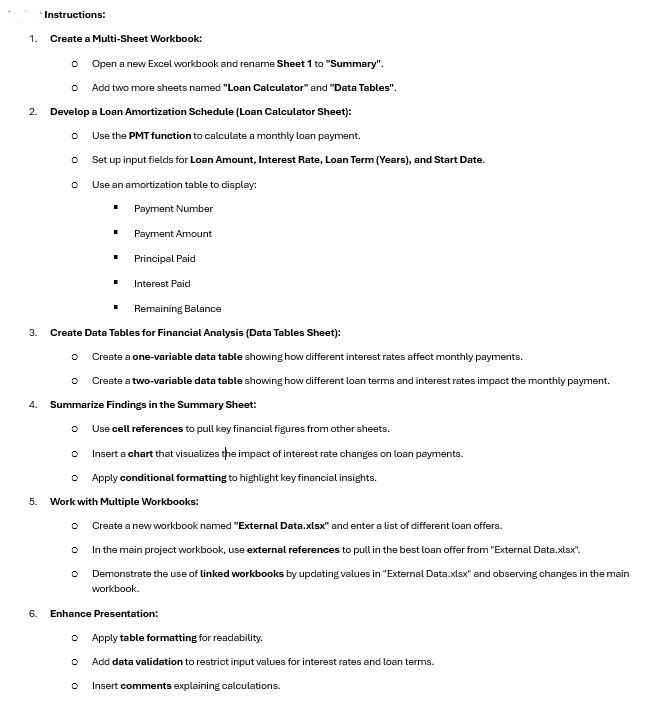
Create a comprehensive financial analysis workbook incorporating financial functions, data tables, amortization schedules, and multisheet workbook management. Instructions: Create a MultiSheet Workbook: Open a new Excel workbook and rename Sheet to "Summary". Add two more sheets named "Loan Calculator" and "Data Tables". Develop a Loan Amortization Schedule Loan Calculator Sheet: Use the PMT function to calculate a monthly loan payment. Set up input fields for Loan Amount, Interest Rate, Loan Term Years and Start Date. Use an amortization table to display: Payment Number Payment Amount Principal Paid Interest Paid Remaining Balance Create Data Tables for Financial Analysis Data Tables Sheet: Create a onevariable data table showing how different interest rates affect monthly payments. Create a twovariable data table showing how different loan terms and interest rates impact the monthly payment. Summarize Findings in the Summary Sheet: Use cell references to pull key financial figures from other sheets. Insert a chart that visualizes the impact of interest rate changes on loan payments. Apply conditional formatting to highlight key financial insights. Work with Multiple Workbooks: Create a new workbook named "External Data.xlsx and enter a list of different loan offers. In the main project workbook, use external references to pull in the best loan offer from "External Data.xlsx Demonstrate the use of linked workbooks by updating values in "External Data.xlsx and observing changes in the main workbook. Enhance Presentation: Apply table formatting for readability. Add data validation to restrict input values for interest rates and loan terms. Insert comments explaining calculations.
Step by Step Solution
There are 3 Steps involved in it
1 Expert Approved Answer
Step: 1 Unlock

Question Has Been Solved by an Expert!
Get step-by-step solutions from verified subject matter experts
Step: 2 Unlock
Step: 3 Unlock
 Study Help