







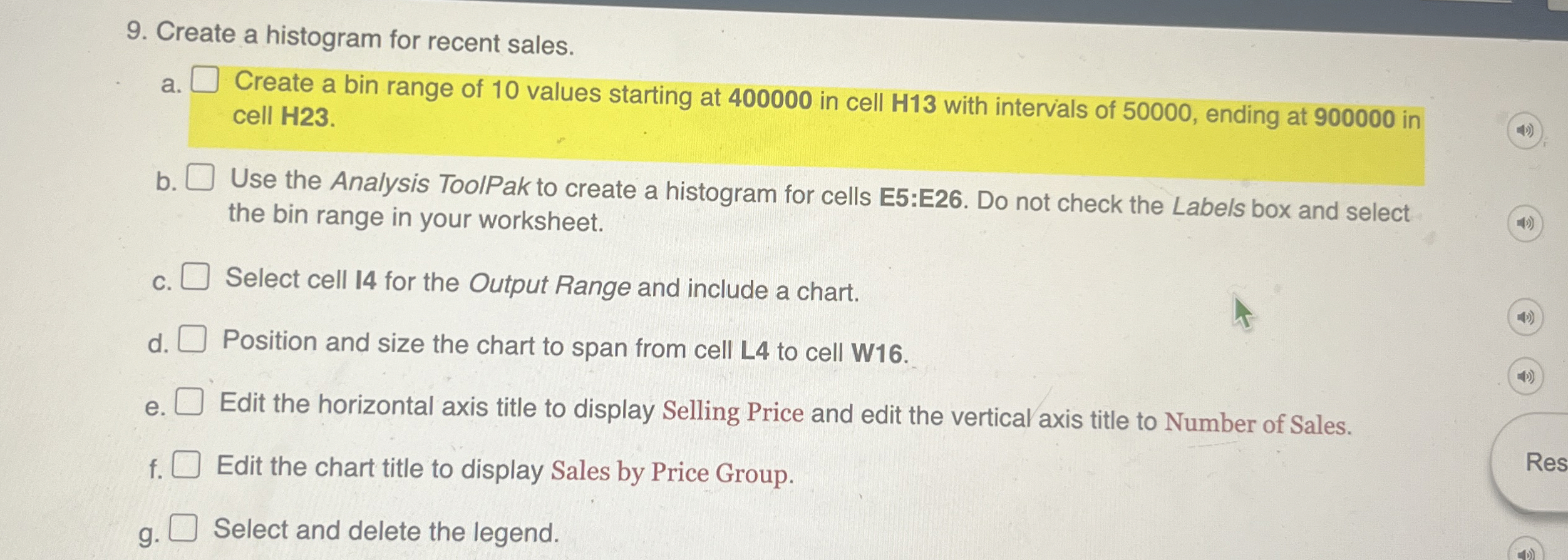
Question: Create a histogram for recent sales. a . Create a bin range of 1 0 values starting at 4 0 0 0 0 0 in
Create a histogram for recent sales.
a Create a bin range of values starting at in cell H with intervals of ending at in cell H
b Use the Analysis ToolPak to create a histogram for cells E:E Do not check the Labels box and select the bin range in your worksheet.
c Select cell for the Output Range and include a chart.
d Position and size the chart to span from cell L to cell W
e Edit the horizontal axis title to display Selling Price and edit the vertical axis title to Number of Sales.
f Edit the chart title to display Sales by Price Group.
Select and delete the legend.
Step by Step Solution
There are 3 Steps involved in it
1 Expert Approved Answer
Step: 1 Unlock

Question Has Been Solved by an Expert!
Get step-by-step solutions from verified subject matter experts
Step: 2 Unlock
Step: 3 Unlock
 Study Help