







Question: Create a VPC 1. Create a VPC from scratch (without using the VPC Wizard). 2. Set the VPC CIDR to 172.16.0.0/16. 3. Take a screenshot
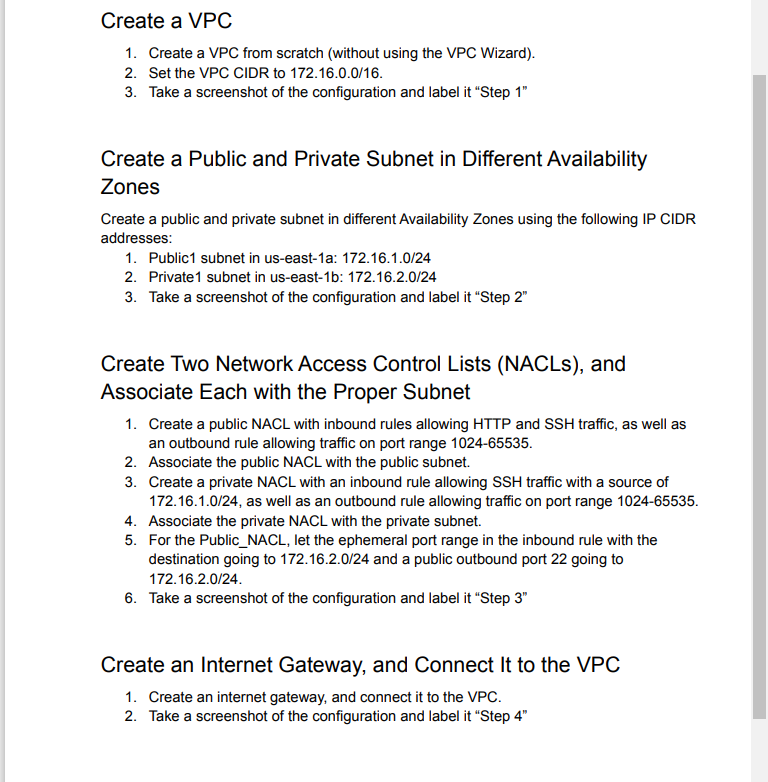
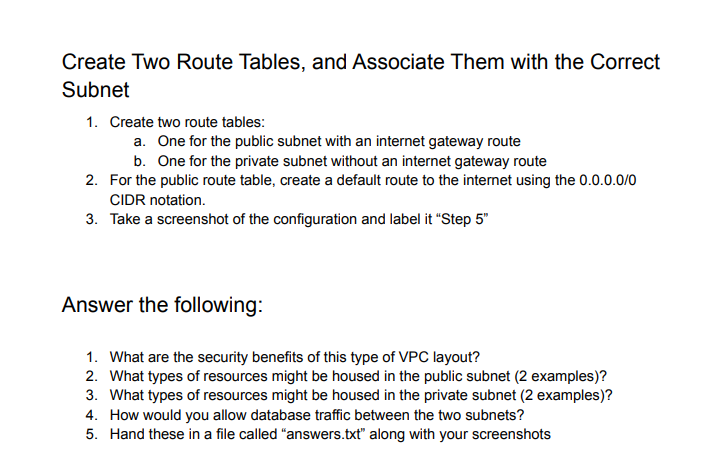
Create a VPC 1. Create a VPC from scratch (without using the VPC Wizard). 2. Set the VPC CIDR to 172.16.0.0/16. 3. Take a screenshot of the configuration and label it "Step 1" Create a Public and Private Subnet in Different Availability Zones Create a public and private subnet in different Availability Zones using the following IP CIDR addresses: 1. Public1 subnet in us-east-1a: 172.16.1.0/24 2. Private 1 subnet in us-east-1b: 172.16.2.0/24 3. Take a screenshot of the configuration and label it "Step 2" Create Two Network Access Control Lists (NACLs), and Associate Each with the Proper Subnet 1. Create a public NACL with inbound rules allowing HTTP and SSH traffic, as well as an outbound rule allowing traffic on port range 1024-65535. 2. Associate the public NACL with the public subnet. 3. Create a private NACL with an inbound rule allowing SSH traffic with a source of 172.16.1.0/24, as well as an outbound rule allowing traffic on port range 1024-65535. 4. Associate the private NACL with the private subnet. 5. For the Public_NACL, let the ephemeral port range in the inbound rule with the destination going to 172.16.2.0/24 and a public outbound port 22 going to 172.16.2.0/24. 6. Take a screenshot of the configuration and label it Step 3" Create an Internet Gateway, and Connect It to the VPC 1. Create an internet gateway, and connect it to the VPC. 2. Take a screenshot of the configuration and label it "Step 4" Create Two Route Tables, and Associate Them with the Correct Subnet 1. Create two route tables: a. One for the public subnet with an internet gateway route b. One for the private subnet without an internet gateway route 2. For the public route table, create a default route to the internet using the 0.0.0.0/0 CIDR notation. 3. Take a screenshot of the configuration and label it "Step 5" Answer the following: 1. What are the security benefits of this type of VPC layout? 2. What types of resources might be housed in the public subnet (2 examples)? 3. What types of resources might be housed in the private subnet (2 examples)? 4. How would you allow database traffic between the two subnets? 5. Hand these in a file called "answers.txt" along with your screenshots
Step by Step Solution
There are 3 Steps involved in it

Get step-by-step solutions from verified subject matter experts
 Study Help