







Question: Create a website to host your professional and technical background and resume. This is your chance to show off your web development skills to
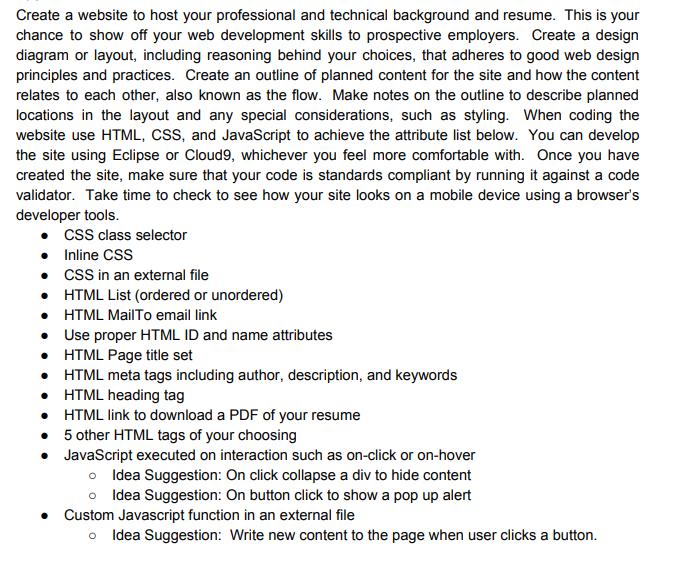
Create a website to host your professional and technical background and resume. This is your chance to show off your web development skills to prospective employers. Create a design diagram or layout, including reasoning behind your choices, that adheres to good web design principles and practices. Create an outline of planned content for the site and how the content relates to each other, also known as the flow. Make notes on the outline to describe planned locations in the layout and any special considerations, such as styling. When coding the website use HTML, CSS, and JavaScript to achieve the attribute list below. You can develop the site using Eclipse or Cloud9, whichever you feel more comfortable with. Once you have created the site, make sure that your code is standards compliant by running it against a code validator. Take time to check to see how your site looks on a mobile device using a browser's developer tools. CSS class selector Inline CSS CSS in an external file HTML List (ordered or unordered) HTML Mail To email link Use proper HTML ID and name attributes HTML Page title set HTML meta tags including author, description, and keywords HTML heading tag HTML link to download a PDF of your resume 5 other HTML tags of your choosing JavaScript executed on interaction such as on-click or on-hover o Idea Suggestion: On click collapse a div to hide content o Idea Suggestion: On button click to show a pop up alert Custom Javascript function in an external file O Idea Suggestion: Write new content to the page when user clicks a button.
Step by Step Solution
3.32 Rating (158 Votes )
There are 3 Steps involved in it
Design Diagram For the website I would opt for a clean minimalist and professional design that is easy to navigate The layout would be divided into se... View full answer

Get step-by-step solutions from verified subject matter experts
 Study Help