







Question: Create a WPF app that will read, insert, update and delete for each item of data and uses LINQ to select your data. Your app
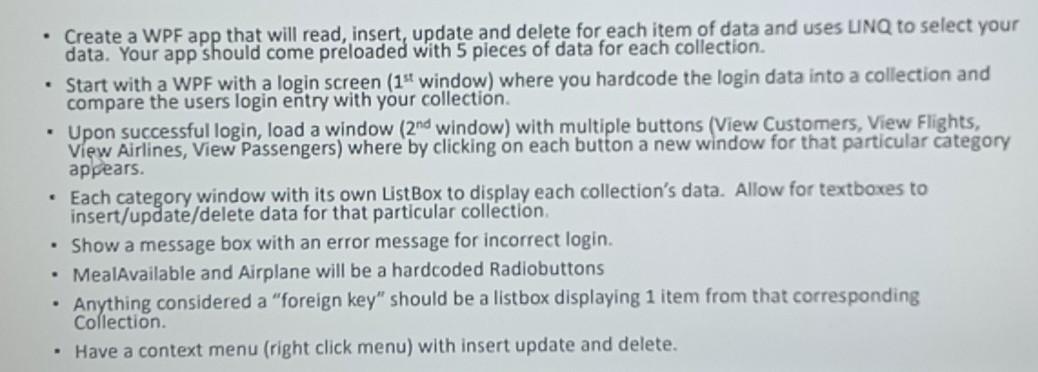
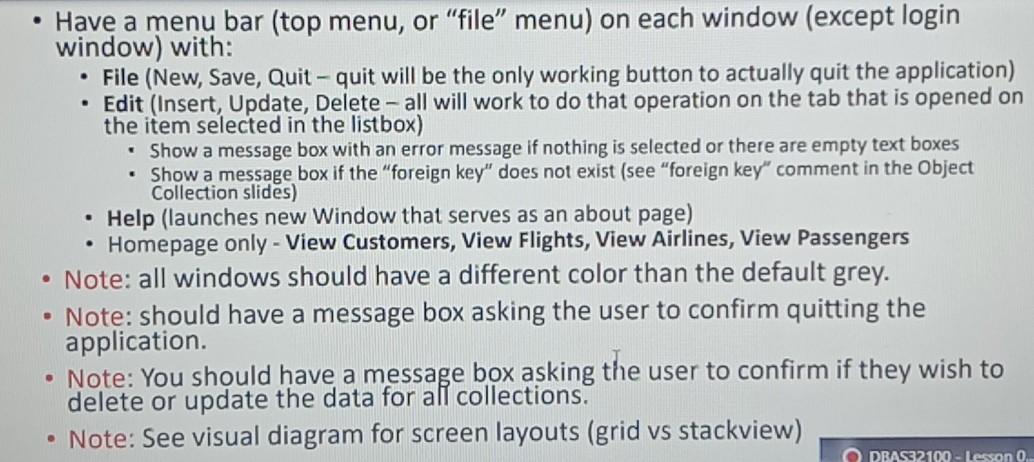
Create a WPF app that will read, insert, update and delete for each item of data and uses LINQ to select your data. Your app should come preloaded with 5 pieces of data for each collection. Start with a WPF with a login screen (1st window) where you hardcode the login data into a collection and compare the users login entry with your collection Upon successful login, load a window (2nd window) with multiple buttons (View Customers, View Flights, View Airlines, View Passengers) where by clicking on each button a new window for that particular category appears. Each category window with its own ListBox to display each collection's data. Allow for textboxes to insert/update/delete data for that particular collection Show a message box with an error message for incorrect login. MealAvailable and Airplane will be a hardcoded Radiobuttons Anything considered a "foreign key" should be a listbox displaying 1 item from that corresponding Collection. Have a context menu (right click menu) with insert update and delete. . Have a menu bar (top menu, or "file" menu) on each window (except login window) with: File (New, Save, Quit - quit will be the only working button to actually quit the application) Edit (Insert, Update, Delete - all will work to do that operation on the tab that is opened on the item selected in the listbox) Show a message box with an error message if nothing is selected or there are empty text boxes Show a message box if the "foreign key" does not exist (see "foreign key" comment in the Object Collection slides) Help (launches new Window that serves as an about page) Homepage only - View Customers, View Flights, View Airlines, View Passengers Note: all windows should have a different color than the default grey. Note: should have a message box asking the user to confirm quitting the application. Note: You should have a message box asking the user to confirm if they wish to delete or update the data for all collections. Note: See visual diagram for screen layouts (grid vs stackview) O DRASS 2100 - Lesson 0
Step by Step Solution
There are 3 Steps involved in it

Get step-by-step solutions from verified subject matter experts
 Study Help