







Question: Create an interactive programthat performs 3 image manipulations on an image [week9-photo.jpg](width = 600, height = 400, image credit: Ruca Souza). The program must: Take
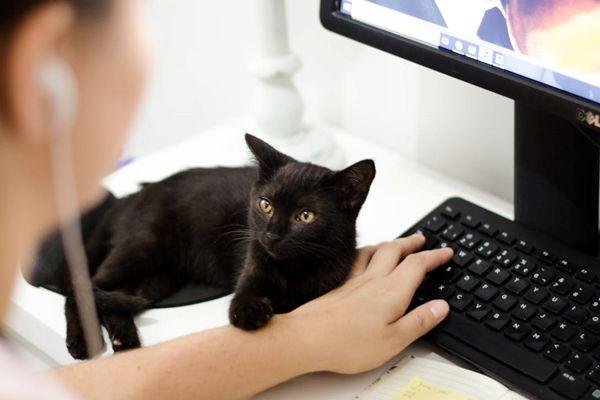 Create an interactive programthat performs 3 image manipulations on an image [week9-photo.jpg](width = 600, height = 400, image credit: Ruca Souza).
The program must:
- Take user input (0/1/2/3/4) using a while loopto determine which manipulation options (2/3/4) they want to apply.
- If the user enters 0, the program exits
- if the user enters 1, show the original image*
- if the user enters 2/3/4, perform the manipulation, then showthe result image*
- if the user enters something other than the expected input(e.g., 5), display the message ?Sorry, I don?t understand 5? andtake the user input again.
- Define one function for each manipulationoption:
- 2: invert(pixels) ? for each R/G/B value ineach pixel, ?flip? the value within the 0-255 range (e.g., 0becomes 255, 3 becomes 252, 127 becomes 128, 254 becomes 1, 255becomes 0). Hint: the original value and the ?flipped? value add upto 255.
- 3: cover(pixels) ? change the bottom half ofthe image to black. If the image has an odd number of rows, changethe middle row as well.
- 4: flipHorizontal(pixels) ? exchange eachpixel on the left with the corresponding pixel on the right withthe same distance to the middle of the image.
- Use a nested for loop in each function toapply changes to the pixels.
- Each function returns a 2D pixel array thatcould be used as parameters for saveImage and showImage
Remember to design your algorithm in English first, thentranslate it to Python code. Test as you go!
Notes
- For this exercise you will be using an image processing library(pygame) which is not natively available in IDLE. You can choose touse Repl.it (https://repl.it/ (Links to an external site.)) to dothis exercise, or use another Python code editor called Mu(https://codewith.mu/ (Links to an external site.)). Both have thelibrary built-in and is ready for use.
- We have provided you with 3 functions (getImage, saveImage, andshowImage) in a separate Python module file namedcmpt120imageWeek9.py. Use it to help you with this exercise.Do not change anything in this file.
- You must put all your function definitions for the manipulationoptions in another Python module file namedcmpt120imageManip.py. Each function takes in oneparameter returned by the getImage function (which is a 2D arraycontaining all the pixels). Refer to our lectures for details.This file should import the module:cmpt120imageWeek9.
- You must put your code for the interactive program (asking foruser input) in a Python file named main.py. Thisfile is what we called a ?driver file? that calls functions fromother modules including getImage, showImage, invert, cover,?etc
102
Step by Step Solution
★★★★★
3.39 Rating (158 Votes )
There are 3 Steps involved in it
1 Expert Approved Answer
Step: 1 Unlock

To solve this exercise you need to create three separate files cmpt120imageWeek9py cmpt120imageManippy and mainpy Heres how you can implement the solu... View full answer
Question Has Been Solved by an Expert!
Get step-by-step solutions from verified subject matter experts
Step: 2 Unlock
Step: 3 Unlock
 Study Help