







Question: CSE 202 LAB 3 TOPIC: In this lab we are going to see how classes can be used to simplify the programming process and create
CSE 202 LAB 3 TOPIC:
In this lab we are going to see how classes can be used to simplify the programming process and create better software. In the last lab, we employed procedural programming to simulate a falling object. Now we are going to change the approach using Object-Oriented design. We are going to create a class called Chutist which will be used by the main program from Lab 2.
1- First, you need to design your chutist. It should at least contain a circle for the body and a triangle for the parachute.
2- Copy the following class interface to file the file from Lab 2..
// Project: lab3 class Chutist { public: Chutist(); // Default constructor Chutist(Point loc); // constructor where chutist always points up void display(int i) const; // accessor function, displays chutist void move(int dx, int dy); // mutator function, moves chutist private: Point location; // location of chutist }; // default; Chutist::Chutist() { location = Point(0,0); } // constructor of Chutist object at Point loc; Chutist::Chutist(Point loc) { // code here } // accessor function: displays the chutist at location to the cwin void Chutist::display(int i) const { //displays the chutist at the Point location.If i is negative the chute is closed. If i is positive, it is open. }
3- Now modify the main program from Lab 2 so that instead of displaying a circle, the program displays the chutist you just designed.
Lab 2 in pic below.
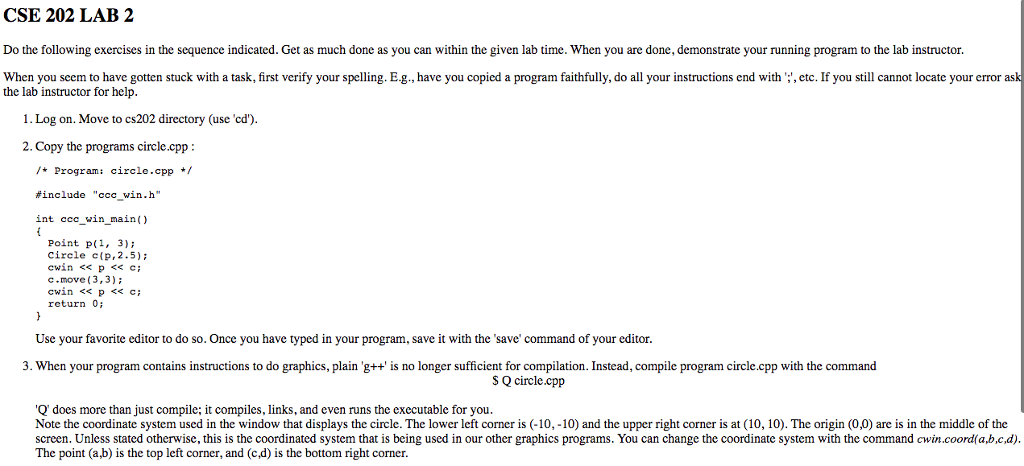
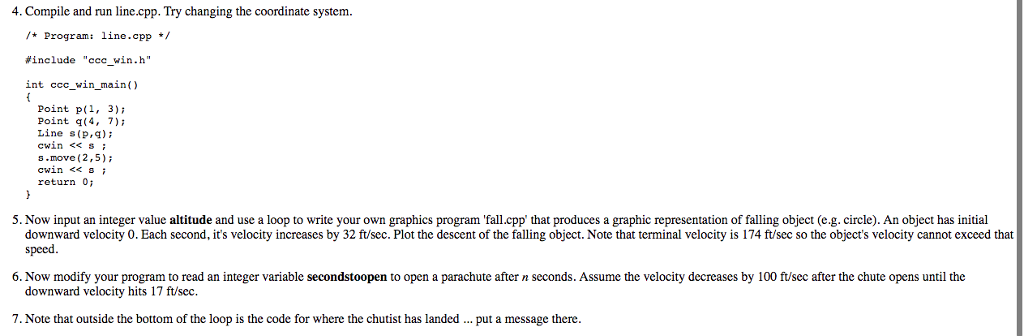
CSE 202 LAB 2 Do the following exercises in the sequence indicated. Get as much done as you can within the given lab time. When you are done, demonstrate your running program to the lab instructor. When you seem to have gotten stuck with a task, first verify your spelling. E.g., have you copied a program faithfully, do all your instructions end with', etc. If you still cannot locate your error ask the lab instructor for help 1. Log on. Move to cs202 directory (use 'cd 2. Copy the programs circle.cpp Program: circle.cpp #include "ccc win.h" int in-main () ccc Point p(1, 3): Circle c(p, 2.5); cwin
Step by Step Solution
There are 3 Steps involved in it

Get step-by-step solutions from verified subject matter experts
 Study Help