







Question: .cseg .org 0; Initialization code; Do not move or change these instructions or the registers they refer to.; You may change the data values being
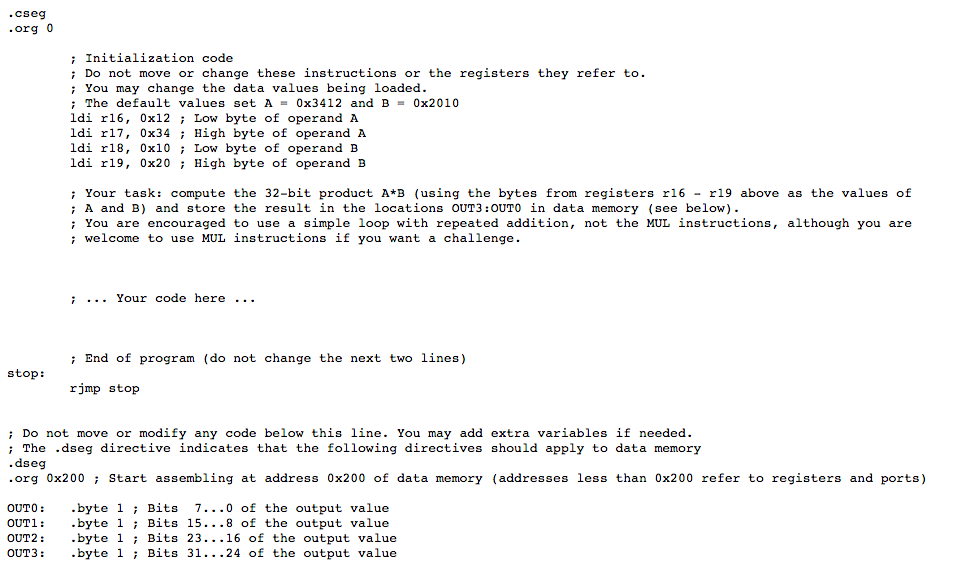
.cseg .org 0; Initialization code; Do not move or change these instructions or the registers they refer to.; You may change the data values being loaded.; The default values set A = 0x3412 and B = 0x2010 ldi r16, 0x12 Low byte of operand A ldi r17, 0x34; High byte of operand A ldi r18, 0x10; Low byte of operand B ldi r19, 0x20; High byte of operand B; Your task compute the 32-bit product A *B (using the bytes from registers r16 - r19 above as the values of;A and B) and store the result in the locations OUT3: OUT0 in data memory (see below).; You are encouraged to use a simple loop with repeated addition, not the MUL instructions, although you are; welcome to use MUL instructions if you want a challenge.; Your code here; End of program (do not change the next two lines) stop: rjmp stop; Do not move or modify any code below this line. You may add extra variables if needed.; The .dseg directive indicates that the following directives should apply to data memory .dseg .org 0x200; Star assembling at address 0x200 of data memory (addresses less than 0x200 refer to registers and ports) OUT0: .byte 1; Bits 7...0 of the output value OUT1: .byte 1 Bits 15... 8 of the output value OUT2: byte 1; Bits 23...16 of the output value OUT3: .byte 1; Bits 31...24 of the output value
Step by Step Solution
There are 3 Steps involved in it

Get step-by-step solutions from verified subject matter experts
 Study Help