







Question: Data wrangling Prepare your data for visualization with the following data wrangling requirements: . Start with reported_raw. (See the template code for the code to
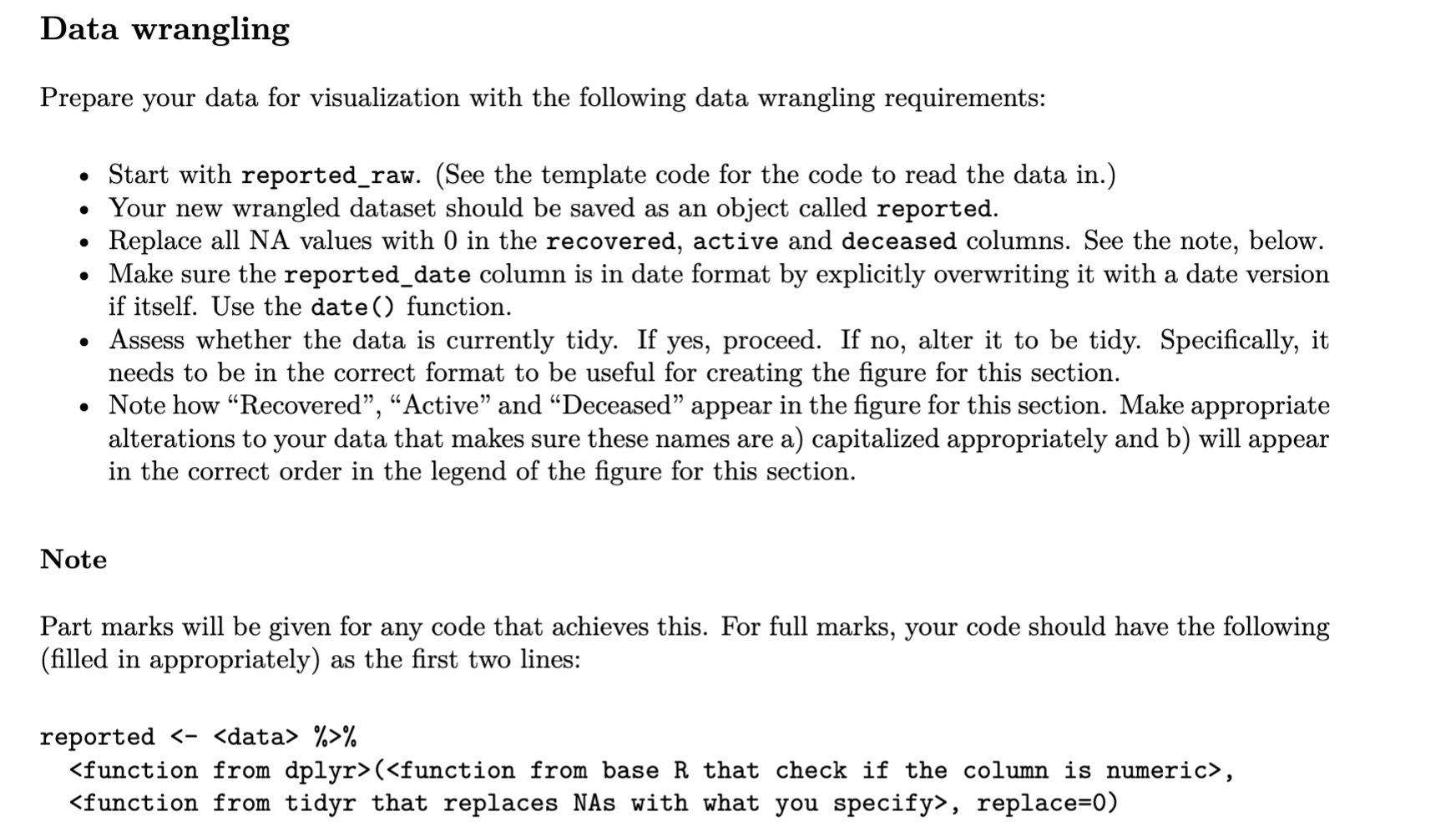
Data wrangling Prepare your data for visualization with the following data wrangling requirements: . Start with reported_raw. (See the template code for the code to read the data in.) Your new wrangled dataset should be saved as an object called reported. Replace all NA values with 0 in the recovered, active and deceased columns. See the note, below. Make sure the reported_date column is in date format by explicitly overwriting it with a date version if itself. Use the date() function. Assess whether the data is currently tidy. If yes, proceed. If no, alter it to be tidy. Specifically, it needs to be in the correct format to be useful for creating the figure for this section. Note how Recovered, Active and Deceased appear in the figure for this section. Make appropriate alterations to your data that makes sure these names are a) capitalized appropriately and b) will appear in the correct order in the legend of the figure for this section. Note Part marks will be given for any code that achieves this. For full marks, your code should have the following (filled in appropriately) as the first two lines: reported %>%
Step by Step Solution
There are 3 Steps involved in it

Get step-by-step solutions from verified subject matter experts
 Study Help