







Question: database programming using apex oracle Exercise 1 (19) A. Create an anonymous block that returns the number of students in a section. Prompt for section
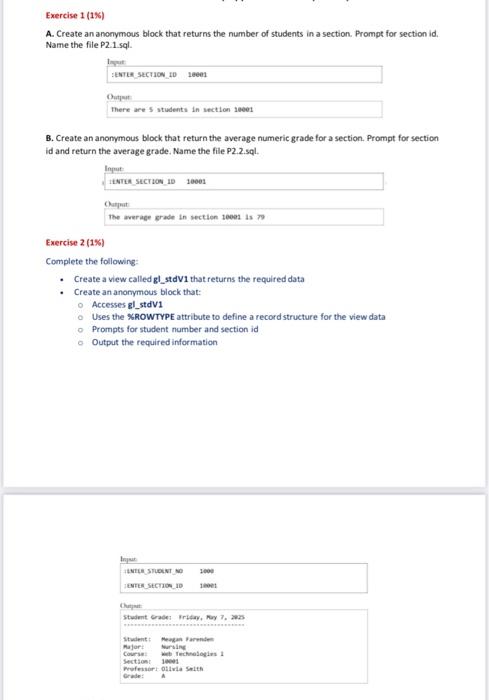
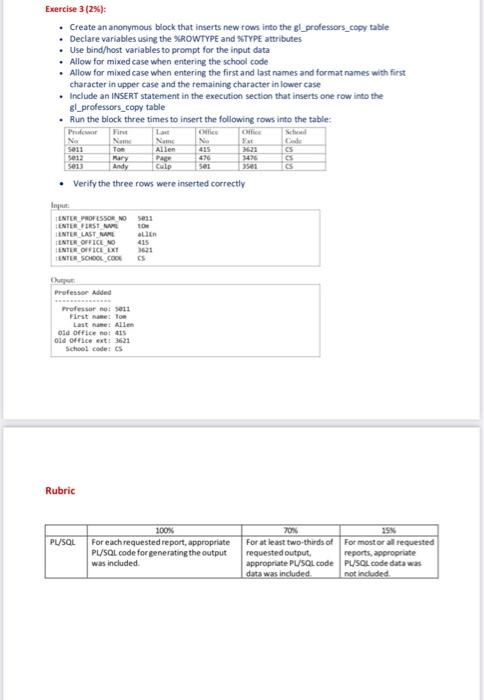
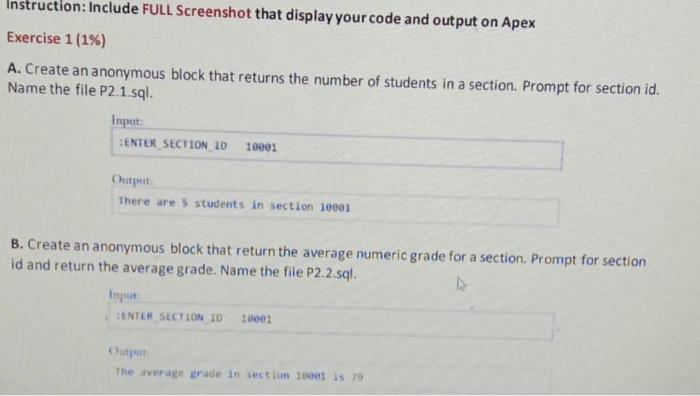
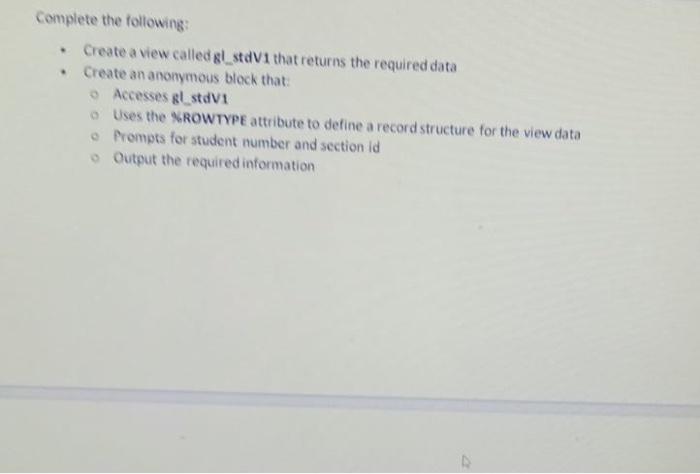
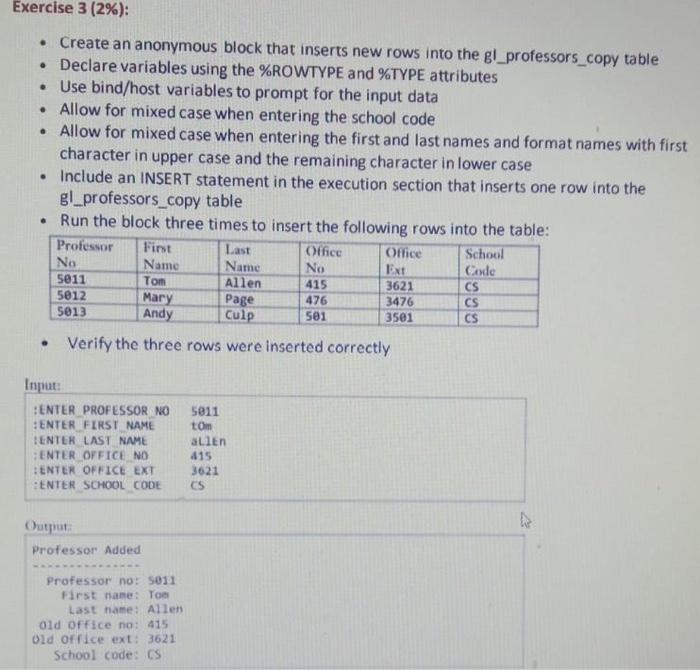
Exercise 1 (19) A. Create an anonymous block that returns the number of students in a section. Prompt for section id, Name the file P2. 1.sql. SENTER SECTION 103000 Out There are 5 students in section 10001 B. Create an anonymous block that return the average numeric grade for a section. Prompt for section id and return the average grade. Name the file P2.2.sql. ENTER SECTION 1010001 The wrap grade in section 1001 is Exercise 2 (1%) Complete the following Create a view called gl_stdV1 that returns the required data Create an anonymous block that: Accesses gl_stdV1 Uses the XROWTYPE attribute to define a record structure for the view data Prompts for student number and section id Output the required information Input INILE STUDENT NO ENTER SECTION 10 3000 Student GradeTrday, May 7. Student Menard for Nursin Crew Technologies Section 1001 Professor via SER Exercise 3 (2%): Create an anonymous block that inserts new rows into the gl_professors_copy table Declare variables using the XROWTYPE and STYPE attributes Use bind/host variables to prompt for the input data . Allow for mixed case when entering the school code Allow for mixed case when entering the first and last names and format names with first character in upper case and the remaining character in lower case . Include an INSERT statement in the execution section that inserts one row into the Bl professors_copy table . Run the block three times to insert the following rows into the table: re Office No Nam Nunc N S011 Tom Allen 2021 5012 Mary Page SCS 5013 Andy Culp 16 Verify the three rows were inserted correctly Input ENTER PROFESSOR NO 5023 ENTER FIRST ENTELAST ME allen ENTER OFFICE NO 415 ENTER ONVICE EXT ENTER SOHOOL CODE Professor Added Professor: 1011 First namet To Last name Alle Old Office or 415 old office ett 3621 School code: es Rubric PL/SQL 100% For each requested report, appropriate PL/SQL code for generating the output was included 70 IS For at least two-thirds of For most or all requested requested output reports, appropriate appropriate PL/SQL code PL/SQL code data was data was included not included Instruction: Include FULL Screenshot that display your code and output on Apex Exercise 1(1%) A. Create an anonymous block that returns the number of students in a section. Prompt for section id. Name the file P2.1.sql. Input: ENTER SECTION 10 10001 Output There are 5 students in section 10001 B. Create an anonymous block that return the average numeric grade for a section. Prompt for section id and return the average grade. Name the file P2.2.sql. Input ENTER SECTION ID 1000: Output The averagerade in section 1001 is 79 Complete the following: Create a view called gl stdV1 that returns the required data Create an anonymous block that: Accesses & stdvi Uses the NROWTYPE attribute to define a record structure for the view data Prompts for student number and section id Output the required information Exercise 3 (2%): Create an anonymous block that inserts new rows into the gl_professors_copy table Declare variables using the %ROWTYPE and %TYPE attributes Use bind/host variables to prompt for the input data Allow for mixed case when entering the school code Allow for mixed case when entering the first and last names and format names with first character in upper case and the remaining character in lower case Include an INSERT statement in the execution section that inserts one row into the gl_professors_copy table Run the block three times to insert the following rows into the table: Professor First Last Office Office School No Name Name No Ext Code Tom Allen 415 3621 CS 5012 Mary Page 3476 CS 5013 Andy Culp 501 3501 Verify the three rows were inserted correctly 5011 476 CS Input: HENTER PROFESSOR NO #ENTER FIRST NAME TENTER LAST NAME ENTER OFFICE NO ENTER OFFICE EXT ENTER SCHOOL CODE 5011 tom allen 415 3621 CS Output Professor Added Professor no: 5011 First name: Tom Last name: Allen old office no: 415 Old Office ext: 3621 School code: CS
Step by Step Solution
There are 3 Steps involved in it

Get step-by-step solutions from verified subject matter experts
 Study Help