







Question: Instruction: Include fuLL Screenshot that display your code and output on Apex Exercise 1 (1N) A. Create an ananymous block that returns the number of
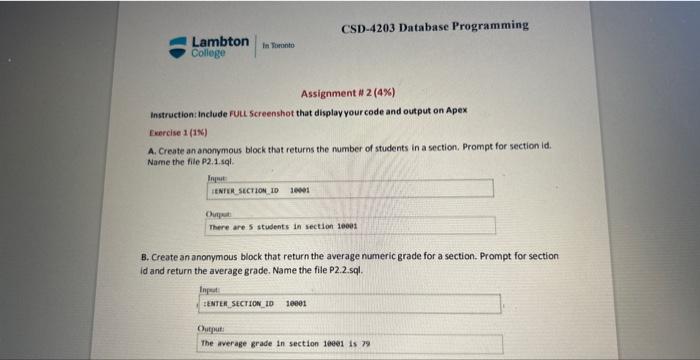
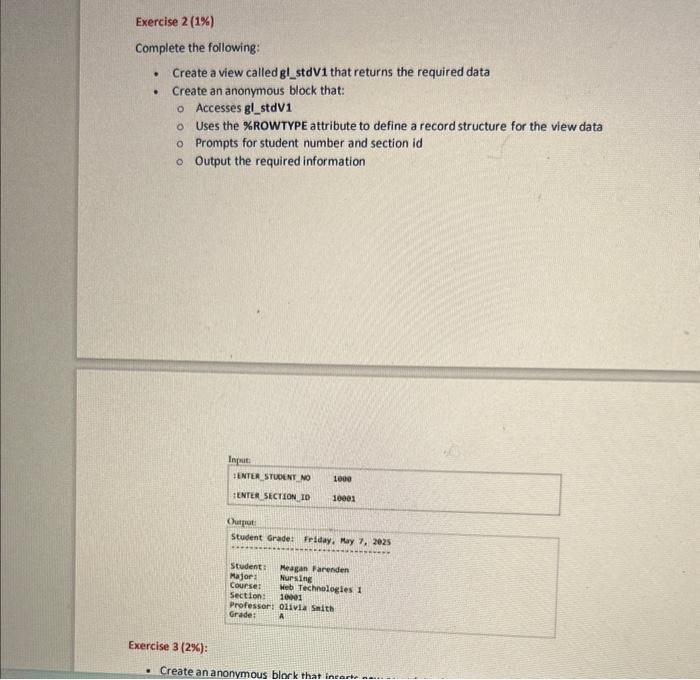
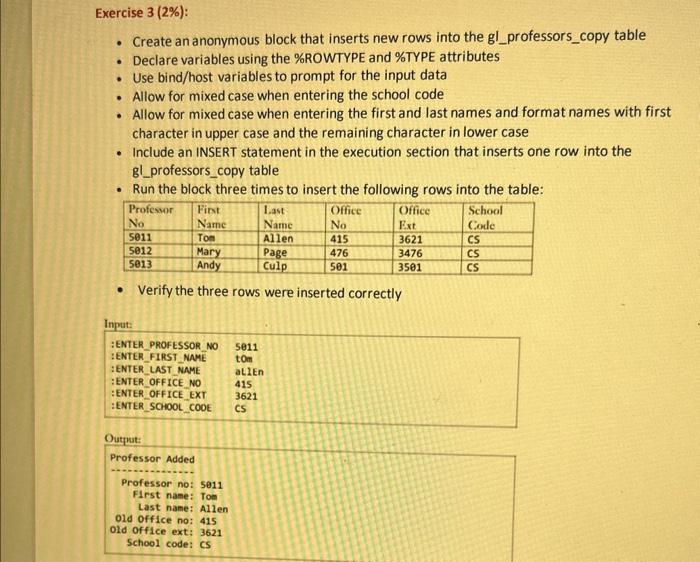
Instruction: Include fuLL Screenshot that display your code and output on Apex Exercise 1 (1N) A. Create an ananymous block that returns the number of students in a section. Prompt for section id. Name the file P2.1.sql. B. Create an anonymous block that return the average numeric grade for a section. Prompt for section id and return the average grade. Name the file P2.2.sql. Complete the following: - Create a view called gl_stdV1 that returns the required data - Create an anonymous block that: Accesses gl_stdV 1 Uses the \%ROWTYPE attribute to define a record structure for the view data Prompts for student number and section id Output the required information - Create an anonymous block that inserts new rows into the gl_professors_copy table - Declare variables using the \%ROWTYPE and \%TYPE attributes - Use bind/host variables to prompt for the input data - Allow for mixed case when entering the school code - Allow for mixed case when entering the first and last names and format names with first character in upper case and the remaining character in lower case - Include an INSERT statement in the execution section that inserts one row into the gl_professors_copy table - Run the block three times to insert the following rows into the table: - Verify the three rows were inserted correctly
Step by Step Solution
There are 3 Steps involved in it

Get step-by-step solutions from verified subject matter experts
 Study Help