







Question: db.py is = import sqlite3 def create_database(): conn = sqlite3.connect(timetable.db) cur = conn.cursor() cur.execute( CREATE TABLE TimeTable ( ttid INTEGER PRIMARY KEY AUTOINCREMENT, fname TEXT,
 db.py is =
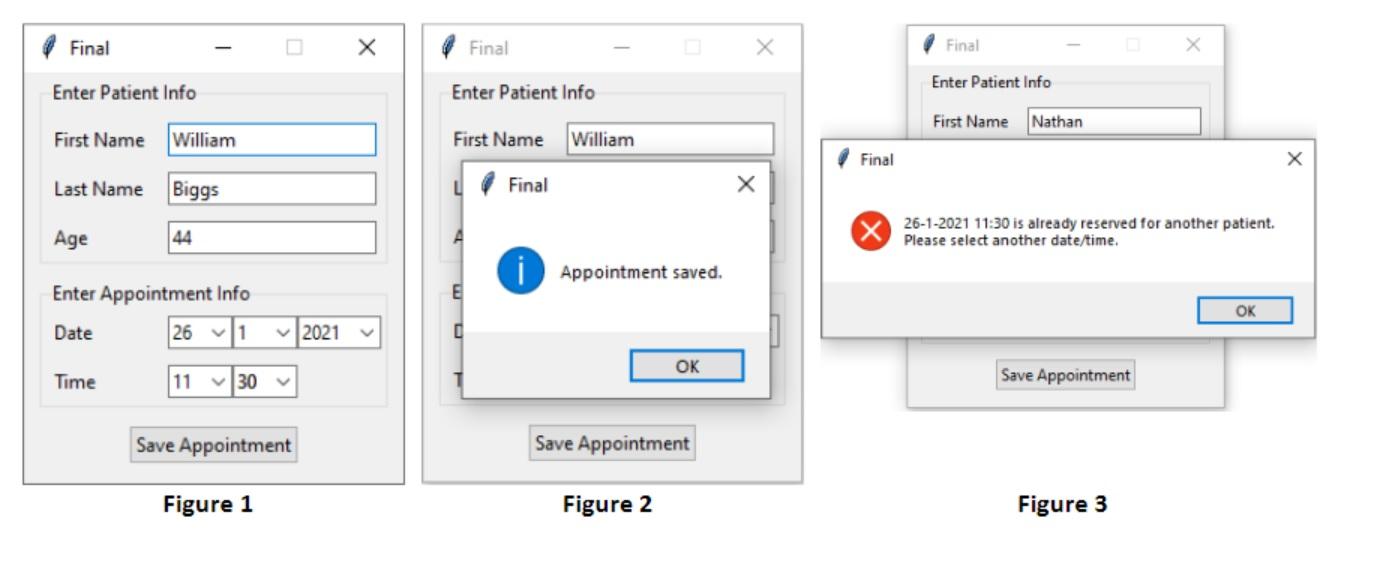
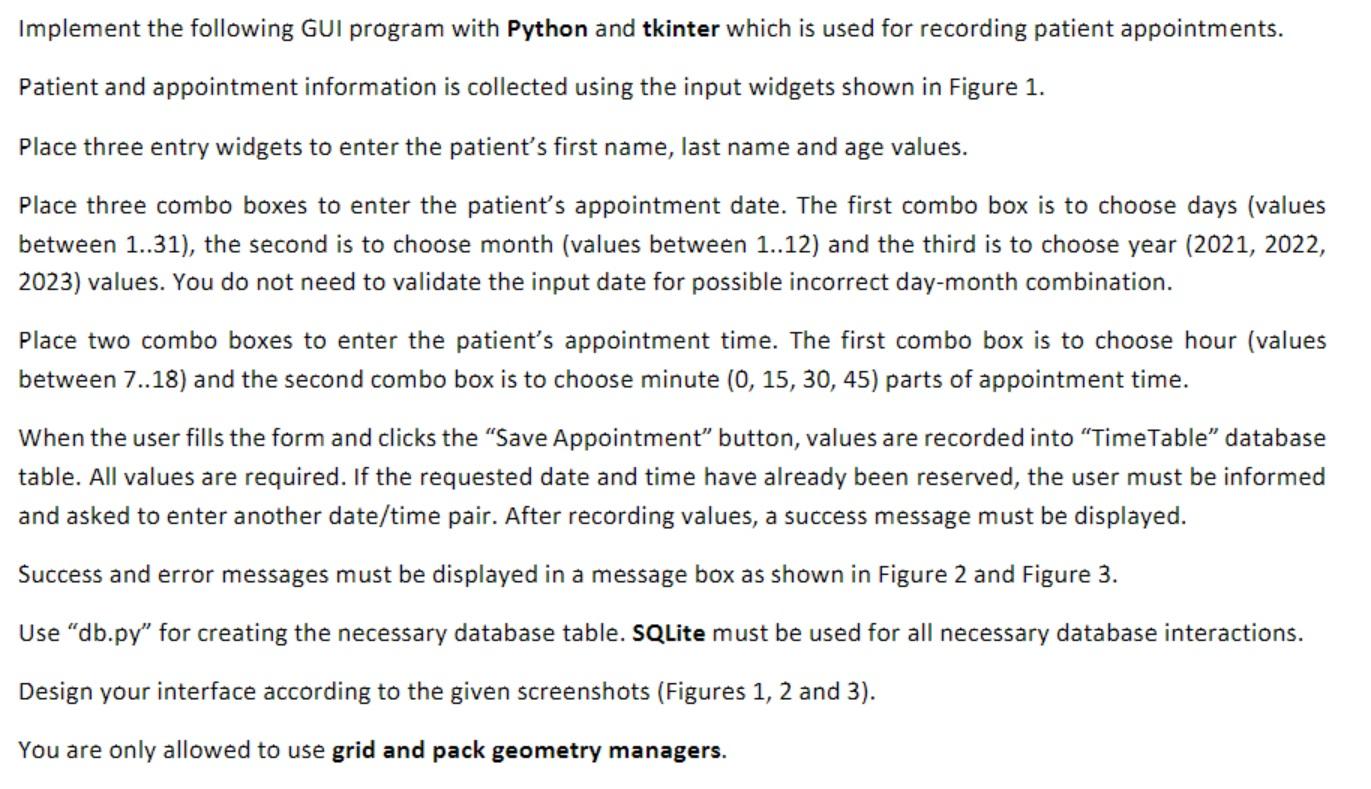
import sqlite3 def create_database(): conn = sqlite3.connect("timetable.db") cur = conn.cursor() cur.execute(""" CREATE TABLE TimeTable ( ttid INTEGER PRIMARY KEY AUTOINCREMENT, fname TEXT, lname TEXT, age INTEGER, appointment_date TEXT, appointment_time TEXT ); """) conn.commit() conn.close() print("Database table created.") create_database() Final Final Final Enter Patient Info Enter Patient Info Enter Patient Info First Name Nathan First Name William First Name William Final X Last Name Biggs Final Age 44 A 26-1-2021 11:30 is already reserved for another patient. Please select another date/time. i Appointment saved. Enter Appointment Info E OK Date 26 1 2021 OK Time 11 130 Save Appointment Save Appointment Save Appointment Figure 1 Figure 2 Figure 3 Implement the following GUI program with Python and tkinter which is used for recording patient appointments. Patient and appointment information is collected using the input widgets shown in Figure 1. Place three entry widgets to enter the patient's first name, last name and age values. Place three combo boxes to enter the patient's appointment date. The first combo box is to choose days (values between 1..31), the second is to choose month (values between 1..12) and the third is to choose year (2021, 2022, 2023) values. You do not need to validate the input date for possible incorrect day-month combination. Place two combo boxes to enter the patient's appointment time. The first combo box is to choose hour (values between 7...18) and the second combo box is to choose minute (0, 15, 30, 45) parts of appointment time. When the user fills the form and clicks the "Save Appointment button, values are recorded into Time Table database table. All values are required. If the requested date and time have already been reserved, the user must be informed and asked to enter another date/time pair. After recording values, a success message must be displayed. Success and error messages must be displayed in a message box as shown in Figure 2 and Figure 3. Use "db.py" for creating the necessary database table. SQLite must be used for all necessary database interactions. Design your interface according to the given screenshots (Figures 1, 2 and 3). You are only allowed to use grid and pack geometry managers. Final Final Final Enter Patient Info Enter Patient Info Enter Patient Info First Name Nathan First Name William First Name William Final X Last Name Biggs Final Age 44 A 26-1-2021 11:30 is already reserved for another patient. Please select another date/time. i Appointment saved. Enter Appointment Info E OK Date 26 1 2021 OK Time 11 130 Save Appointment Save Appointment Save Appointment Figure 1 Figure 2 Figure 3 Implement the following GUI program with Python and tkinter which is used for recording patient appointments. Patient and appointment information is collected using the input widgets shown in Figure 1. Place three entry widgets to enter the patient's first name, last name and age values. Place three combo boxes to enter the patient's appointment date. The first combo box is to choose days (values between 1..31), the second is to choose month (values between 1..12) and the third is to choose year (2021, 2022, 2023) values. You do not need to validate the input date for possible incorrect day-month combination. Place two combo boxes to enter the patient's appointment time. The first combo box is to choose hour (values between 7...18) and the second combo box is to choose minute (0, 15, 30, 45) parts of appointment time. When the user fills the form and clicks the "Save Appointment button, values are recorded into Time Table database table. All values are required. If the requested date and time have already been reserved, the user must be informed and asked to enter another date/time pair. After recording values, a success message must be displayed. Success and error messages must be displayed in a message box as shown in Figure 2 and Figure 3. Use "db.py" for creating the necessary database table. SQLite must be used for all necessary database interactions. Design your interface according to the given screenshots (Figures 1, 2 and 3). You are only allowed to use grid and pack geometry managers
Step by Step Solution
There are 3 Steps involved in it

Get step-by-step solutions from verified subject matter experts
 Study Help