







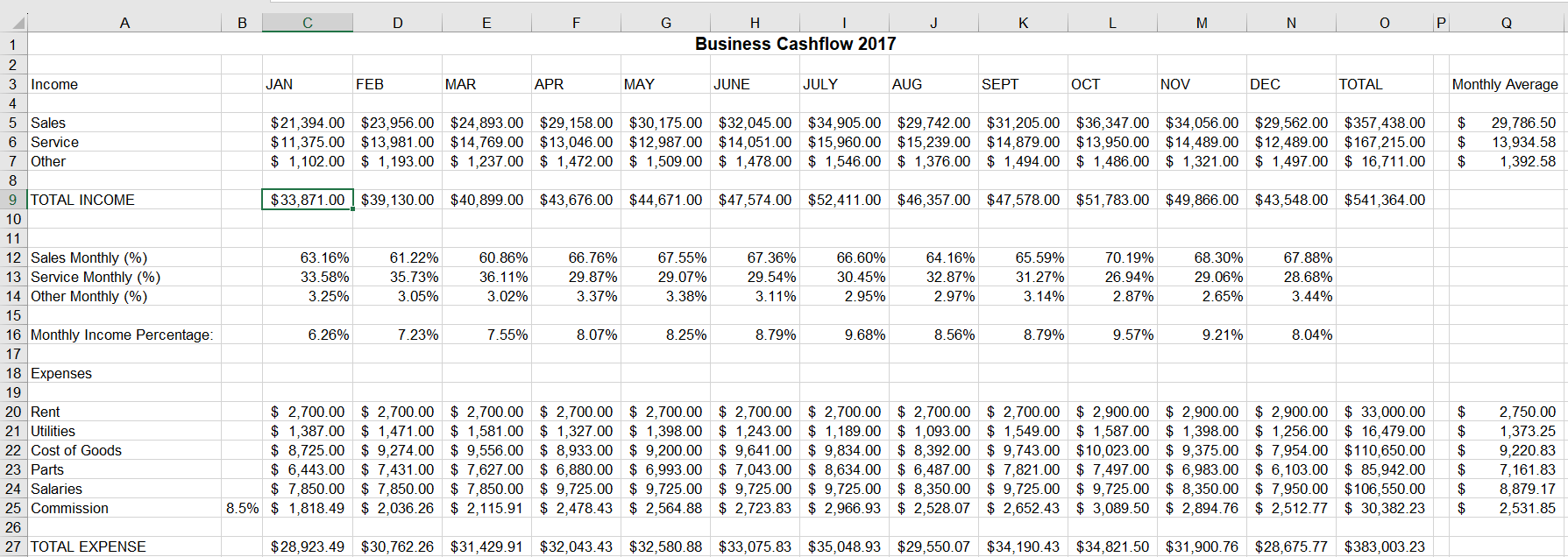
Question: Determine what statistical analysis formulas you need. Perform these tasks on the 17 Cash flow worksheet. For example, calculate the monthly averages and monthly percentages
- Determine what statistical analysis formulas you need. Perform these tasks on the 17 Cash flow worksheet. For example, calculate the monthly averages and monthly percentages of the line totals. Use this information to create the scenarios you need to use the goal-seek tools. For example, JAN total income was 6.26% of the 2017 Cash flow. So, if the goal for 2018 is to have 6.26% of the year's budget total of $624,000, then JAN 2018 income categories (Sales, Service and Other) need to total $39,041. What combination of category numbers will achieve that? Use Excel's Scenario Manager and goal seek tools to project how to attain these objectives for the 2018 Budget worksheet. You have to show your work on the Cash flow worksheet or on a new worksheet named Scenario Manager that is produced with the tools you use.
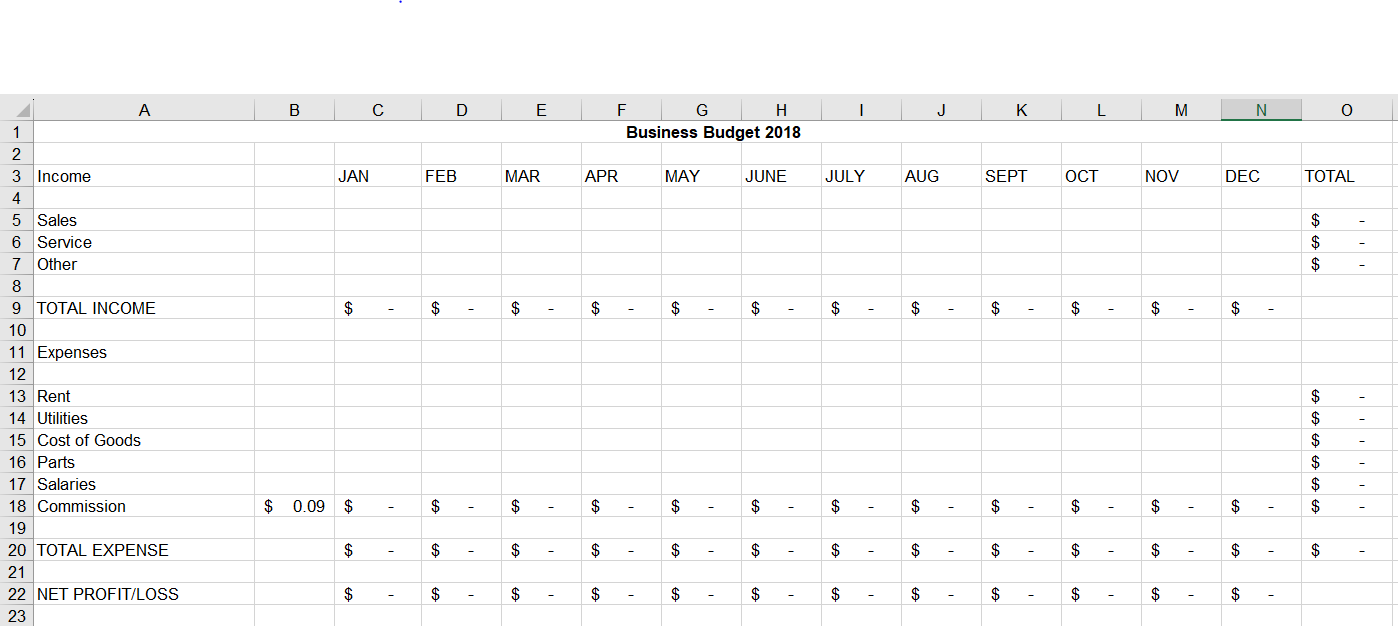
- Complete the following on next year budget worksheet (2018):
- TOTAL Income for each category (Sales, Service and Other) needs to be budgeted so that the Total Income for the year is $624,000, but you have to base this result on What Ifs for all 3 categories (Sales, Service and Other).
- Under EXPENSES, please note that Rent will be fixed at $2900, until October 2017, when it will increase to $3100 for 2018. Also notice that Commission is calculated based the percent in B18 and the current month's Sales, so it should not be changed. Keeping these factors in mind, we want our Expenses to reflect a Total of $456,000 for the 2018 Budget. Thus, the only cells that will change from testing your Expense Scenarios are Utilities, Cost of Goods, Parts and Salaries.
- Note: Use your problem-solving skills and the Excel tools you have studied to help you prepare the proposed 2018 Budget. There is no one correct answer but there are reasonable answers. Students need to show their work and calculations.

Step by Step Solution
There are 3 Steps involved in it
1 Expert Approved Answer
Step: 1 Unlock

Question Has Been Solved by an Expert!
Get step-by-step solutions from verified subject matter experts
Step: 2 Unlock
Step: 3 Unlock
 Study Help