







Question: Develop a simple Railway ticketing system that consists of a simple database (a text file). The system manages to dynamically input record/data into the database.
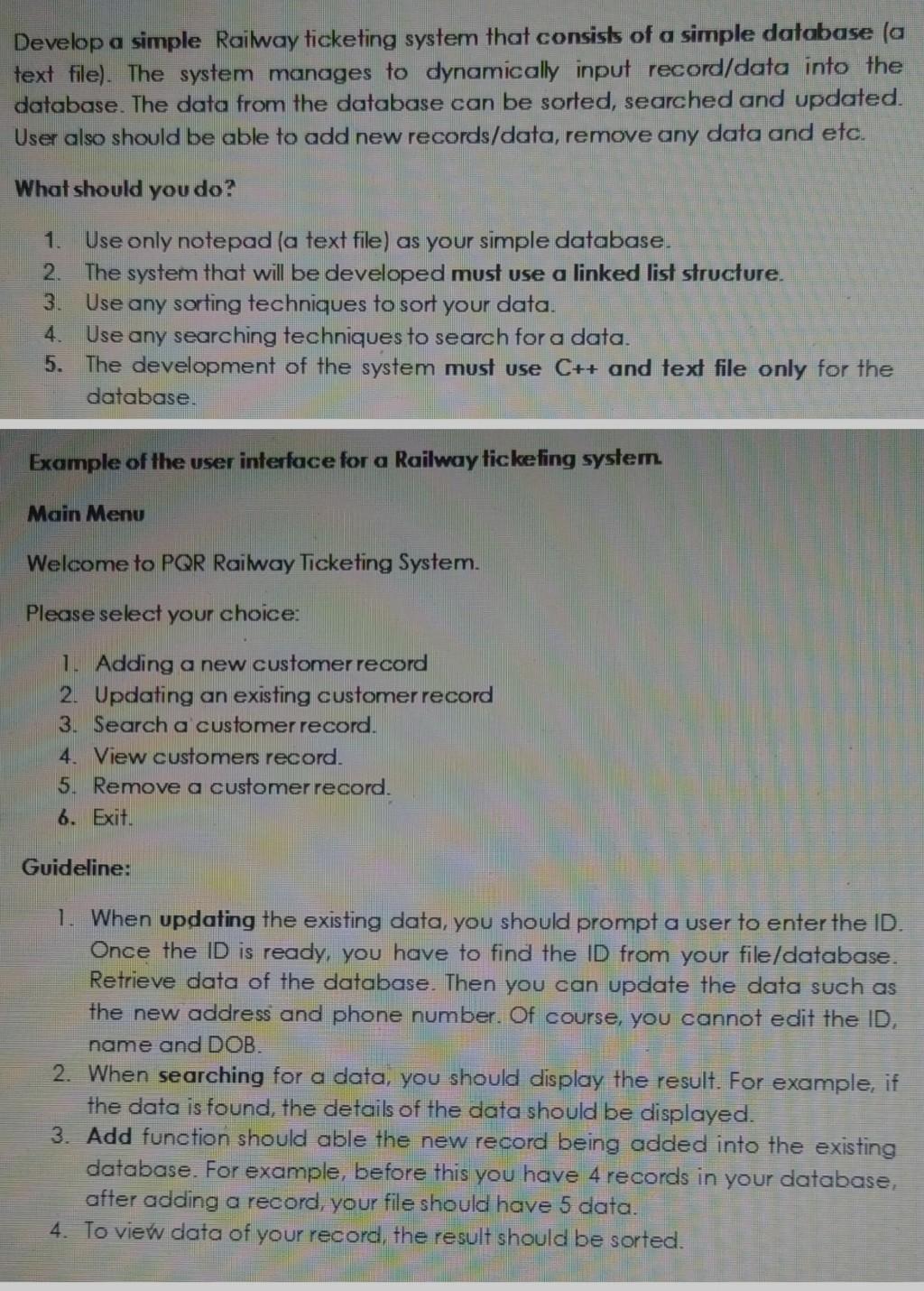
Develop a simple Railway ticketing system that consists of a simple database (a text file). The system manages to dynamically input record/data into the database. The data from the database can be sorted, searched and updated. User also should be able to add new records/data, remove any data and etc. What should you do? 1. Use only notepad (a text file) as your simple database. 2. The system that will be developed must use a linked list structure. Use any sorting techniques to sort your data. 4. Use any searching techniques to search for a data. 5. The development of the system must use C++ and text file only for the database. Example of the user interface for a Railway tickefing system. Main Menu Welcome to PQR Railway Ticketing System. Please select your choice: 1. Adding a new customer record 2. Updating an existing customer record 3. Search a customer record. 4. View customers record. 5. Remove a customer record. 6. Exit. Guideline: 1. When updating the existing data, you should prompt a user to enter the ID. Once the ID is ready, you have to find the ID from your file/database. Retrieve data of the database. Then you can update the data such as the new address and phone number. Of course, you cannot edit the ID, name and DOB. 2. When searching for a data, you should display the result. For example, if the data is found, the details of the data should be displayed. 3. Add function should able the new record being added into the existing database. For example, before this you have 4 records in your database, after adding a record, your file should have 5 data. 4. To view data of your record, the result should be sorted
Step by Step Solution
There are 3 Steps involved in it

Get step-by-step solutions from verified subject matter experts
 Study Help