



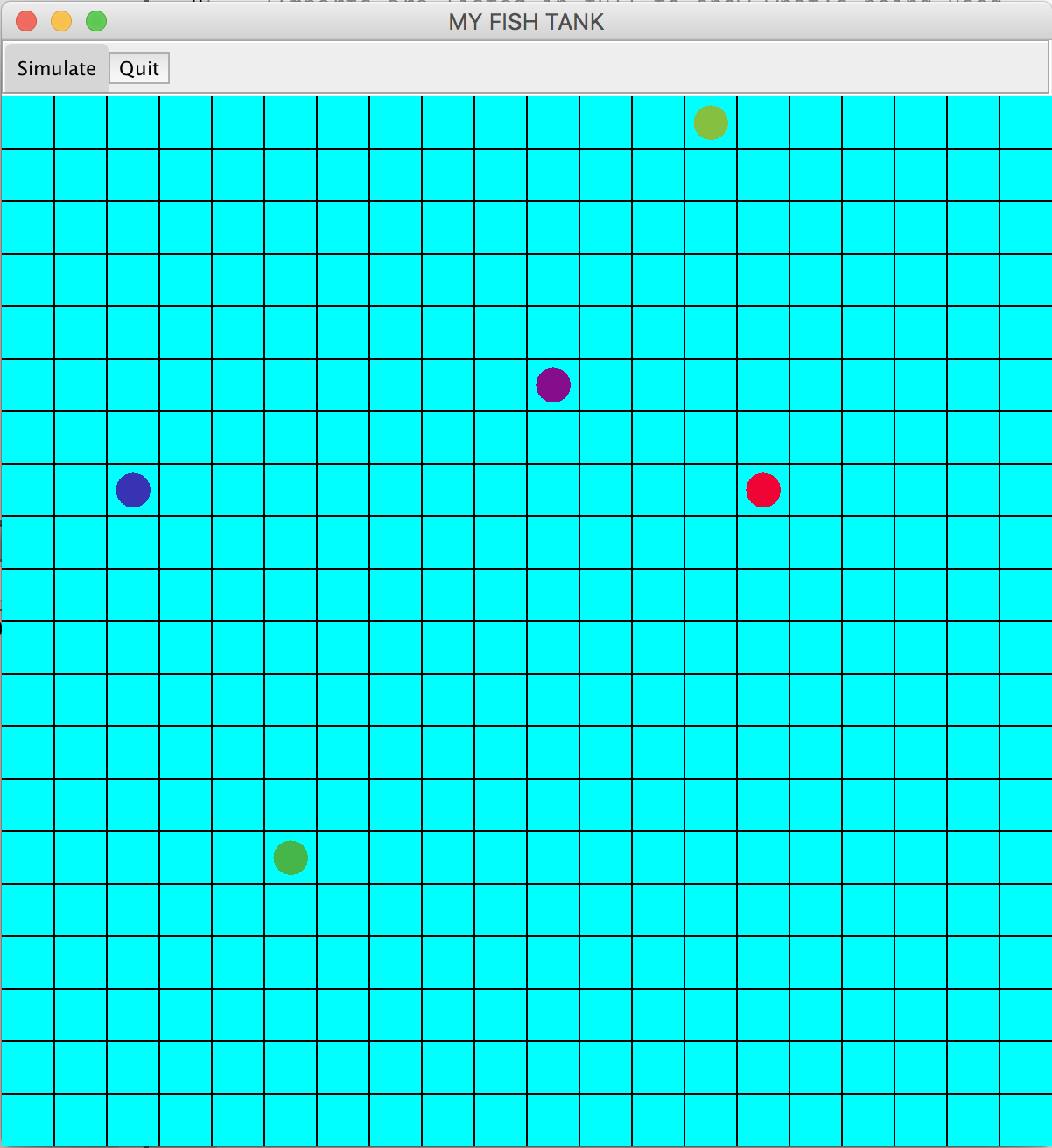
Question: Develop simulation of fish in a fish tank. The fish tank has 2 modes of status, fish manipulation and simulation. In the fish manipulation status,
Develop simulation of fish in a fish tank.
The fish tank has 2 modes of status, fish manipulation and simulation.
In the fish manipulation status, the user can:
add new fish to the tank,
drag a fish to a different slot,
To implement these manipulation functionalities, you need to implement three functions: MouseClicked, MouseDragged and MouseReleased.
MouseClicked:
Verify that the application is in manipulation mode.
Construct a new fish object at the clicked point with a random colour
If the selected slot is not occupied by another fish, add the new fish to the tank
Paint
MouseDragged:
Verify that the application is in manipulation mode.
Set mouseDragged to true
Find out which fish is selected from the tank
MouseReleased:
Verify that mouseDragged is true
Verify that the selected slot is empty
Update the position of the selected fish by the selected slot
Paint
Do not forget to reset the selected fish index and mouseDragged flag
In the simulation mode, each fish independent of the other ones in the fish tank swim in random order.
They can move maximum one slot in each dimension at each fishTick trigger or they can stay in their current slot.
If there is another fish in the slot a fish decided to move, then the fish stays in its current slot.
To implement these simulation functionalities, you need to develop body of the following functions:
CompareTo function of the Fish class:
Compare with respect to mX values
If mX values are equal, compare with respect to mY values
You need to use CompareTo function in the Move, MouseDragged, MouseReleased and MouseClicked
Move function of the Fish class:
Randomly compute a move in x direction as -1, 0, 1
Randomly compute a move in y direction as -1, 0, 1
Compare the new slot of the fish with slots of the other fish in the tank:
If the new slot is occupied, stay in the old slot, and return
If the new slot is out of the tank, stay in the old slot, and return
Paint function of the Fish class:
Draw a filled circle in the center of the selected slot with the fish color
If your fish is drawn as a nice-looking fish as follows (in minimum), then you will get 1 point bonus. Use your creativity.

Please pay attention that I used the Singleton Design Pattern to allow usage of global variables. It is an often used and a very useful design pattern.
Please also pay attention to how we define the Fish class and how Fish class instances independent of each other behave in the Fish Tank.
FishTank.java

Step by Step Solution
There are 3 Steps involved in it

Get step-by-step solutions from verified subject matter experts