







Question: Device Interface IP Address Subnet Mask Default Gateway R1 G0/0 192.168.1.1 255.255.255.0 N/A G0/1 192.168.12.1 255.255.255.252 N/A G0/2 192.168.13.1 255.255.255.252 N/A R2 G0/0 192.168.2.1 255.255.255.0
Device Interface IP Address Subnet Mask Default Gateway
R1 G0/0 192.168.1.1 255.255.255.0 N/A
G0/1 192.168.12.1 255.255.255.252 N/A
G0/2 192.168.13.1 255.255.255.252 N/A
R2 G0/0 192.168.2.1 255.255.255.0 N/A
G0/1 192.168.12.2 255.255.255.252 N/A
G0/2 192.168.23.1 255.255.255.252 N/A
R3 G0/0 192.168.3.1 255.255.255.0 N/A
G0/1 192.168.13.2 255.255.255.252 N/A
G0/2 192.168.23.2 255.255.255.252 N/A
PC-A NIC 192.168.1.3 255.255.255.0 192.168.1.1
PC-B NIC 192.168.2.3 255.255.255.0 192.168.2.1
PC-C NIC 192.168.3.3 255.255.255.0 192.168.3.1
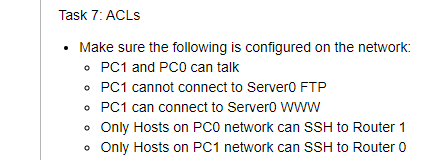
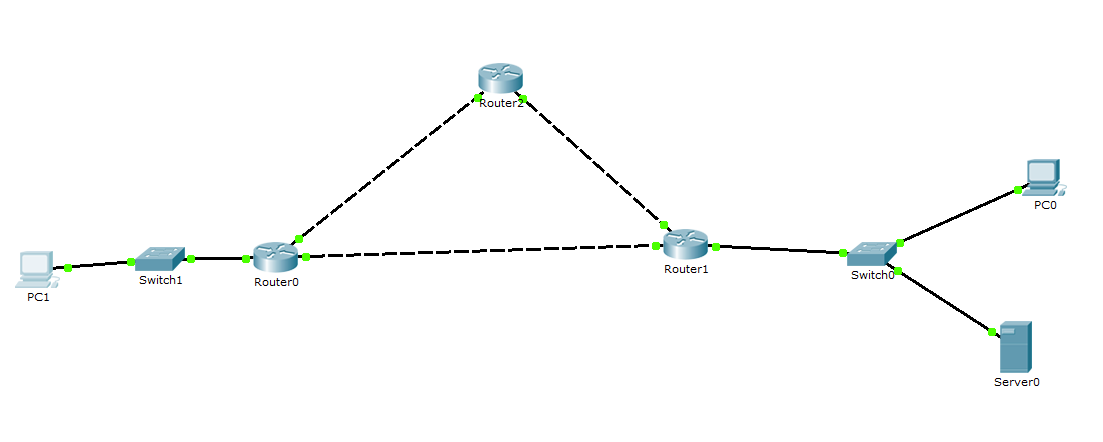
- Make sure the following is configured on the network: - PC1 and PC0 can talk - PC1 cannot connect to Server0 FTP - PC1 can connect to Server0 WWW - Only Hosts on PC0 network can SSH to Router 1 - Only Hosts on PC1 network can SSH to Router 0
Step by Step Solution
There are 3 Steps involved in it

Get step-by-step solutions from verified subject matter experts
 Study Help