







Question: Display the heading. Part 2 Write a while loop that will: o Call a function that will prompt the user to enter a price.
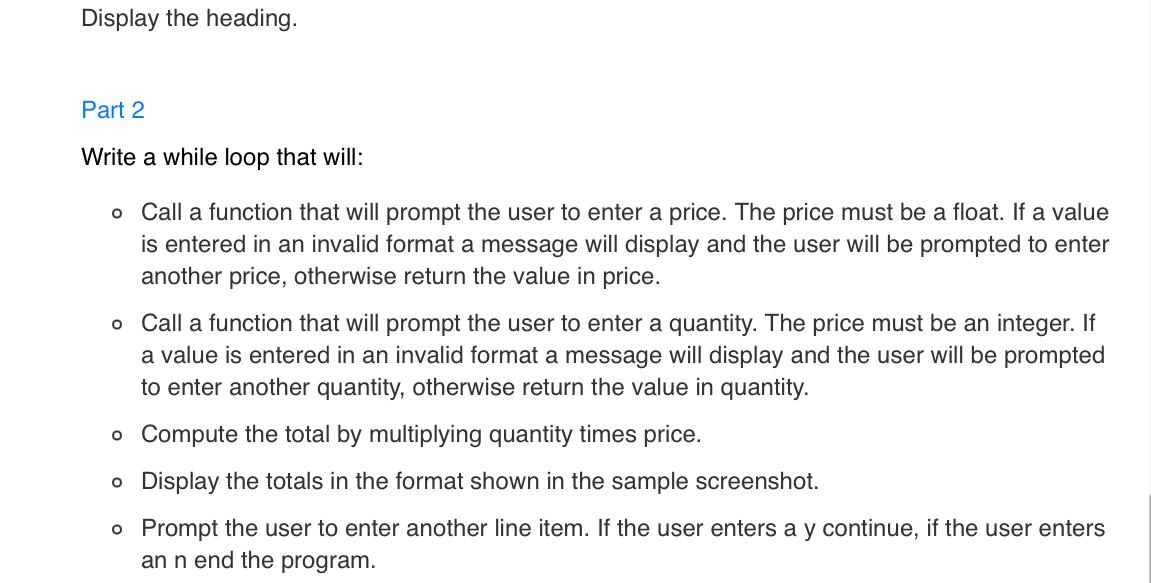
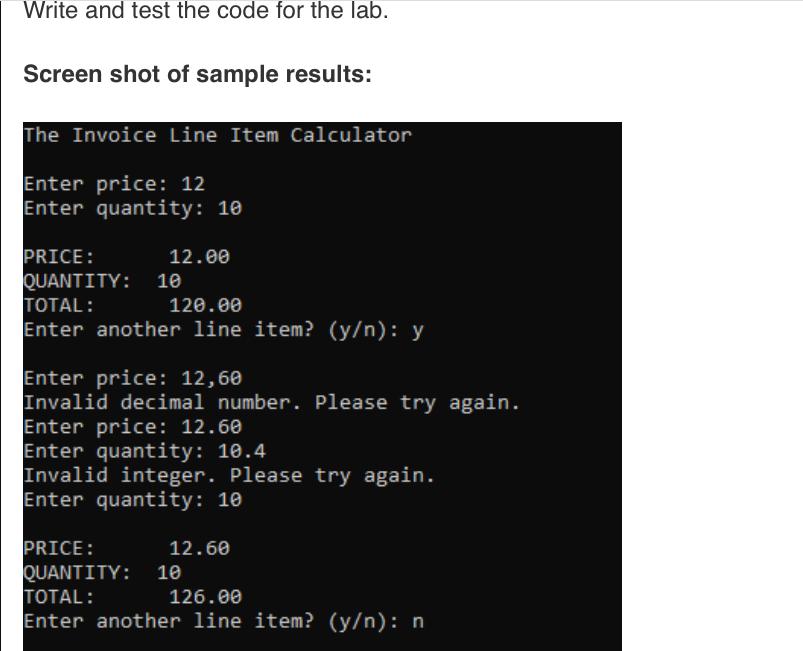
Display the heading. Part 2 Write a while loop that will: o Call a function that will prompt the user to enter a price. The price must be a float. If a value is entered in an invalid format a message will display and the user will be prompted to enter another price, otherwise return the value in price. o Call a function that will prompt the user to enter a quantity. The price must be an integer. If a value is entered in an invalid format a message will display and the user will be prompted to enter another quantity, otherwise return the value in quantity. o Compute the total by multiplying quantity times price. o Display the totals in the format shown in the sample screenshot. o Prompt the user to enter another line item. If the user enters a y continue, if the user enters an n end the program. Write and test the code for the lab. Screen shot of sample results: The Invoice Line Item Calculator Enter price: 12 Enter quantity: 10 PRICE: QUANTITY: 10 TOTAL: 120.00 Enter another line item? (y/n): y 12.00 Enter price: 12,60 Invalid decimal number. Please try again. Enter price: 12.60 Enter quantity: 10.4 Invalid integer. Please try again. Enter quantity: 10 PRICE: QUANTITY: TOTAL: 126.00 Enter another line item? (y/n): n 12.60 10
Step by Step Solution
3.43 Rating (153 Votes )
There are 3 Steps involved in it
Heres a Python code that implements the described functionality u... View full answer

Get step-by-step solutions from verified subject matter experts
 Study Help