



Question: Download this file attached in link as Microsoft excel .xlsx and upload it. Instructions are down below how to upload and use it. https://docs.google.com/spreadsheets/d/1lK7KQHRVrvPrNoo2tUJ5AScaA-f4M1W4oXEfEXihwA0/edit?usp=sharing If
Download this file attached in link as Microsoft excel .xlsx and upload it. Instructions are down below how to upload and use it.
https://docs.google.com/spreadsheets/d/1lK7KQHRVrvPrNoo2tUJ5AScaA-f4M1W4oXEfEXihwA0/edit?usp=sharing
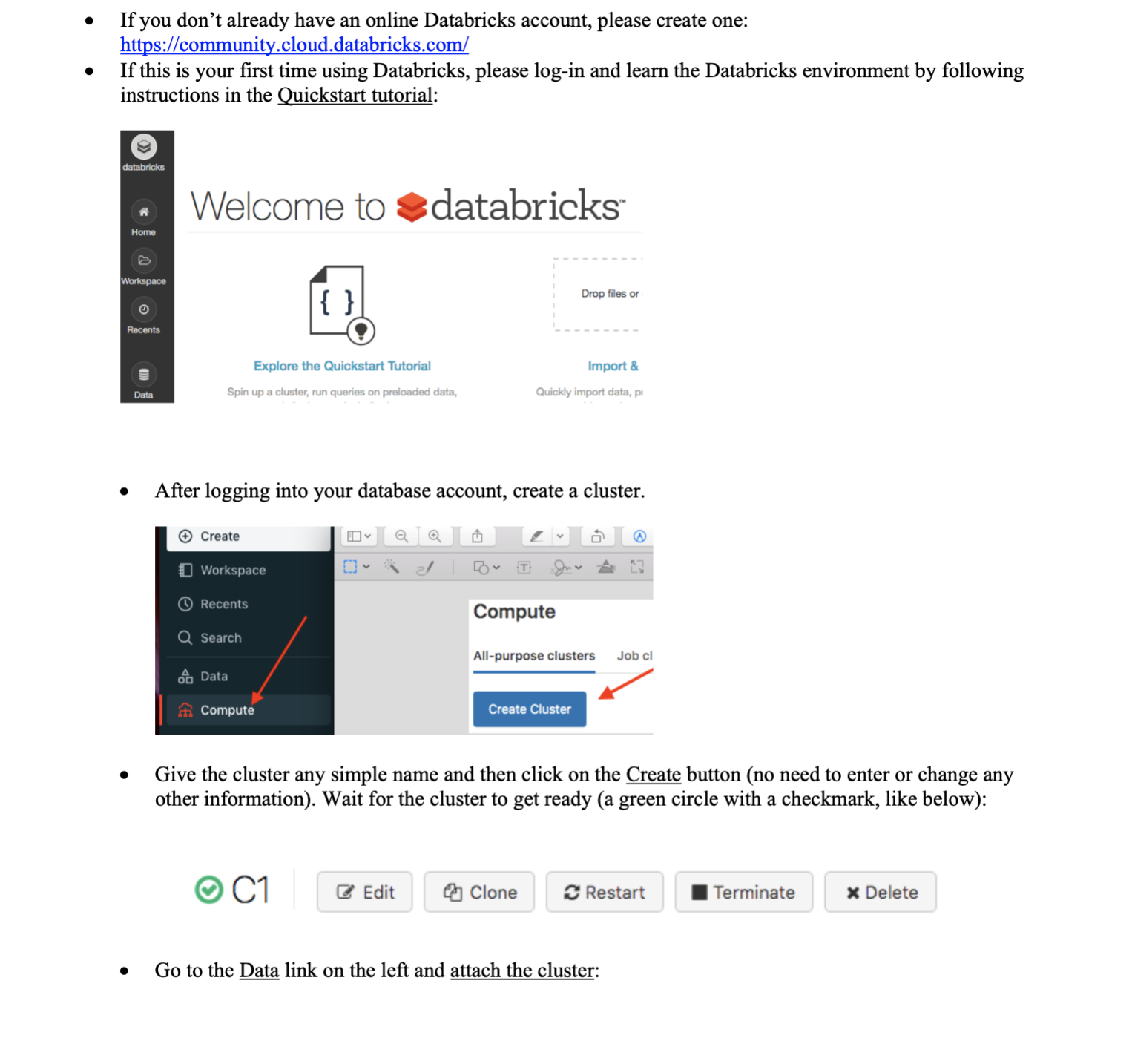
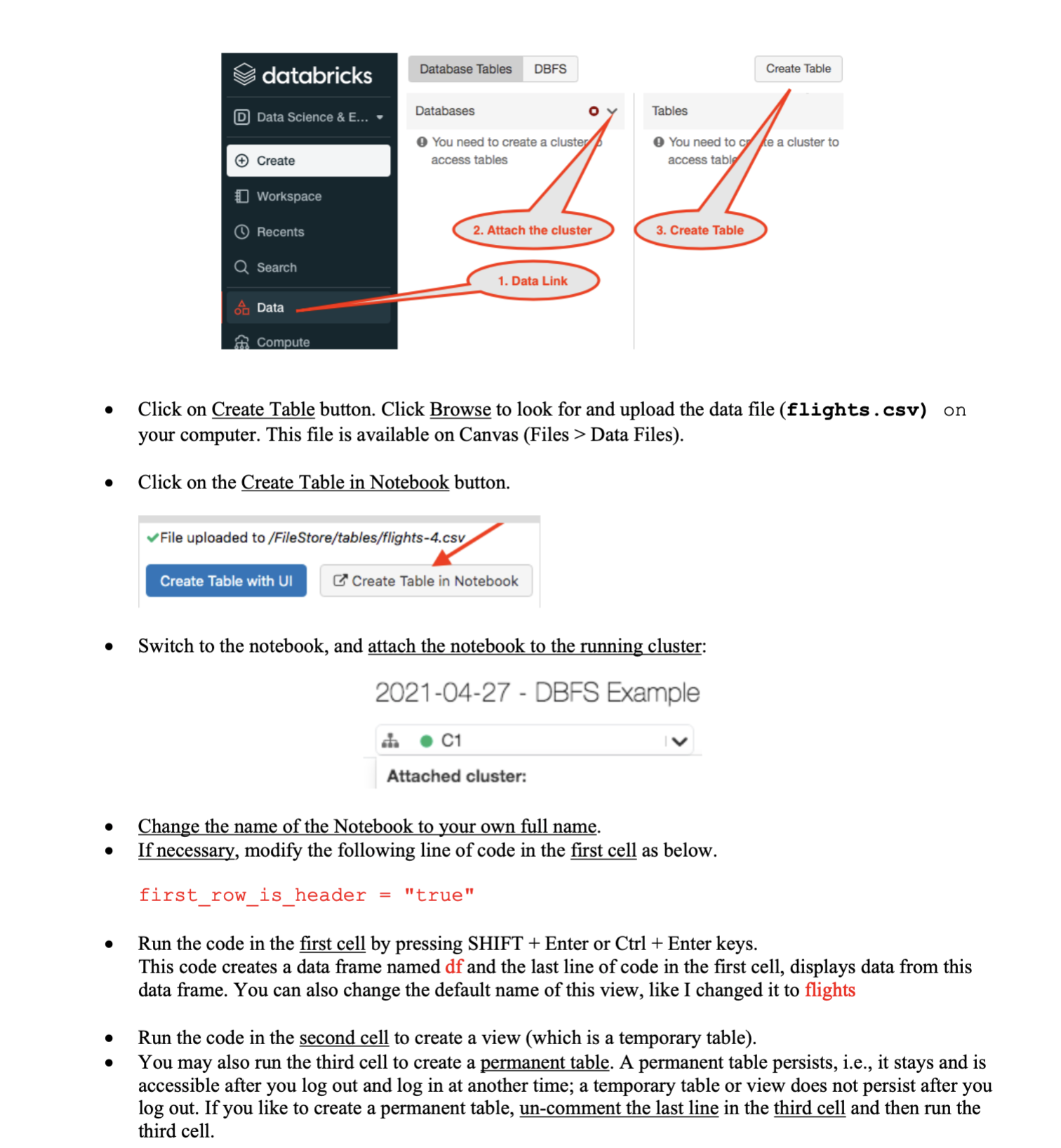
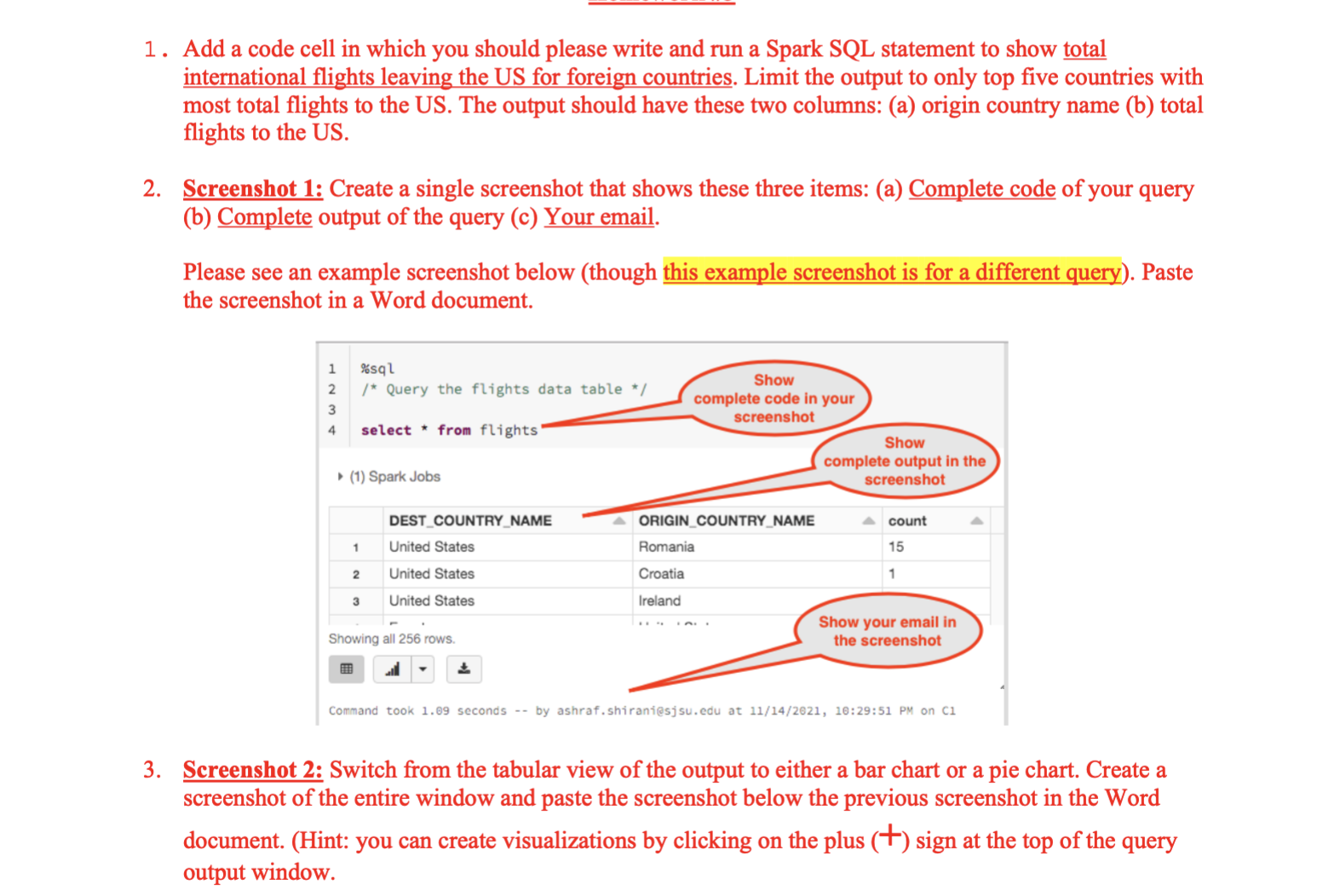
If you don't already have an online Databricks account, please create one: https://community.cloud.databricks.com/ If this is your first time using Databricks, please log-in and learn the Databricks environment by following instructions in the Quickstart tutorial: databricks Home Workspace Recents Data Welcome todatabricks Explore the Quickstart Tutorial Spin up a cluster, run queries on preloaded data, Create After logging into your database account, create a cluster. Workspace Recents Search Data {} Compute C1 T Edit Import & Quickly import data, pi Compute Drop files or Create Cluster All-purpose clusters Job cl Give the cluster any simple name and then click on the Create button (no need to enter or change any other information). Wait for the cluster to get ready (a green circle with a checkmark, like below): Clone Restart Go to the Data link on the left and attach the cluster: Terminate * Delete
Step by Step Solution
There are 3 Steps involved in it

Get step-by-step solutions from verified subject matter experts