







Question: Ex. 1 Parsing sensor logs for analysis (20 Points) The output produced by specialized software applications often contain a mixture of diagnostic details as well
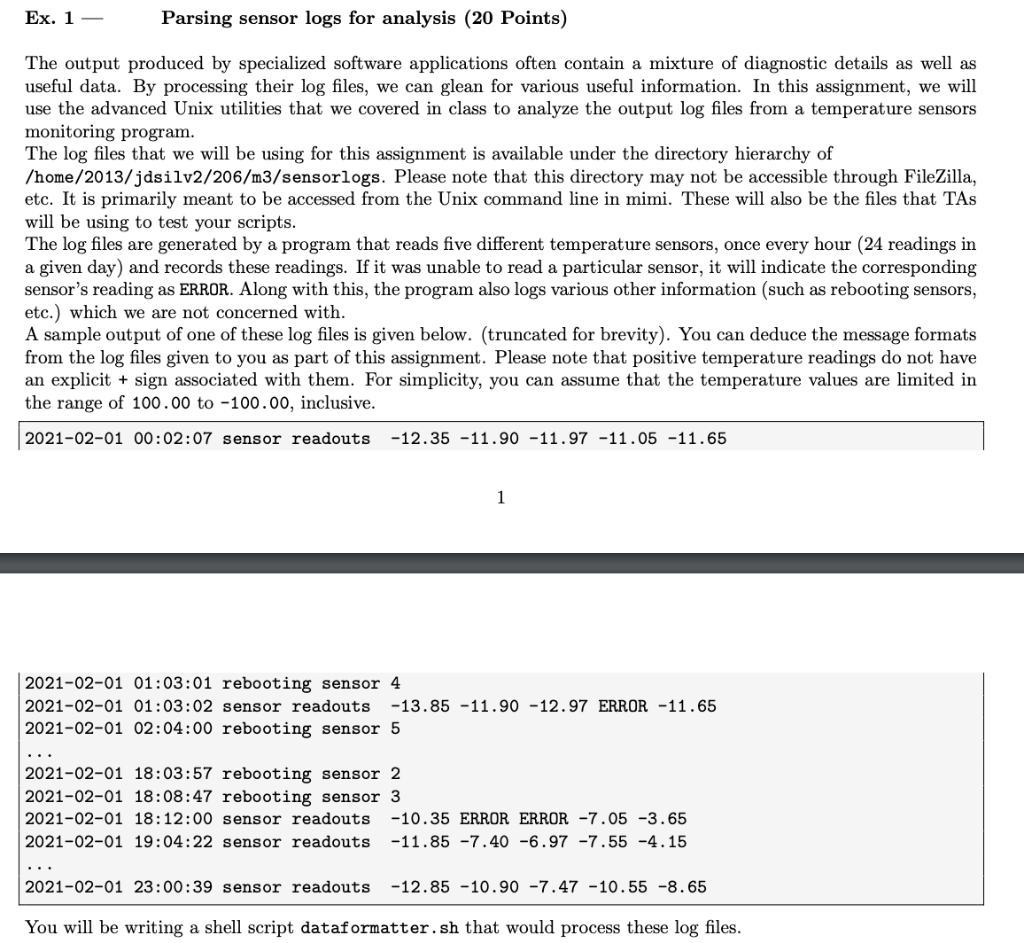
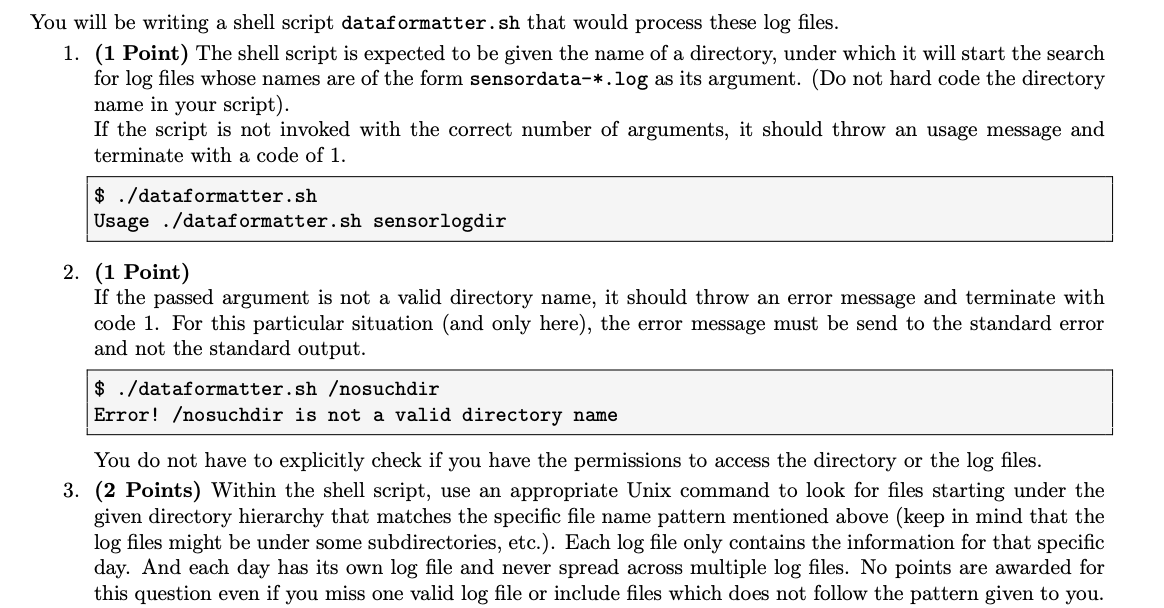
Ex. 1 Parsing sensor logs for analysis (20 Points) The output produced by specialized software applications often contain a mixture of diagnostic details as well as useful data. By processing their log files, we can glean for various useful information. In this assignment, we will use the advanced Unix utilities that we covered in class to analyze the output log files from a temperature sensors monitoring program. The log files that we will be using for this assignment is available under the directory hierarchy of /home/2013/jdsilv2/206/m3/sensorlogs. Please note that this directory may not be accessible through FileZilla, etc. It is primarily meant to be accessed from the Unix command line in mimi. These will also be the files that TAS will be using to test your scripts. The log files are generated by a program that reads five different temperature sensors, once every hour (24 readings in a given day) and records these readings. If it was unable to read a particular sensor, it will indicate the corresponding sensor's reading as ERROR. Along with this, the program also logs various other information (such as rebooting sensors, etc.) which we are not concerned with. A sample output of one of these log files is given below. (truncated for brevity). You can deduce the message formats from the log files given to you as part of this assignment. Please note that positive temperature readings do not have an explicit + sign associated with them. For simplicity, you can assume that the temperature values are limited in the range of 100.00 to -100.00, inclusive. 2021-02-01 00:02:07 sensor readouts -12.35 -11.90 -11.97 -11.05 -11.65 1 2021-02-01 01:03:01 rebooting sensor 4 2021-02-01 01:03:02 sensor readouts -13.85 -11.90 -12.97 ERROR -11.65 2021-02-01 02:04:00 rebooting sensor 5 2021-02-01 18:03:57 rebooting sensor 2 2021-02-01 18:08:47 rebooting sensor 3 2021-02-01 18:12:00 sensor readouts -10.35 ERROR ERROR -7.05 -3.65 2021-02-01 19:04:22 sensor readouts -11.85 -7.40 -6.97 -7.55 -4.15 2021-02-01 23:00:39 sensor readouts -12.85 -10.90 -7.47 -10.55 -8.65 You will be writing a shell script dataformatter.sh that would process these log files. You will be writing a shell script dataformatter.sh that would process these log files. 1. (1 Point) The shell script is expected to be given the name of a directory, under which it will start the search for log files whose names are of the form sensordata-*.log as its argument. (Do not hard code the directory name in your script). If the script is not invoked with the correct number of arguments, it should throw an usage message and terminate with a code of 1. $ ./dataformatter.sh Usage ./dataformatter.sh sensorlogdir 2. (1 Point) If the passed argument is not a valid directory name, it should throw an error message and terminate with code 1. For this particular situation (and only here), the error message must be send to the standard error and not the standard output. $ ./dataformatter.shosuchdir Error! osuchdir is not a valid directory name You do not have to explicitly check if you have the permissions to access the directory or the log files. 3. (2 Points) Within the shell script, use an appropriate Unix command to look for files starting under the given directory hierarchy that matches the specific file name pattern mentioned above (keep in mind that the log files might be under some subdirectories, etc.). Each log file only contains the information for that specific day. And each day has its own log file and never spread across multiple log files. No points are awarded for this question even if you miss one valid log file or include files which does not follow the pattern given to you
Step by Step Solution
There are 3 Steps involved in it

Get step-by-step solutions from verified subject matter experts
 Study Help