







Question: Excel's Solver has been used in the spreadsheet below to solve a linear programming problem with a maximization objective function. The two tables below show
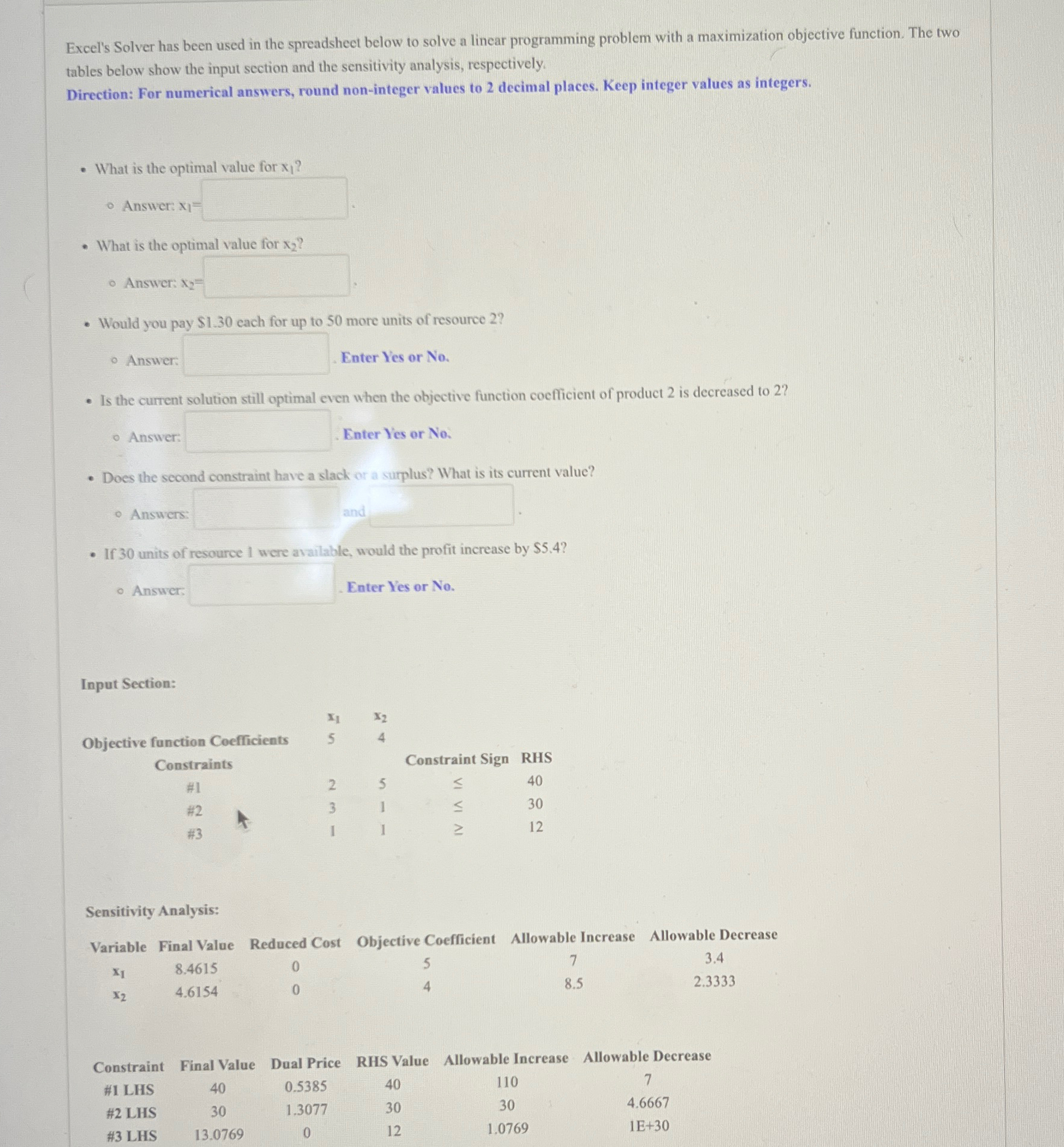
Excel's Solver has been used in the spreadsheet below to solve a linear programming problem with a maximization objective function. The two tables below show the input section and the sensitivity analysis, respectively.
Direction: For numerical answers, round noninteger values to decimal places. Keep integer values as integers.
What is the optimal value for
Answer:
What is the optimal value for
Answer:
Would you pay $ each for up to more units of resource
Answer: Enter Y'es or No
Is the current solution still optimal even when the objective function coefficient of product is decreased to
Answer: Enter Y'es or No
Does the second constraint have a slack or a surplus? What is its current value?
Answers:
If units of resource were available, would the profit increase by $
Answer Enter Y'es or No
Input Section:
tableObjective function Coefficients,ConstraintsConstraint Sign,RHS#H#
Sensitivity Analysis:
tableVariableFinal Value,Reduced Cost,Objective Coefficient,Allowable Increase,Allowable Decrease
tableConstraintFinal Value,Dual Price,RHS Value,Allowable Increase,Allowable Decrease# LHS# LHS# LHS
Step by Step Solution
There are 3 Steps involved in it
1 Expert Approved Answer
Step: 1 Unlock

Question Has Been Solved by an Expert!
Get step-by-step solutions from verified subject matter experts
Step: 2 Unlock
Step: 3 Unlock
 Study Help