







Question: Exercise 1-1 Experiment with IDLE's interactive shell This exercise guides you through experimenting with Python's interactive shell Start IDLE. That should display a window for
Exercise 1-1\ Experiment with IDLE's interactive shell\ This exercise guides you through experimenting with Python's interactive shell\ Start IDLE. That should display a window for the interactive shell.\ Enter the following print() functions and arithmetic expressions into the interactive console:\ Note that (1) the print() function prints a blank line if you don't code anything between the parentheses, (2) the * is used for multiplication in an arithmetic expression, (3) the spaces before and after arithmetic operators aren't required, and (4) parentheses are used just as they are in algebraic expressions. If you make entry errors, the shell should display appropriate error messages.\ Try entering these statements to see how they work:\
var1=30\
var2=25\
var1+10\
var1\
var1+var2\ var_2\ The last one is deliberately incorrect so it should display an error message.\ Continue experimenting if you like. However, this should make more sense after you read the next chapter and learn how to start writing Python code.
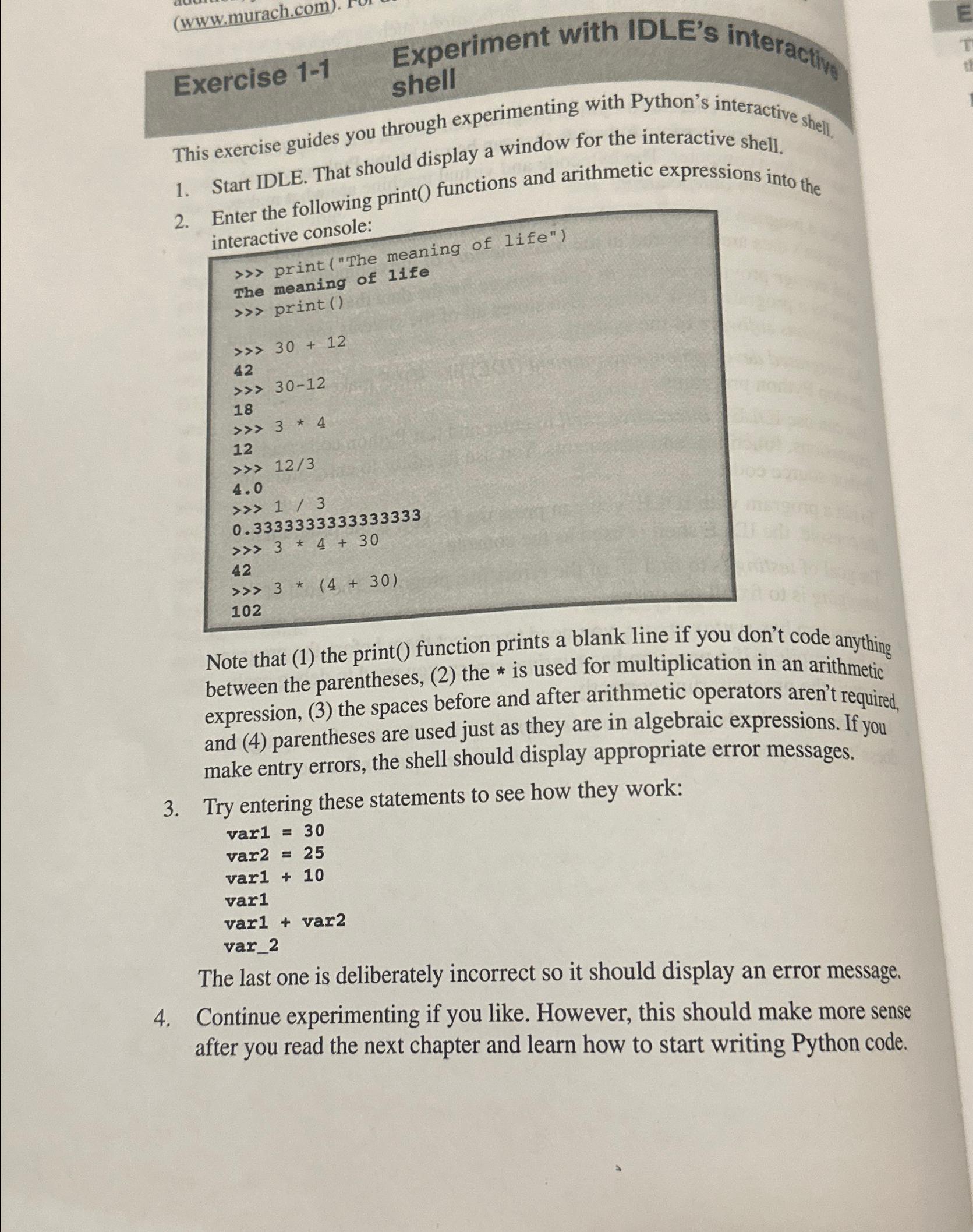
This exercise guides you through experimenting with Python's interactive shell, 1. Start IDLE. That should display a window for the interactive shell. 2. Enter the following print() functions and arithmetic expressions into the interactive console: >> print ("The meaning of life") \> print() >> 30+12 42 3012 18 34 12 >> 12/3 4.0 1/3 0.33333333333333333 34+30 42 3(4+30) 102 Note that (1) the print() function prints a blank line if you don't code anything between the parentheses, (2) the * is used for multiplication in an arithmetic expression, (3) the spaces before and after arithmetic operators aren't required, and (4) parentheses are used just as they are in algebraic expressions. If you make entry errors, the shell should display appropriate error messages. 3. Try entering these statements to see how they work: var1=30 var2=25 var1+10 var1 var1+var2 var_2 The last one is deliberately incorrect so it should display an error message. 4. Continue experimenting if you like. However, this should make more sense after you read the next chapter and learn how to start writing Python code
Step by Step Solution
There are 3 Steps involved in it

Get step-by-step solutions from verified subject matter experts
 Study Help