





Question: Exercise 3: Interactive Mr. Potato Head (10 pts) Drag the Parts onto Mr. Potato Head jQuery Mr Potato Head Before starting this final component of
 Exercise 3: Interactive Mr. Potato Head (10 pts) Drag the Parts

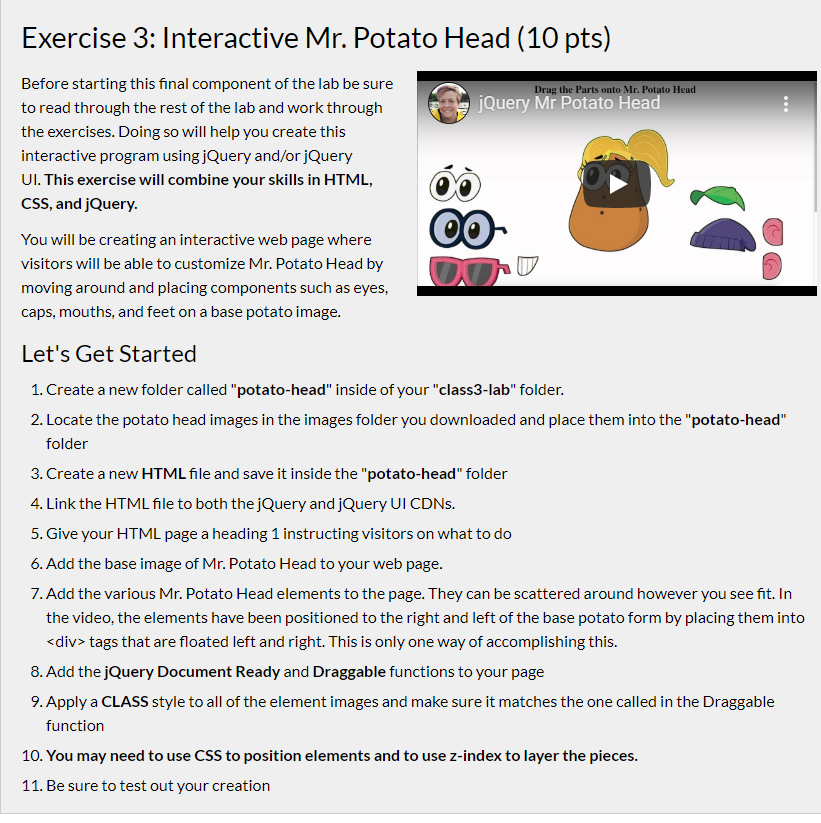
Exercise 3: Interactive Mr. Potato Head (10 pts) Drag the Parts onto Mr. Potato Head jQuery Mr Potato Head Before starting this final component of the lab be sure to read through the rest of the lab and work through the exercises. Doing so will help you create this interactive program using jQuery and/or jQuery UI. This exercise will combine your skills in HTML, CSS, and jQuery. CO- You will be creating an interactive web page where visitors will be able to customize Mr. Potato Head by moving around and placing components such as eyes, caps, mouths, and feet on a base potato image. ON Let's Get Started 1. Create a new folder called "potato-head" inside of your "class3-lab" folder. 2. Locate the potato head images in the images folder you downloaded and place them into the "potato-head" folder 3. Create a new HTML file and save it inside the "potato-head" folder 4. Link the HTML file to both the jQuery and jQuery UI CDNs. 5. Give your HTML page a heading 1 instructing visitors on what to do 6. Add the base image of Mr. Potato Head to your web page. 7. Add the various Mr. Potato Head elements to the page. They can be scattered around however you see fit. In the video, the elements have been positioned to the right and left of the base potato form by placing them into

tags that are floated left and right. This is only one way of accomplishing this. 8. Add the jQuery Document Ready and Draggable functions to your page 9. Apply a CLASS style to all of the element images and make sure it matches the one called in the Draggable function 10. You may need to use CSS to position elements and to use z-index to layer the pieces. 11. Be sure to test out your creation Exercise 3: Interactive Mr. Potato Head (10 pts) Drag the Parts onto Mr. Potato Head jQuery Mr Potato Head Before starting this final component of the lab be sure to read through the rest of the lab and work through the exercises. Doing so will help you create this interactive program using jQuery and/or jQuery UI. This exercise will combine your skills in HTML, CSS, and jQuery. CO- You will be creating an interactive web page where visitors will be able to customize Mr. Potato Head by moving around and placing components such as eyes, caps, mouths, and feet on a base potato image. ON Let's Get Started 1. Create a new folder called "potato-head" inside of your "class3-lab" folder. 2. Locate the potato head images in the images folder you downloaded and place them into the "potato-head" folder 3. Create a new HTML file and save it inside the "potato-head" folder 4. Link the HTML file to both the jQuery and jQuery UI CDNs. 5. Give your HTML page a heading 1 instructing visitors on what to do 6. Add the base image of Mr. Potato Head to your web page. 7. Add the various Mr. Potato Head elements to the page. They can be scattered around however you see fit. In the video, the elements have been positioned to the right and left of the base potato form by placing them into
tags that are floated left and right. This is only one way of accomplishing this. 8. Add the jQuery Document Ready and Draggable functions to your page 9. Apply a CLASS style to all of the element images and make sure it matches the one called in the Draggable function 10. You may need to use CSS to position elements and to use z-index to layer the pieces. 11. Be sure to test out your creation

Step by Step Solution

There are 3 Steps involved in it

1 Expert Approved Answer
Step: 1 Unlock blur-text-image
Question Has Been Solved by an Expert!

Get step-by-step solutions from verified subject matter experts

Step: 2 Unlock
Step: 3 Unlock

Students Have Also Explored These Related Databases Questions!