







Question: explain how to implement a restaurant menu that has a scrollable first main page and is also clickable using JAVA in Android Studio? I just
explain how to implement a restaurant menu that has a scrollable first main page and is also clickable using JAVA in Android Studio?
I just need an example for one food item to grasp the logic behind it and apply it to the other food items.
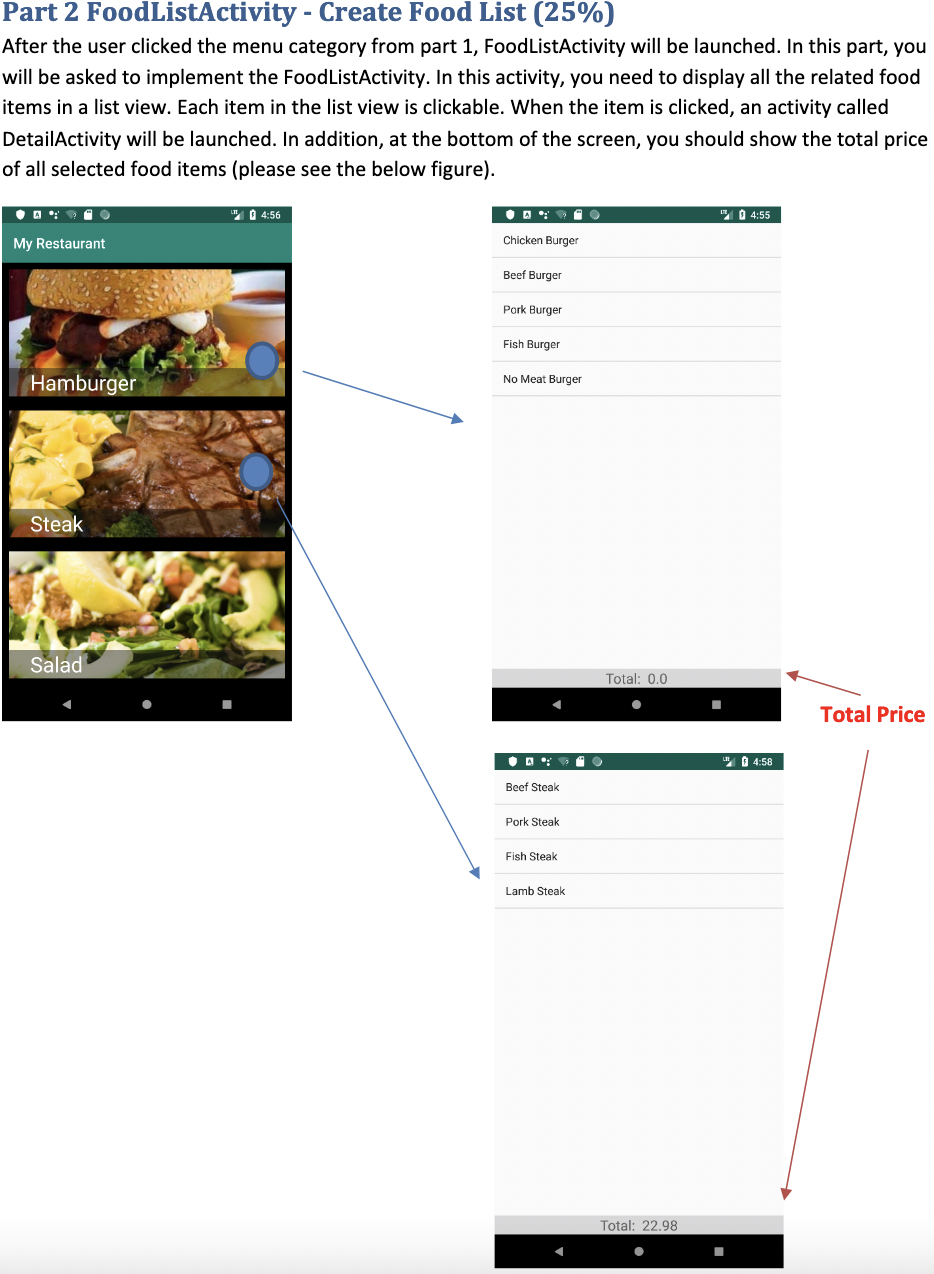
Please check screenshots attached to have an idea on the different JAVA activities needed.
Thank you.
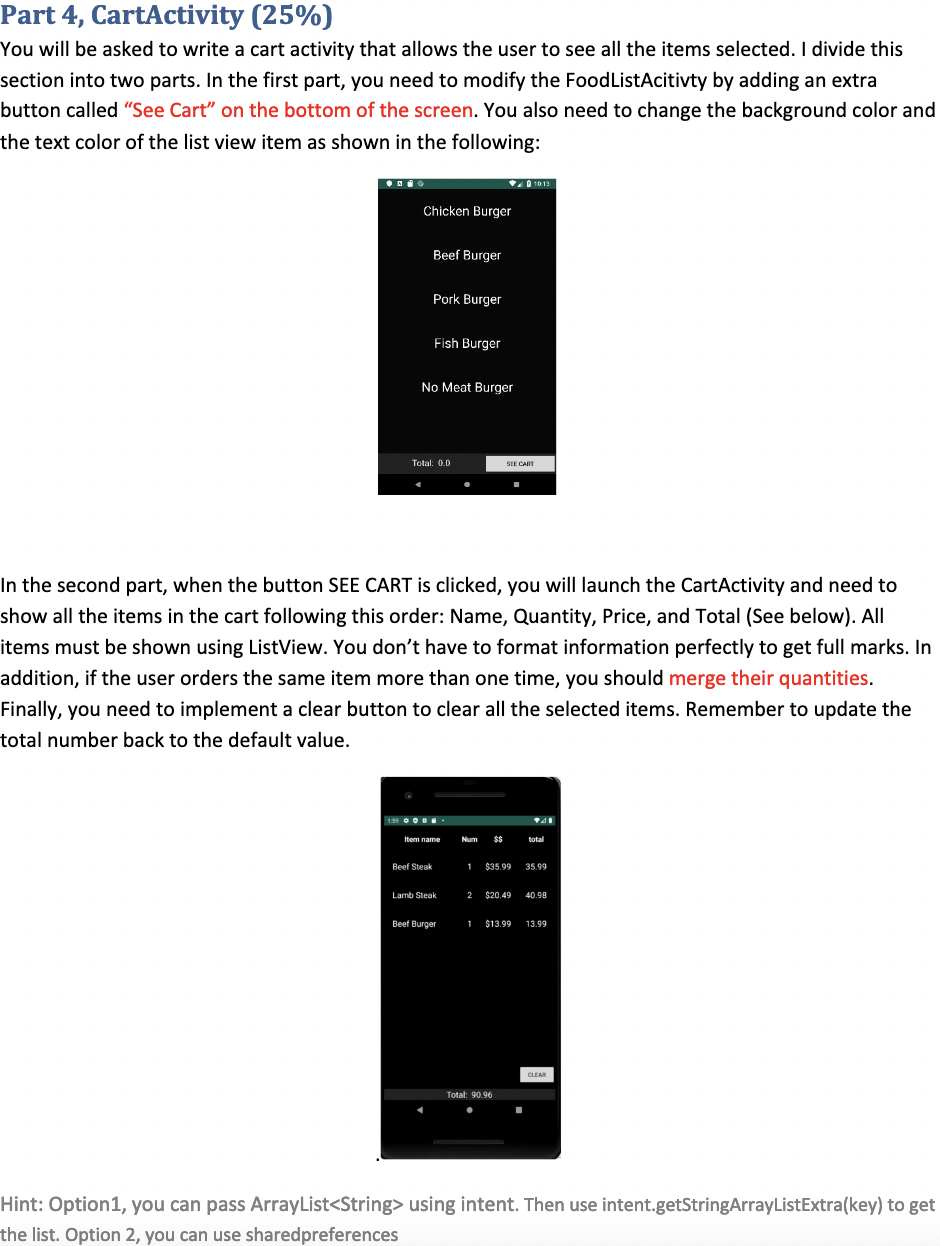
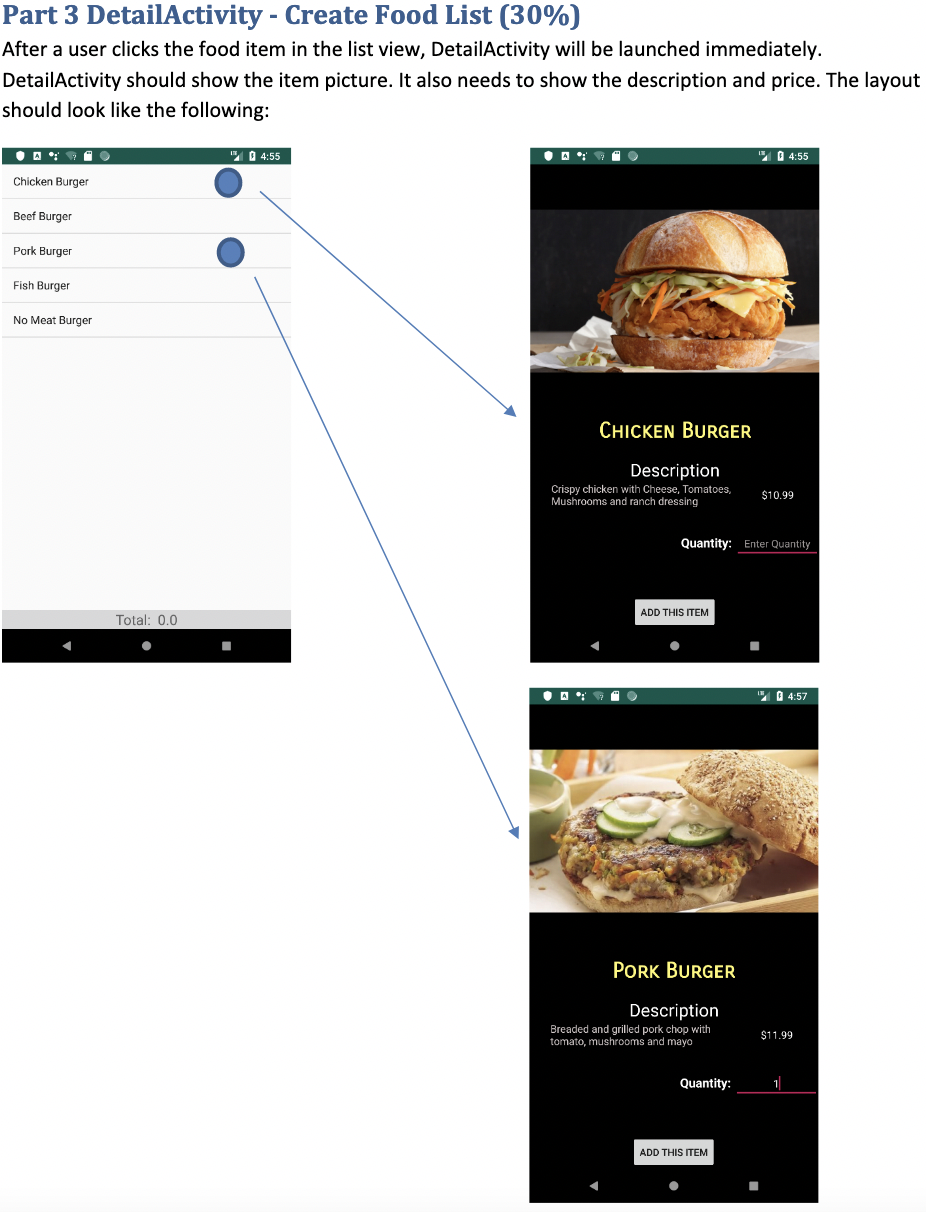
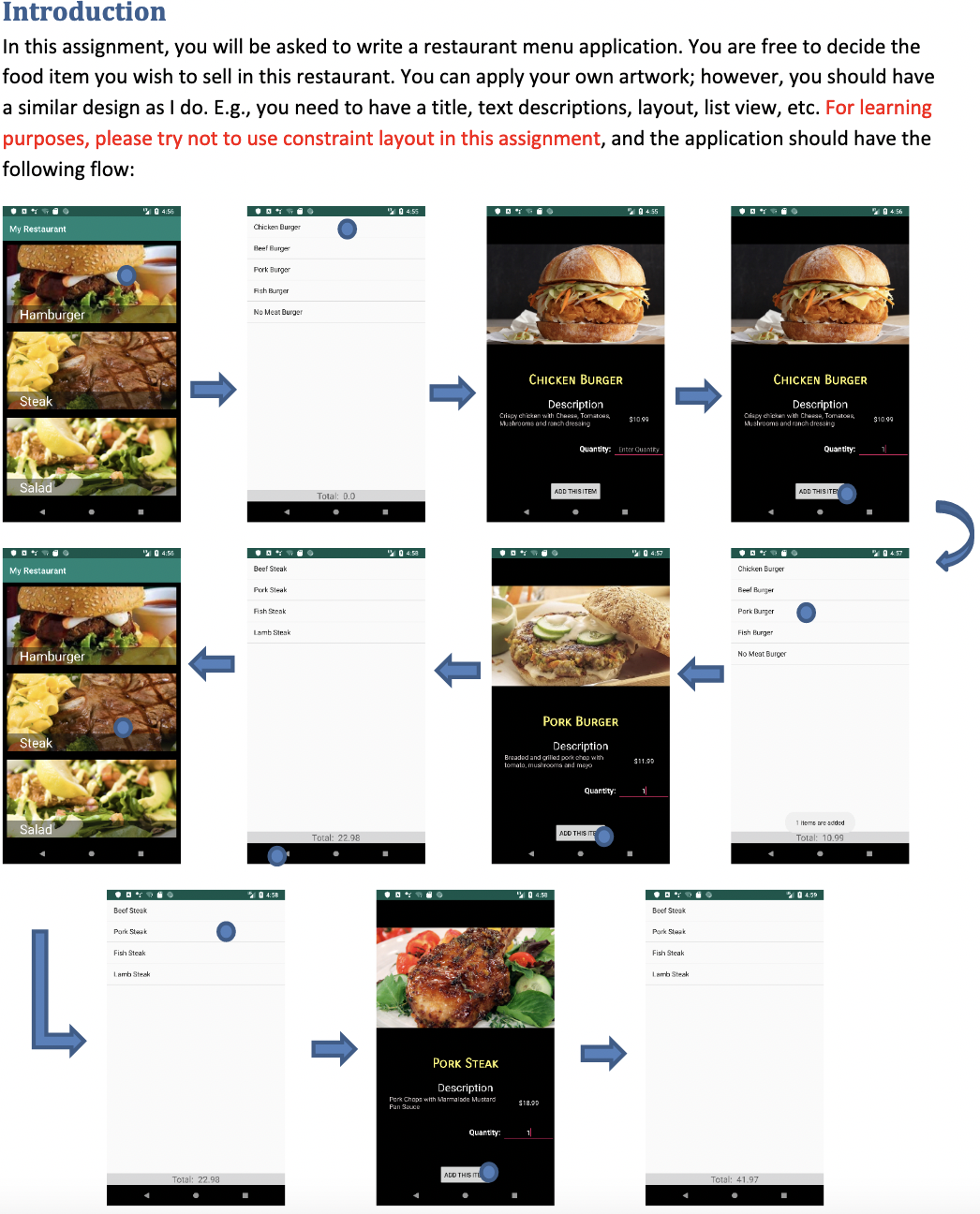
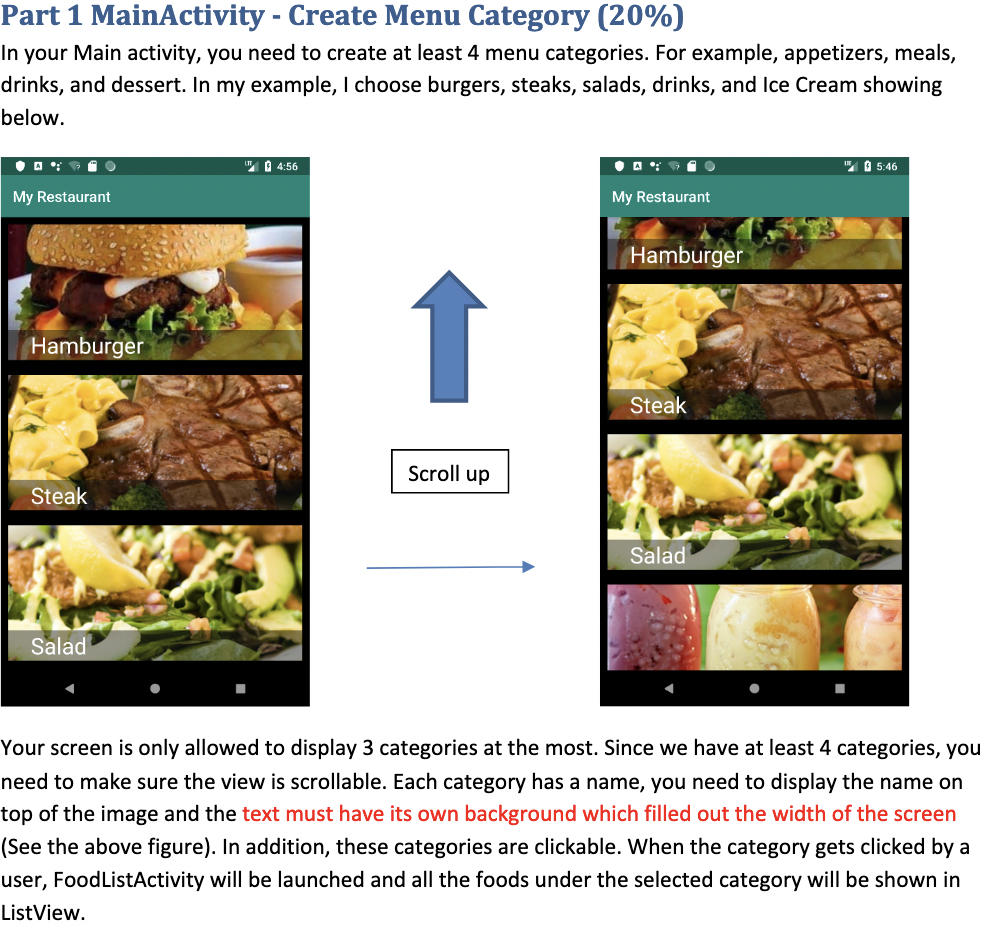
Part 4, CartActivity (25%) You will be asked to write a cart activity that allows the user to see all the items selected. I divide this section into two parts. In the first part, you need to modify the FoodListAcitivty by adding an extra button called "See Cart" on the bottom of the screen. You also need to change the background color and the text color of the list view item as shown in the following: Chicken Burger Beef Burger Pork Burger Fish Burger No Meat Burger Total: 0.0 SEE CART 10:13 In the second part, when the button SEE CART is clicked, you will launch the CartActivity and need to show all the items in the cart following this order: Name, Quantity, Price, and Total (See below). All items must be shown using ListView. You don't have to format information perfectly to get full marks. In addition, if the user orders the same item more than one time, you should merge their quantities. Finally, you need to implement a clear button to clear all the selected items. Remember to update the total number back to the default value. Item name Num $$ total Beef Steak 1 $35.99 35.99 Lamb Steak 2 $20.49 40.98 Beef Burger 1 $13.99 Total: 90.96 CLEAR Hint: Option1, you can pass ArrayList using intent. Then use intent.getStringArrayListExtra(key) to get the list. Option 2, you can use sharedpreferences
Step by Step Solution
There are 3 Steps involved in it
Written upto R5 include using namespace std static int i0j0 struct FoodOrders char tit... View full answer

Get step-by-step solutions from verified subject matter experts
 Study Help