







Question: Explain psuedo linux shell script for each bullet point. prefer. On the first line, specify explicitly that the shell executing this script should be /bin/bash
Explain psuedo linux shell script for each bullet point.
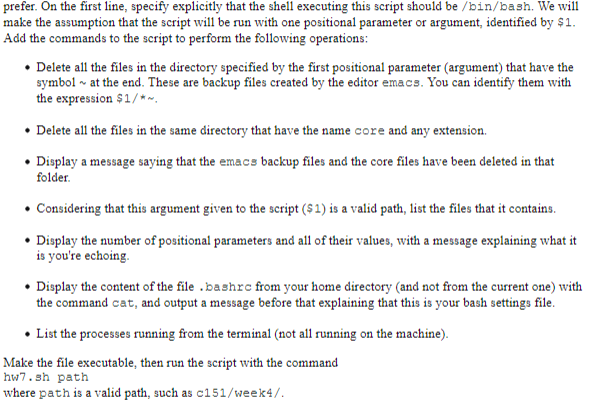
prefer. On the first line, specify explicitly that the shell executing this script should be /bin/bash We will make the assumption that the script will be run with one positional parameter or argument, identified by $1. Add the commands to the script to perform the following operations Delete al the files in the directory specified by the first positional parameter (argument) that have the symbol~at the end. These are backup files created by the editor emacs. You can identify them with the expression $1/ Delete all the files in the same directory that have the name core and any estension Display a message saying that the emacs backup files and the core files have been deleted in that folder Considering that this argument given to the script ($1) is a valid path, list the files that it contains Display the umber of positional parameters and all of their values, with a message explaining what it is you're echoing Display the content of the file bashrc from your home directory (and not from the current one) with the command cat, and output a message before that explaining that this is your bash settings file. List the processes running from the terminal (not all running on the machine). Make the file executable, then run the script with the command hw7.sh path where path is a valid path, such as c151/week4/ prefer. On the first line, specify explicitly that the shell executing this script should be /bin/bash We will make the assumption that the script will be run with one positional parameter or argument, identified by $1. Add the commands to the script to perform the following operations Delete al the files in the directory specified by the first positional parameter (argument) that have the symbol~at the end. These are backup files created by the editor emacs. You can identify them with the expression $1/ Delete all the files in the same directory that have the name core and any estension Display a message saying that the emacs backup files and the core files have been deleted in that folder Considering that this argument given to the script ($1) is a valid path, list the files that it contains Display the umber of positional parameters and all of their values, with a message explaining what it is you're echoing Display the content of the file bashrc from your home directory (and not from the current one) with the command cat, and output a message before that explaining that this is your bash settings file. List the processes running from the terminal (not all running on the machine). Make the file executable, then run the script with the command hw7.sh path where path is a valid path, such as c151/week4/
Step by Step Solution
There are 3 Steps involved in it

Get step-by-step solutions from verified subject matter experts
 Study Help