







Question: f you answer false ,I will vote negative python 3 pycharm and write necessary module for pycharm please fix codes and look at photo use
f you answer false ,I will vote negative python 3 pycharm and write necessary module for pycharm please fix codes and look at photo use photo codes : pyhon3 use pycharm
there are a few errors on these codes.
circles are in wrong place fix code
codes:
import numpy as np import matplotlib.pyplot as plt import cv2 img = cv2.imread('pipe.jpg')
# convert the image to RGB img = cv2.cvtColor(img, cv2.COLOR_BGR2RGB) # copy the RGB image cimg = img.copy() # convert the RGB image to grayscale img = cv2.cvtColor(img, cv2.COLOR_BGR2GRAY) # detect circles using hough transformation circles = cv2.HoughCircles(image=img, method=cv2.HOUGH_GRADIENT, dp=3, minDist=60, param1=100, param2=39, maxRadius=200) print
for co,i in enumerate(circles[0, :],start=1): i = [round(num) for num in i] cv2.circle(cimg,(i[0],i[1]),i[2],(0,255,0),2) cv2.circle(cimg,(i[0],i[1]),2,(0,0,255),3) print("Number of circles detected:", co) plt.imshow(cimg) plt.show()
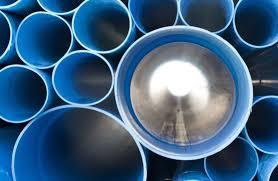
error
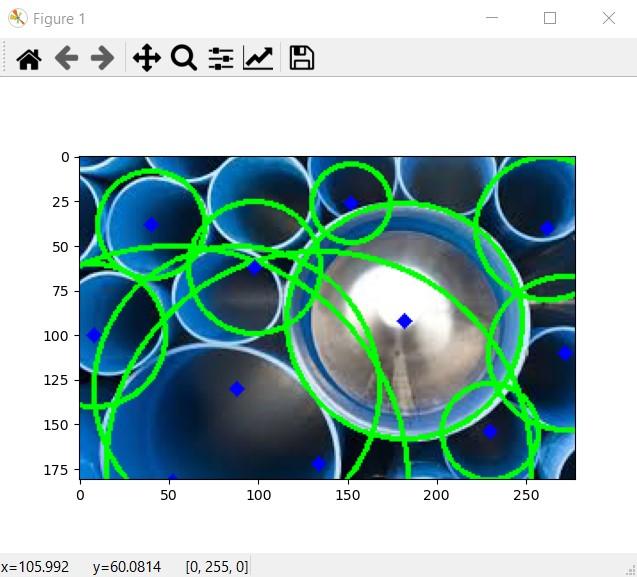
Figure 1 ] X #QEL 9 0 25 50 75 100 125 150 175 50 100 150 200 250 X=105.992 y=60.0814 [0, 255, 0]
Step by Step Solution
There are 3 Steps involved in it

Get step-by-step solutions from verified subject matter experts
 Study Help