







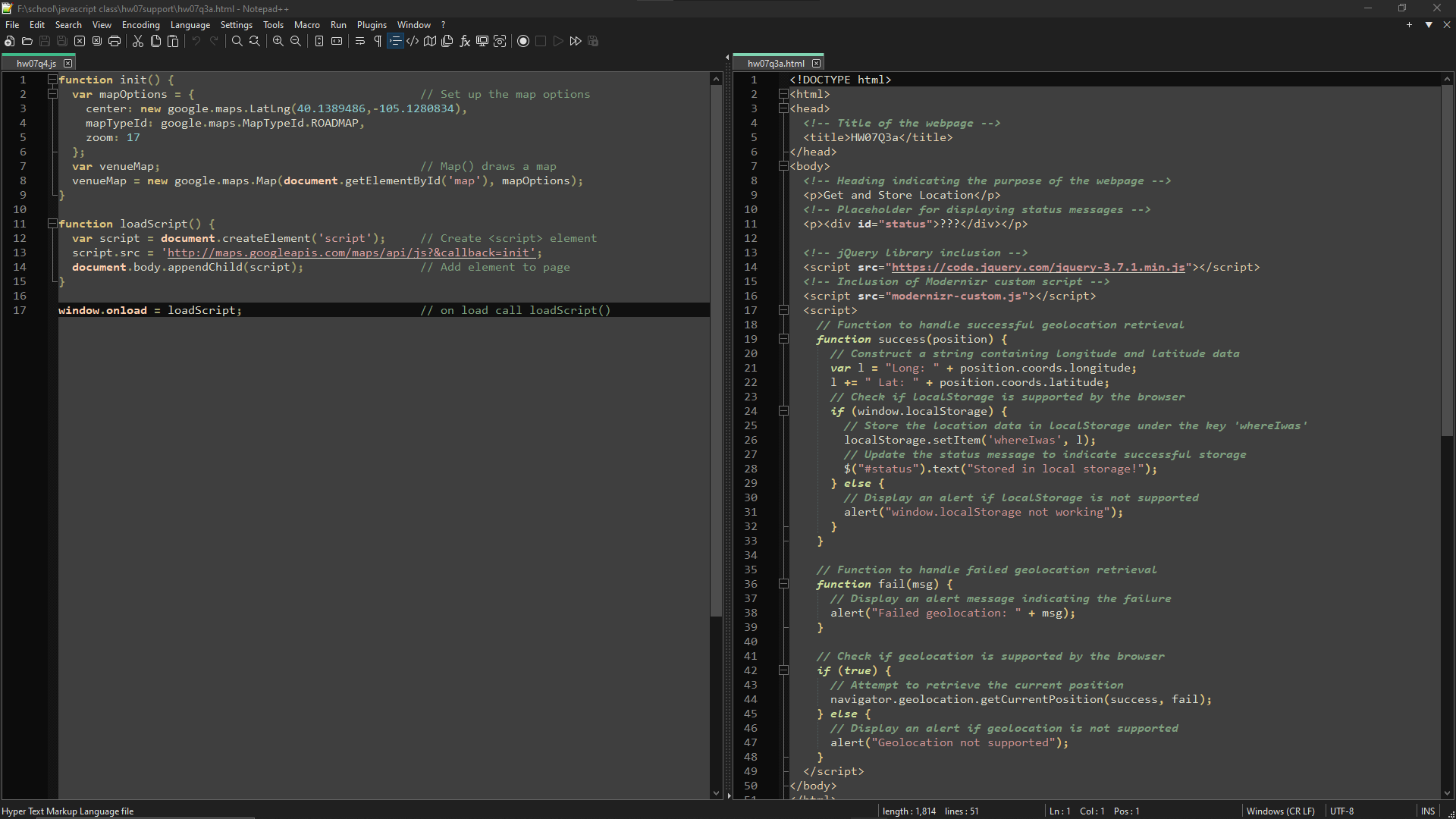
Question: Fi schoolVjavascript class hw 0 7 support hw 0 7 q 3 a . html - Notepad + + File Edit Search
FischoolVjavascript class hwsupport hwqahtml Notepad
File Edit Search View Encoding Language Settings Tools Macro Run Plugins Window This problem involves two webpages. The first file, hwqahtml is in the hwsupport folder and the second file, named hwqbhtml you will create. The first webpage uses Modernizr and jQuery. You will need to copy the modernizrcustom.js to the folder where you code is This webpage obtains the location of your PC When run under Chrome, Chrome asks for permission to give out the location. The page then formats the Longitude and Latitude, and writes them to local storage under the key whereIwas Your task is to write hwqbhtml This new webpage simply takes the string stored in local storage under key whereIwas and displays it
Step by Step Solution
There are 3 Steps involved in it
1 Expert Approved Answer
Step: 1 Unlock

Question Has Been Solved by an Expert!
Get step-by-step solutions from verified subject matter experts
Step: 2 Unlock
Step: 3 Unlock
 Study Help