







Question: Fig 112 IC Type 7493 Ripple Counter 1. Binary counter: Connect the IC to operate as a 4-bit binary counter by wiring the exemal terminals
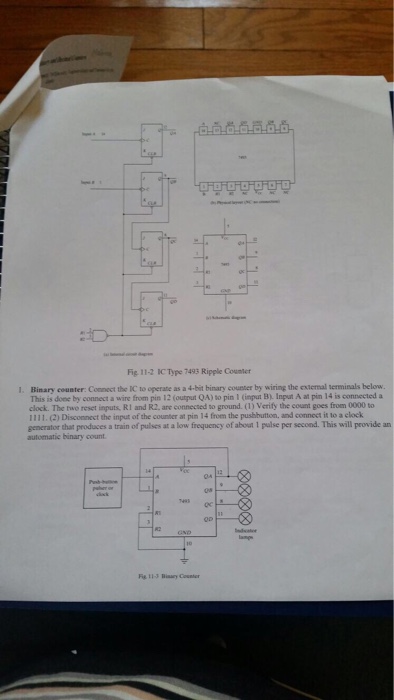
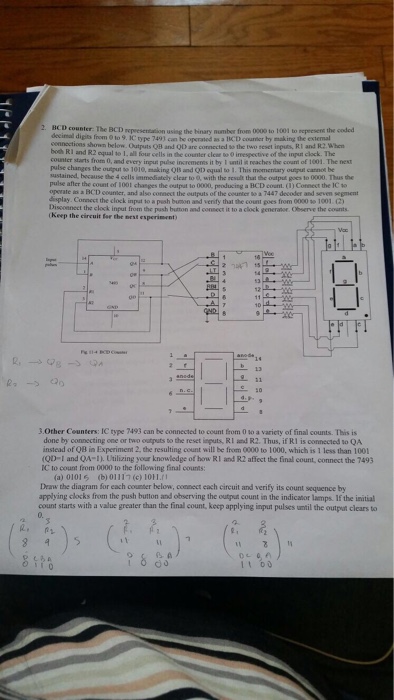
Fig 112 IC Type 7493 Ripple Counter 1. Binary counter: Connect the IC to operate as a 4-bit binary counter by wiring the exemal terminals below. This is done by connect a wire from pin 12 (output QA)to pin l input Bl Input A at pin 14 is connected a clock. The two reset inputs, RI and R2.are connected to ground. verify the count goes from 0000 to 1111. (2) Disconnect the input of the counter at pin 14 from the pushbutton. and connect it to a clock generator that produces a train of pulses at a low frequency of about 1 pulse per second. This will provide an Fig 112 IC Type 7493 Ripple Counter 1. Binary counter: Connect the IC to operate as a 4-bit binary counter by wiring the exemal terminals below. This is done by connect a wire from pin 12 (output QA)to pin l input Bl Input A at pin 14 is connected a clock. The two reset inputs, RI and R2.are connected to ground. verify the count goes from 0000 to 1111. (2) Disconnect the input of the counter at pin 14 from the pushbutton. and connect it to a clock generator that produces a train of pulses at a low frequency of about 1 pulse per second. This will provide an
Step by Step Solution
There are 3 Steps involved in it

Get step-by-step solutions from verified subject matter experts
 Study Help