



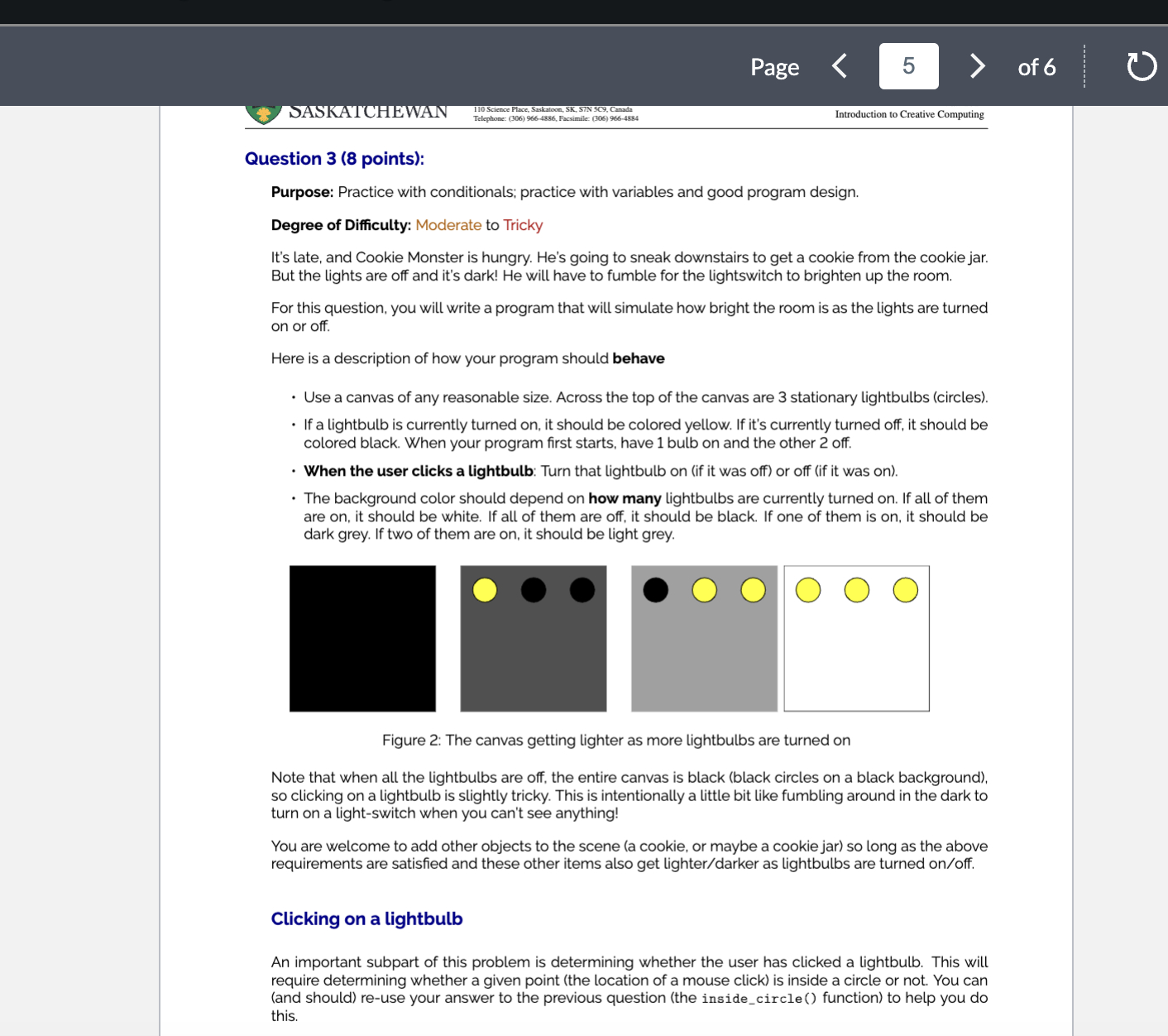
Question: Figure 2 : The canvas getting lighter as more lightbulbs are turned on Note that when all the lightbulbs are off, the entire canvas is
Figure : The canvas getting lighter as more lightbulbs are turned on
Note that when all the lightbulbs are off, the entire canvas is black black circles on a black background so clicking on a lightbulb is slightly tricky. This is intentionally a little bit like fumbling around in the dark to turn on a lightswitch when you can't see anything!
You are welcome to add other objects to the scene a cookie, or maybe a cookie jar so long as the above requirements are satisfied and these other items also get lighterdarker as lightbulbs are turned onoff
Clicking on a lightbulb
An important subpart of this problem is determining whether the user has clicked a lightbulb. This will require determining whether a given point the location of a mouse click is inside a circle or not. You can and should reuse your answer to the previous question the insidecircle function to help you do this.
Step by Step Solution
There are 3 Steps involved in it
1 Expert Approved Answer
Step: 1 Unlock

Question Has Been Solved by an Expert!
Get step-by-step solutions from verified subject matter experts
Step: 2 Unlock
Step: 3 Unlock