







Question: Final Challenge Overview For this programming challenge you will write a program that processes exam grades and display their statistics. Instructions: Below are the steps
Final Challenge
Overview
For this programming challenge you will write a program that processes exam grades and display their statistics.
Instructions:
Below are the steps to complete this challenge:
Write the following functions:
Average: the function should accept a list of numbers as a parameter and return the average of the numbers in the list.
Median: the function should accept a list of numbers as a parameter and return the median of the numbers in the list.
Mode: the function should accept a list of numbers as a parameter and return the mode of the numbers in the list.
Largest: the function should accept a list of numbers as a parameter and return the value of the largest number in the list.
Smallest: the function should accept a list of numbers as a parameter and return the value of the smallest number in the list.
Write a main function that does the following:
Reads a list of grades from a file integers
Prompts the user for an operation average median, mode, largest, smallest, or exit
Display the requested statistic if the user chooses so using the appropriate function and repeat by prompting the user for another operation.
Display two decimal places for the average and the median.
If the user chooses to exit, terminate the program.
Doesn't allow a choice other than the six above.
Submitting Your Assignment:
Save your py file and upload it to the assignment. Save it as
FinalChallenge.py Failure to properly name your assignment may result in points being deducted from your grade. When submitting your assignment, you must submit only your Python file only py extension Submitting anything other than the Python file will not get scored. Also remember that your program should work. If I try to run it and it gets an error, I will stop and take a screenshot and score it a Always make sure you are submitting an assignment that works.
IMPORTANT: Please remember to add comments at the top of your code and throughout your code. I will deduct points if you don't have comments in your code.
See the Schedule in the Syllabus Module for due dates and the rubric attached for grading information.
Layout
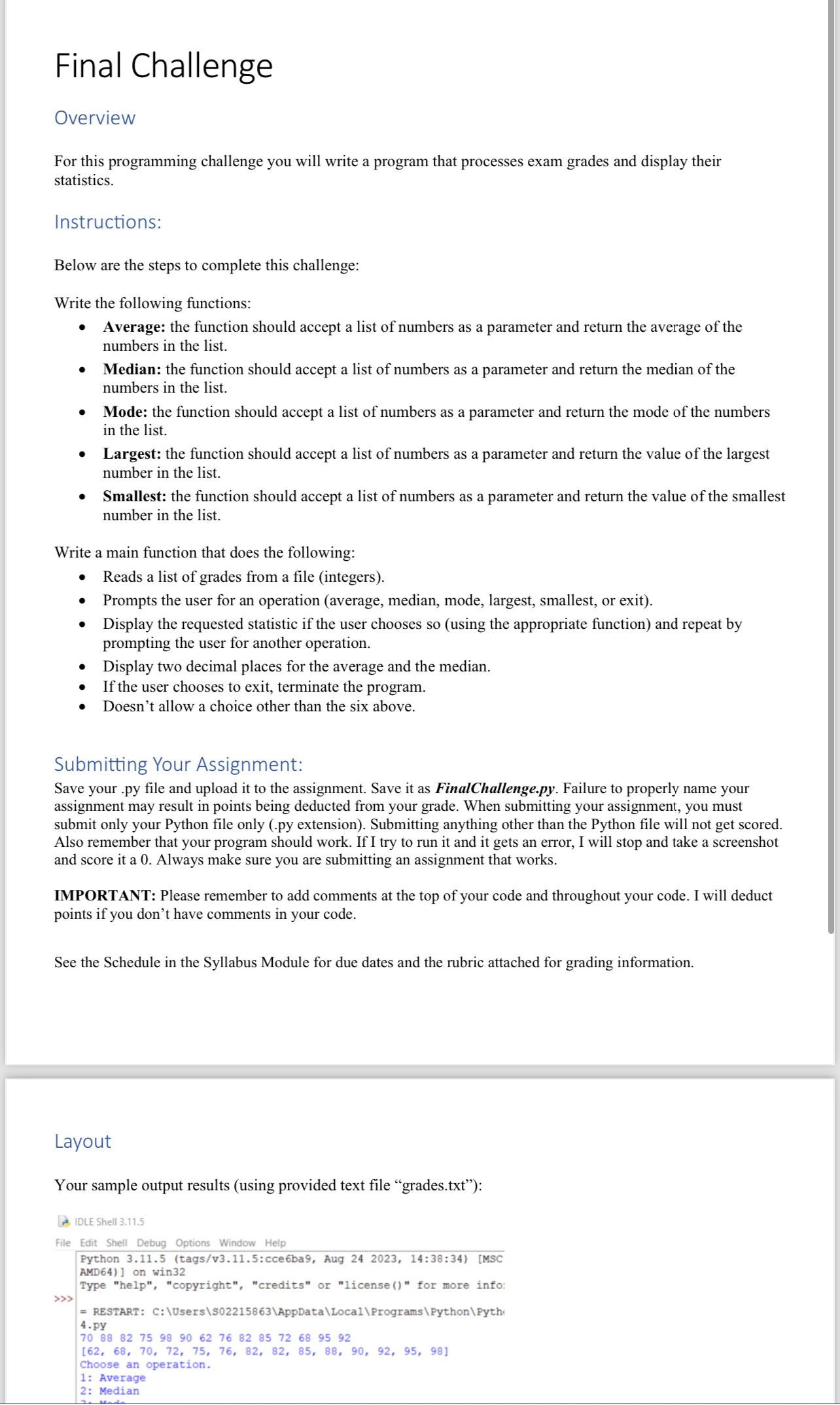
Your sample output results using provided text file "grades.txt:
Step by Step Solution
There are 3 Steps involved in it
1 Expert Approved Answer
Step: 1 Unlock

Question Has Been Solved by an Expert!
Get step-by-step solutions from verified subject matter experts
Step: 2 Unlock
Step: 3 Unlock
 Study Help