







Question: 14. Insert a new row in the table as follows: a. Insert a new first row. b. Merge the cells in the new row.
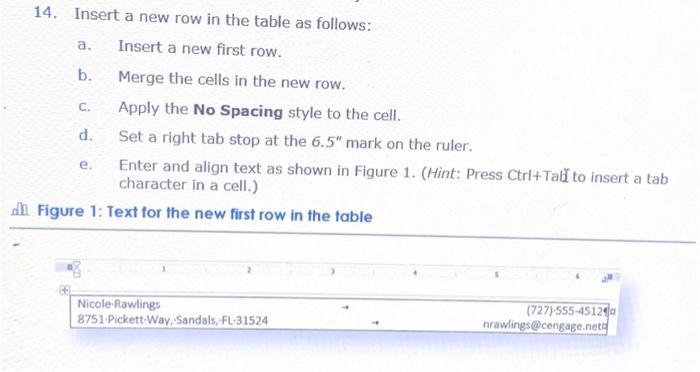
14. Insert a new row in the table as follows: a. Insert a new first row. b. Merge the cells in the new row. C. Apply the No Spacing style to the cell. d. Set a right tab stop at the 6.5" mark on the ruler. e. Enter and align text as shown in Figure 1. (Hint: Press Ctrl+Tab to insert a tab character in a cell.) Figure 1: Text for the new first row in the table Nicole-Rawlings 8751-Pickett Way, Sandals, FL-31524 (727)-555-4512 nrawlings@cengage.net
Step by Step Solution
There are 3 Steps involved in it
The image youve shared appears to provide instructions for inserting a new row in a table with speci... View full answer

Get step-by-step solutions from verified subject matter experts
 Study Help