







Question: Fix the error import numpy as npimport scipy.stats as statsimport matplotlib.pyplot as pltk = 300 # weekly Evacado supplyn_iter = 2000rng = np.random.default_rng(42)# fmt: offx
Fix the error
import numpy as npimport scipy.stats as statsimport matplotlib.pyplot as pltk = 300 # weekly Evacado supplyn_iter = 2000rng = np.random.default_rng(42)# fmt: offx = np.array([300, 300, 300, 270, 300, 300, 300, 300, 300, 300, 300, 300, 293, 300, 300, 300, 300, 300, 291, 300, 300, 300, 300, 300, 214, 246, 300, 300, 300, 300, 300, 278, 300, 300, 300, 300, 300, 256, 300, 300, 273, 295, 300, 284, 300, 300, 300, 300, 300, 300, 300, 289, 300, 300, 300, 279, 300, 300, 272, 300, 300, 300, 283, 278, 300, 300, 300, 300, 256, 300, 300, 300, 290, 300, 300, 300, 300, 263, 300, 300, 300, 300, 257, 274, 300, 300, 296, 300, 300, 300, 300, 300, 300, 300, 300, 232, 300, 300, 265, 300, 296, 300, 300, 300])# fmt: ondef sample_from_truncated_normal(m, s): """Draw len(x) samples from the normal distribution with mean `m` and standard deviation `s` conditioned on those samples being >= k.""" return stats.truncnorm.rvs( (k - m) / s, np.inf, loc=m, scale=s, size=len(x), random_state=rng )Y = np.zeros((n_iter, len(x)))Y[0] = xm = np.zeros(n_iter)s = np.zeros(n_iter)for i in range(n_iter): ...m_bar = ...s_bar = ...fig, [m_ax, s_ax] = plt.subplots(nrows=1, ncols=2, figsize=(10, 3), sharex=True)m_ax.plot(m, alpha=0.4, label="$m_i$")m_ax.plot( m_bar, "C0", lw=2, label="$\\overline{m}_i$",)m_ax.set_xlabel("$i$ (iteration)")m_ax.legend(loc="lower right")m_ax.set_title(f"$\\overline{{m}}_{{ {n_iter - 1} }} = {m_bar[-1].round(1)}$")s_ax.plot(s, alpha=0.4, label="$s_i$")s_ax.plot( s_bar, "C0", lw=2, label="$\\overline{s}_i$",)s_ax.set_xlabel("$i$ (iteration)")s_ax.legend(loc="lower right")s_ax.set_title(f"$\\overline{{s}}_{{ {n_iter - 1} }} = {s_bar[-1].round(1)}$")plt.show()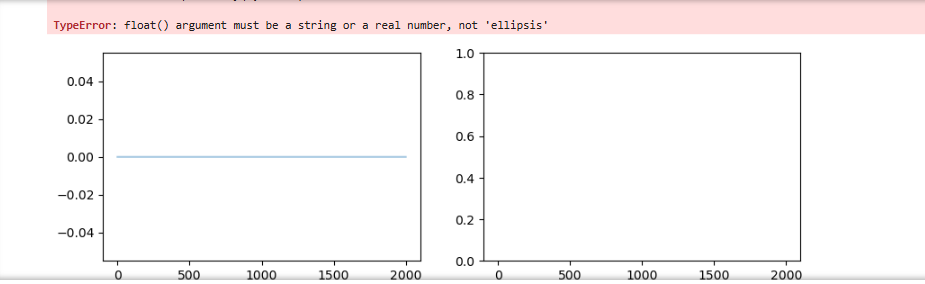
Step by Step Solution
There are 3 Steps involved in it
1 Expert Approved Answer
Step: 1 Unlock

Question Has Been Solved by an Expert!
Get step-by-step solutions from verified subject matter experts
Step: 2 Unlock
Step: 3 Unlock
 Study Help