







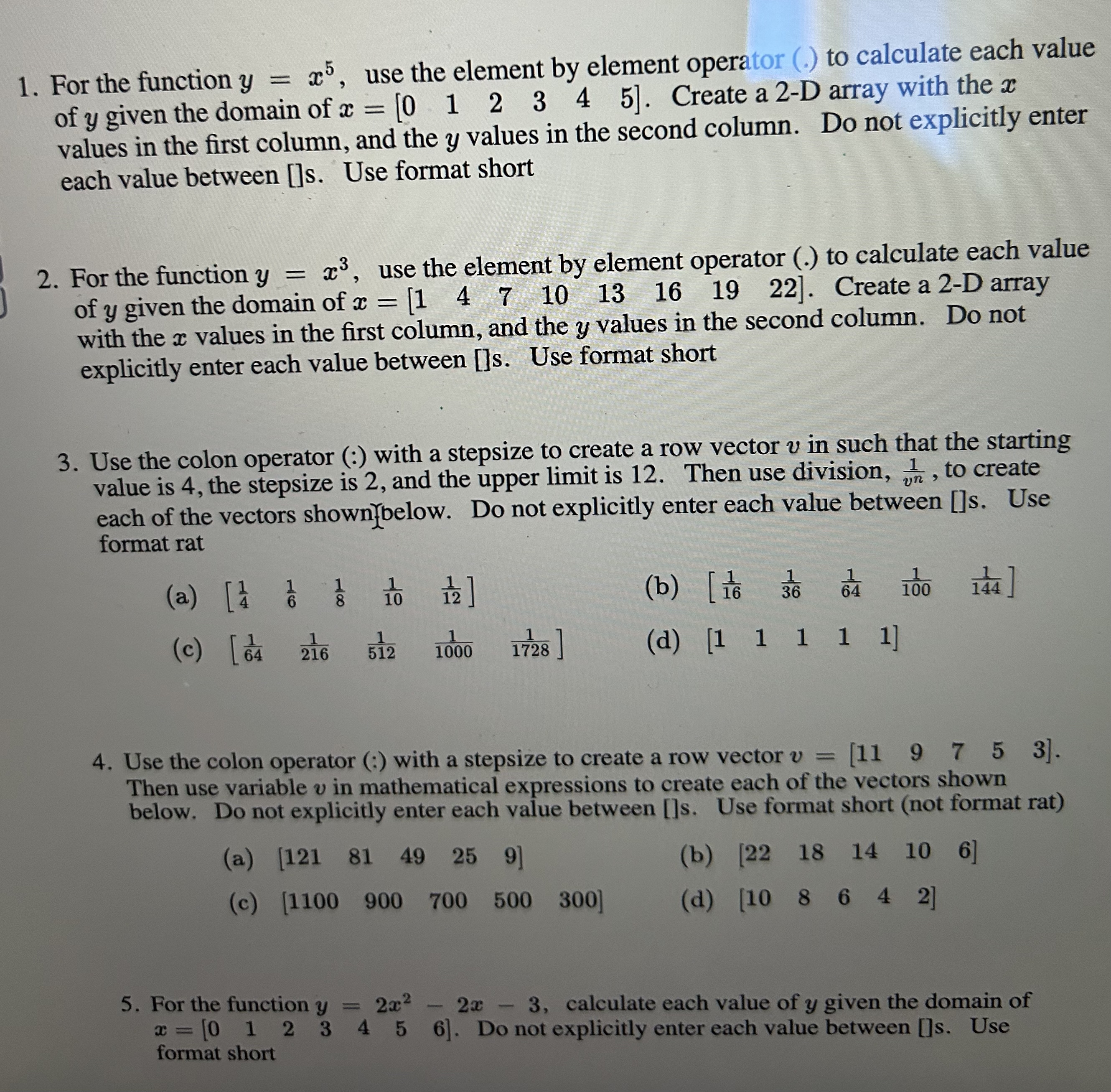
Question: For the function y = x 5 , use the element by element operator ( . ) to calculate each value of y given the
For the function use the element by element operator to calculate each value
of given the domain of Create a D array with the
values in the first column, and the values in the second column. Do not explicitly enter
each value between s Use format short
For the function use the element by element operator to calculate each value
of given the domain of Create a D array
with the values in the first column, and the values in the second column. Do not
explicitly enter each value between s Use format short
Use the colon operator with a stepsize to create a row vector in such that the starting
value is the stepsize is and the upper limit is Then use division, to create
each of the vectors shownbelow Do not explicitly enter each value between s Use
format rat
a
b
c
d
Use the colon operator with a stepsize to create a row vector
Then use variable in mathematical expressions to create each of the vectors shown
below. Do not explicitly enter each value between s Use format short not format rat
a
b
c
d
For the function calculate each value of given the domain of
Do not explicitly enter each value between l Use
format short. All of this done in matlab please, just the code that would be used to display the given values.
Step by Step Solution
There are 3 Steps involved in it
1 Expert Approved Answer
Step: 1 Unlock

Question Has Been Solved by an Expert!
Get step-by-step solutions from verified subject matter experts
Step: 2 Unlock
Step: 3 Unlock
 Study Help