







Question: Full correct answer needed please! 1.) Using the design that you created in Assign #2(or see my correct answers under Week #7), we are now
Full correct answer needed please!
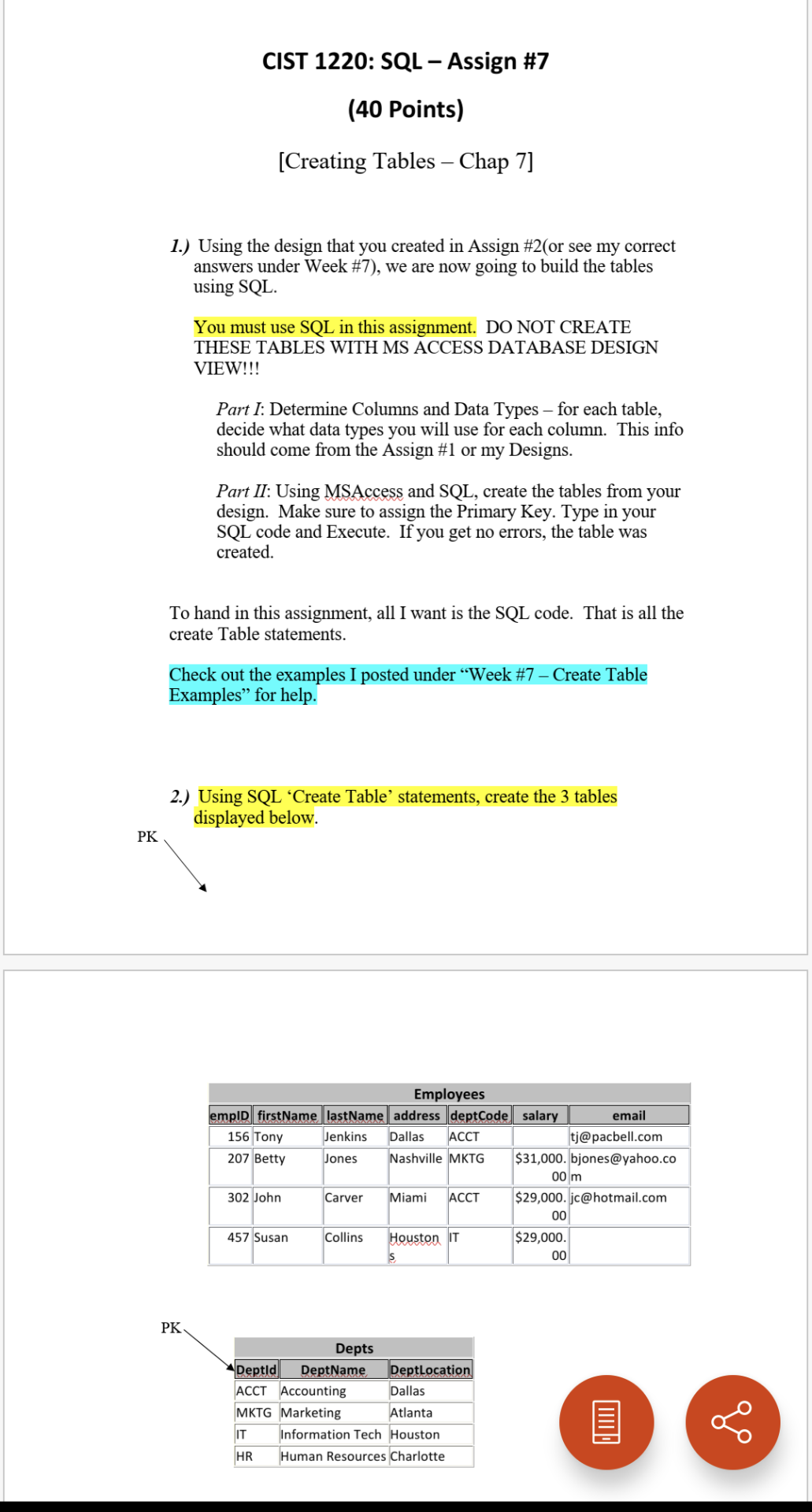
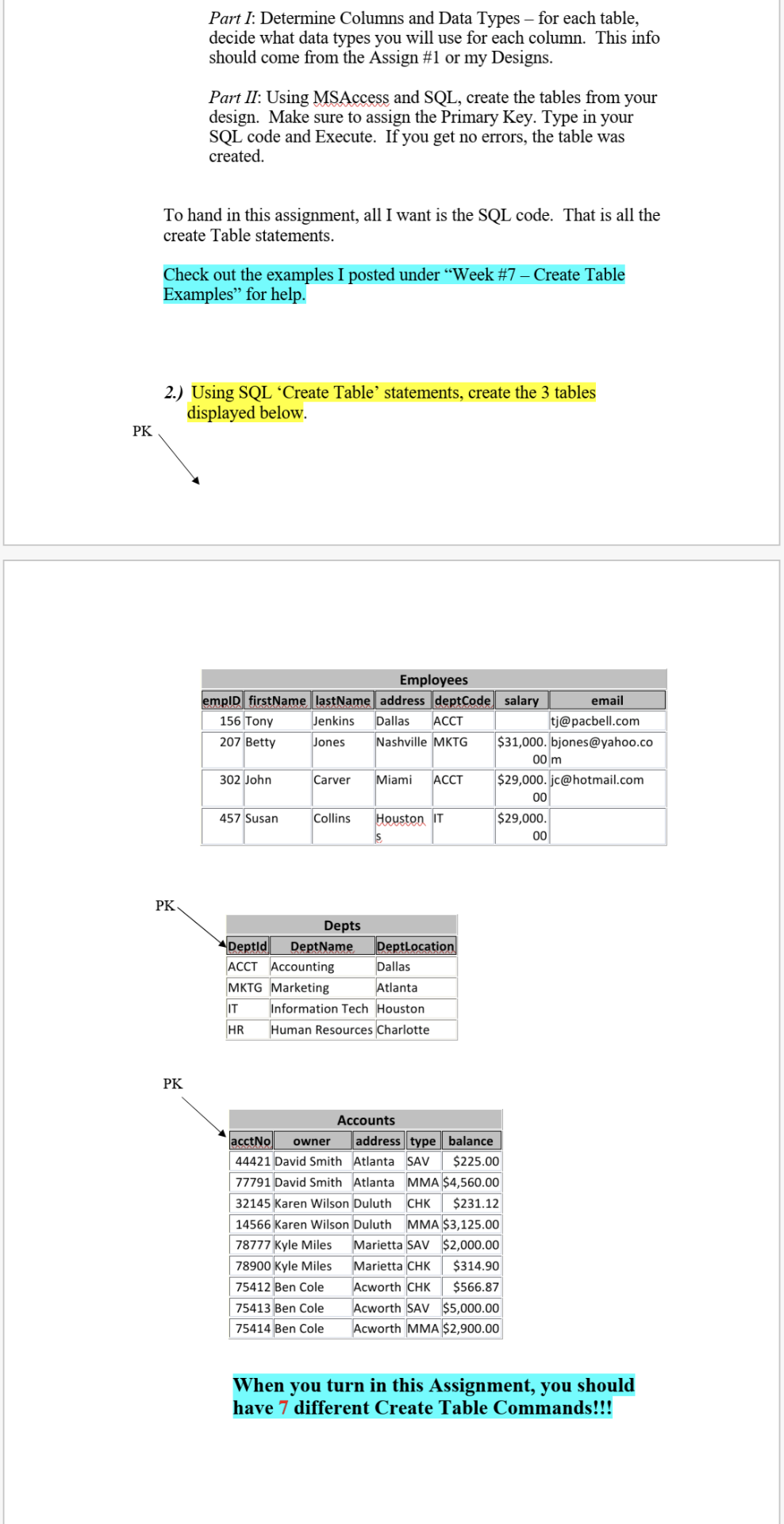
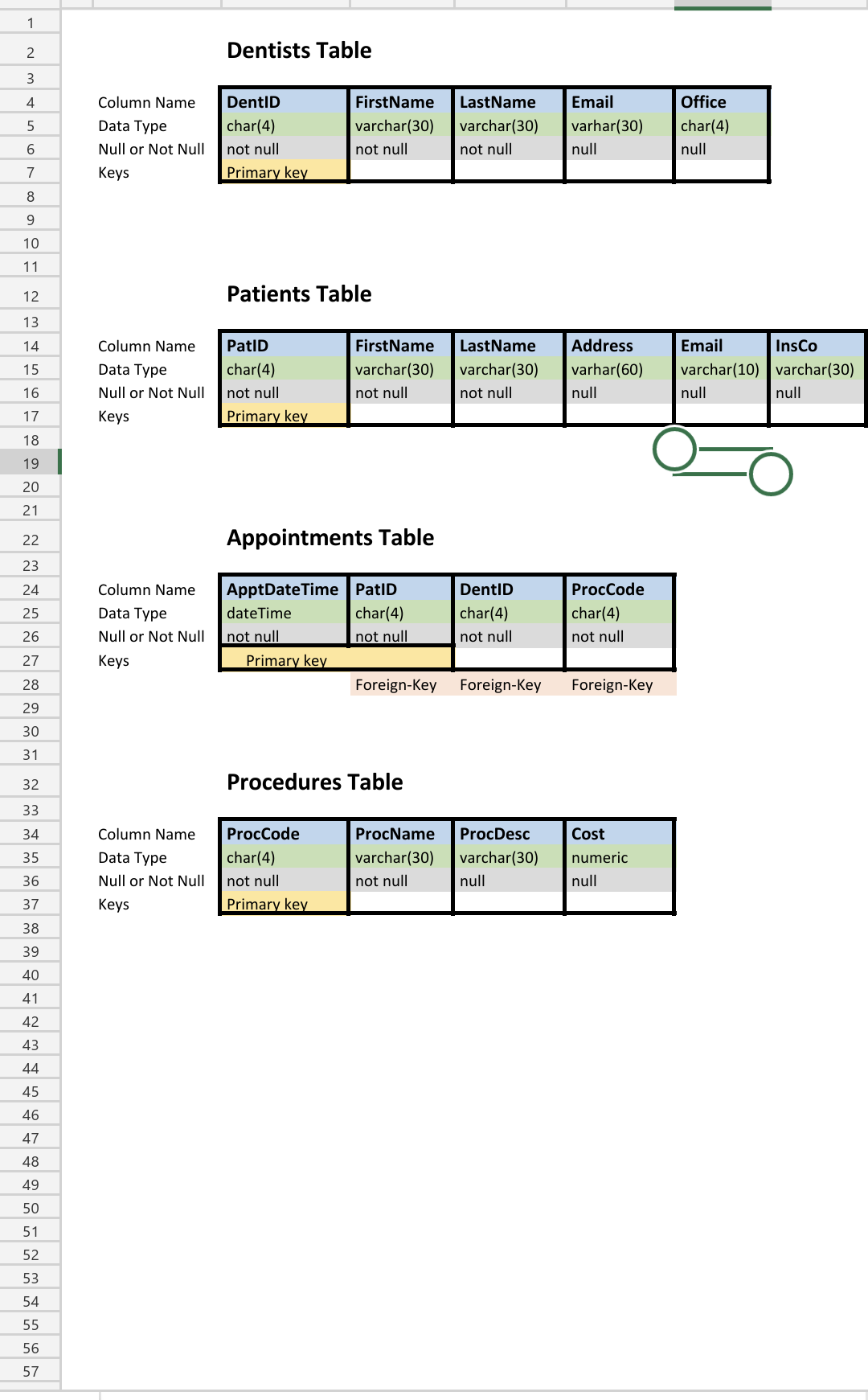
1.) Using the design that you created in Assign \#2(or see my correct answers under Week \#7), we are now going to build the tables using SQL. You must use SQL in this assignment. DO NOT CREATE THESE TABLES WITH MS ACCESS DATABASE DESIGN VIEW!!! Part I: Determine Columns and Data Types - for each table, decide what data types you will use for each column. This info should come from the Assign \#1 or my Designs. Part II: Using MSAccess and SQL, create the tables from your design. Make sure to assign the Primary Key. Type in your SQL code and Execute. If you get no errors, the table was created. To hand in this assignment, all I want is the SQL code. That is all the create Table statements. Check out the examples I posted under "Week \#7 - Create Table Examples" for help. 2.) Using SQL 'Create Table' statements, create the 3 tables displayed below. Part I: Determine Columns and Data Types - for each table, decide what data types you will use for each column. This info should come from the Assign \#1 or my Designs. Part II: Using MSAccess and SQL, create the tables from your design. Make sure to assign the Primary Key. Type in your SQL code and Execute. If you get no errors, the table was created. To hand in this assignment, all I want is the SQL code. That is all the create Table statements. Check out the examples I posted under "Week \#7 - Create Table Examples" for help. 2.) Using SQL 'Create Table' statements, create the 3 tables displayed below. PK When you turn in this Assignment, you should have 7 different Create Table Commands!!! Dentists Table Patients Table Appointments Table Foreign-Key Procedures Table
Step by Step Solution
There are 3 Steps involved in it

Get step-by-step solutions from verified subject matter experts
 Study Help