







Question: Function Name: brainless MATLAB Inputs 1. (cell) Cell array of the monsters in the city Outputs: 1. (cell) Updated cell array of the monsters in
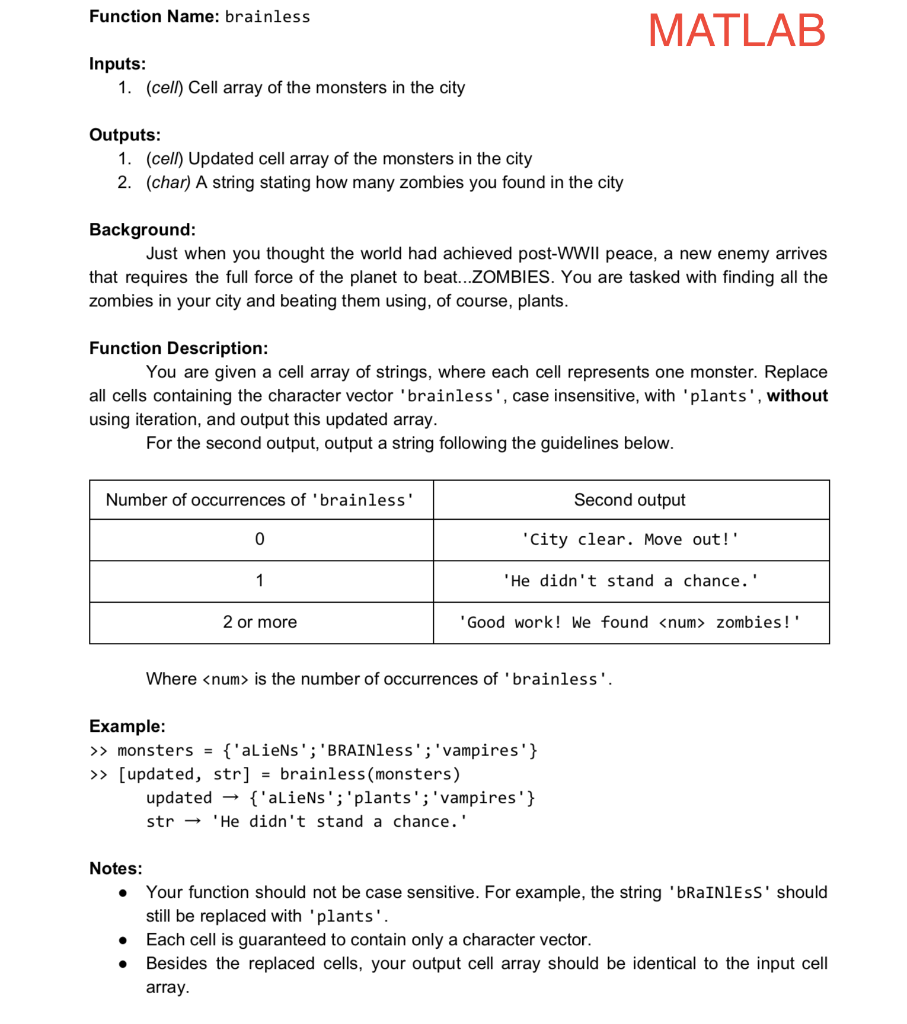
Function Name: brainless MATLAB Inputs 1. (cell) Cell array of the monsters in the city Outputs: 1. (cell) Updated cell array of the monsters in the city 2. (char) A string stating how many zombies you found in the city Background Just when you thought the world had achieved post-WWIl peace, a new enemy arrives that requires the full force of the planet to beat...ZOMBIES. You are tasked with finding all the zombies in your city and beating them using, of course, plants Function Description: You are given a cell array of strings, where each cell represents one monster. Replace all cells containing the character vector 'brainless', case insensitive, with'plants', without using iteration, and output this updated array For the second output, output a string following the guidelines below Number of occurrences of 'brainless" Second output "City clear. Move out!' 'He didn't stand a chance.' Good work! We found
Step by Step Solution
There are 3 Steps involved in it

Get step-by-step solutions from verified subject matter experts
 Study Help