







Question: Hello I am trying to create a GUI using JAVA SWING... 1. Your program must create a GUI that expands to the full screen 2.
Hello I am trying to create a GUI using JAVA SWING...
1. Your program must create a GUI that expands to the full screen
2. Your GUI will have a basic drop down menu, with an option to exit the program
3. Your program understands mouse and time events
4. There is a small button at the top of the screen, horizontally centered, labeled "Start"
5. If a user clicks on the Start button, a timer starts, and the Start button cannot be clicked on again
6. The central pane will have a row of 5 square icons displayed near the bottom of the screen and centered horizontally, with each icon being 50 pixels x 50 pixels.
Below are two screenshots from my sample solution:
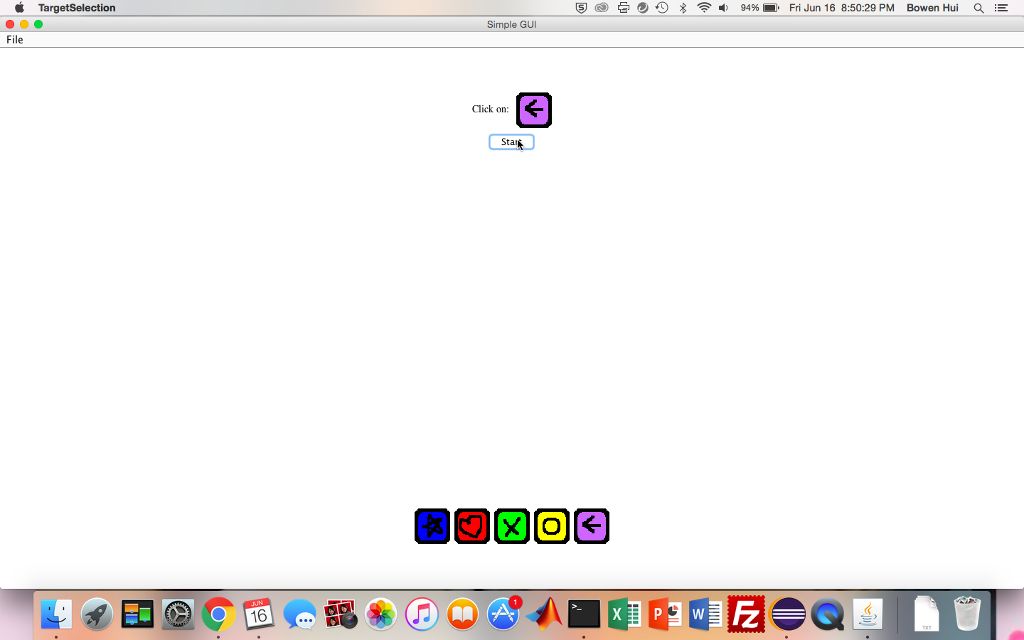
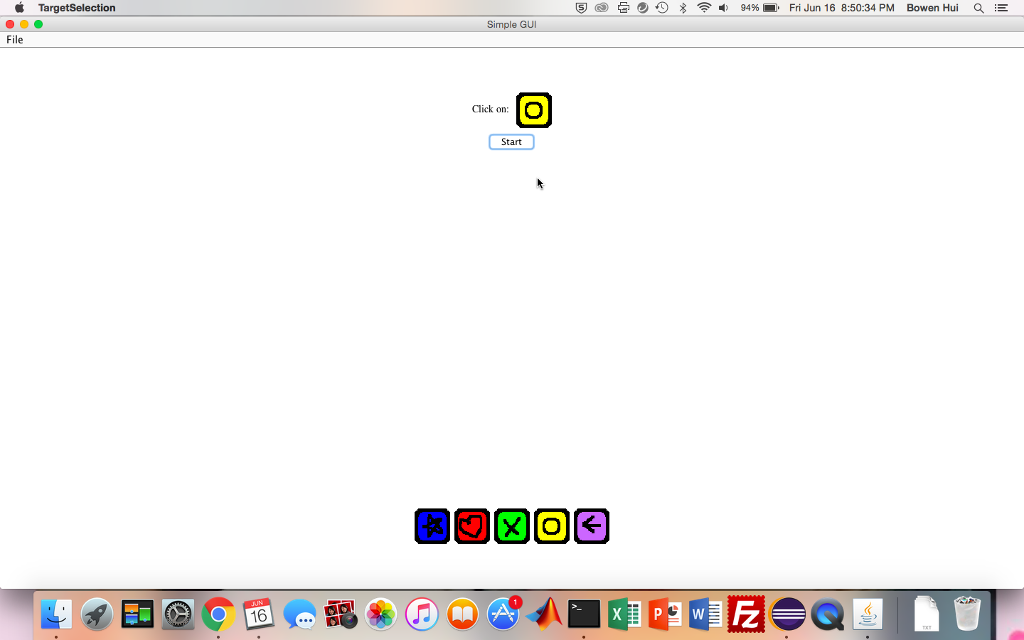
7. If a user clicks on one of the 5 icons, the timer stops, and the Start button can be clicked on once again
8. The time in milliseconds from the timer (after an icon is selected) is kept in memory (and will be logged to a file at the end of the program)
9. A user should be able to carry out a series of 50 consecutive Start-Icon clicks without the program crashing
10. Upon exiting the program, all the data is written to a file and saved with the filename consisting of the current timestamp. A partial log file would look like this:
1670 1030 858 906 ...
where each row is a trial and the number in a row is the task completion time for that trial.
PLEAS HELP ME :(
TargetSelection 8 94 % ' Fri Jun 16 8:50:29 PM Bowen Hui a Simple GUI File Click on Stat
Step by Step Solution
There are 3 Steps involved in it

Get step-by-step solutions from verified subject matter experts
 Study Help