







Question: Hello, I need help with a Random Integer Assignment. I couldn't follow his exact instruction, so I wrote my own code, which he did not
Hello, I need help with a Random Integer Assignment. I couldn't follow his exact instruction, so I wrote my own code, which he did not accept.
My code and Instructions are below.
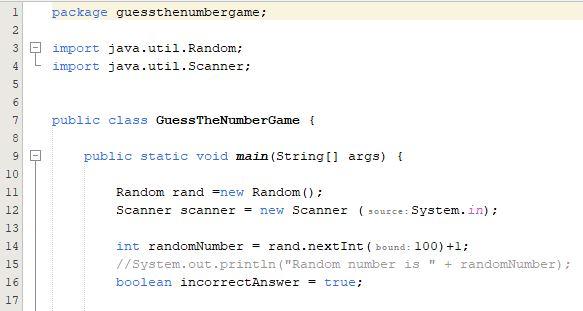
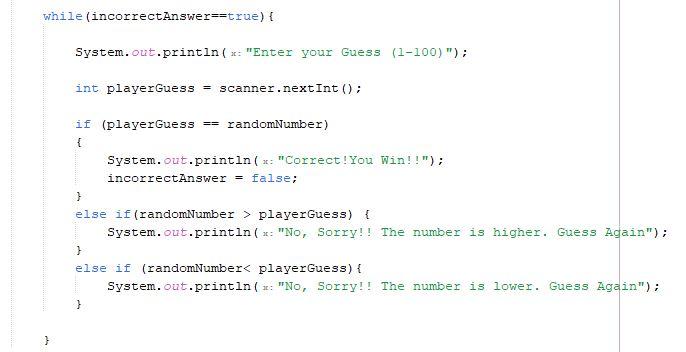
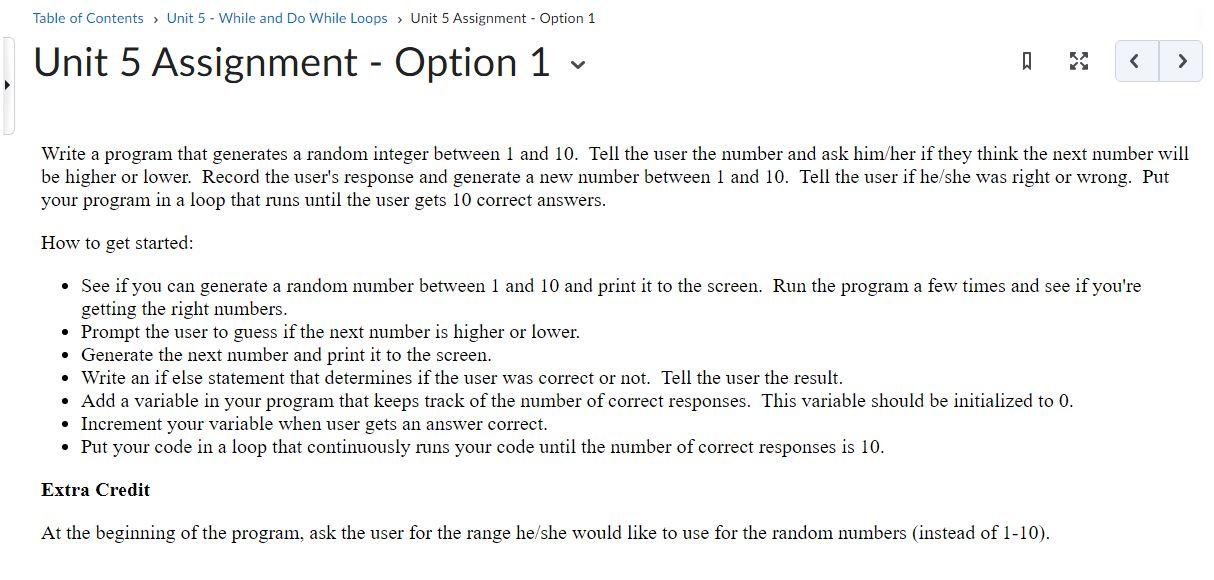
package guessthenumbergame; import java.util. Random; import java.util. Scanner; public class GuessTheNumberGame \& public static void main(String[] args) \& Random rand =new Random(); Scanner scanner = new Scanner (source: System. in); int randomnumber = rand. nextInt ( bound : 100)+1; //System.out.println ("Random number is " + randomNumber): boolean incorrectAnswer = true; Unit 5 Assignment - Option 1 Write a program that generates a random integer between 1 and 10 . Tell the user the number and ask him/her if they think the next number will be higher or lower. Record the user's response and generate a new number between 1 and 10 . Tell the user if he/she was right or wrong. Put your program in a loop that runs until the user gets 10 correct answers. How to get started: - See if you can generate a random number between 1 and 10 and print it to the screen. Run the program a few times and see if you're getting the right numbers. - Prompt the user to guess if the next number is higher or lower. - Generate the next number and print it to the screen. - Write an if else statement that determines if the user was correct or not. Tell the user the result. - Add a variable in your program that keeps track of the number of correct responses. This variable should be initialized to 0 . - Increment your variable when user gets an answer correct. - Put your code in a loop that continuously runs your code until the number of correct responses is 10. Extra Credit At the beginning of the program, ask the user for the range he/she would like to use for the random numbers (instead of 1-10)
Step by Step Solution
There are 3 Steps involved in it

Get step-by-step solutions from verified subject matter experts
 Study Help