







Question: Hello i need to do same like this {web programming advanced } in the first there is the project and followed with the steps hope
Hello i need to do same like this {web programming advanced } in the first there is the project and followed with the steps hope it can be solved as soon as possible
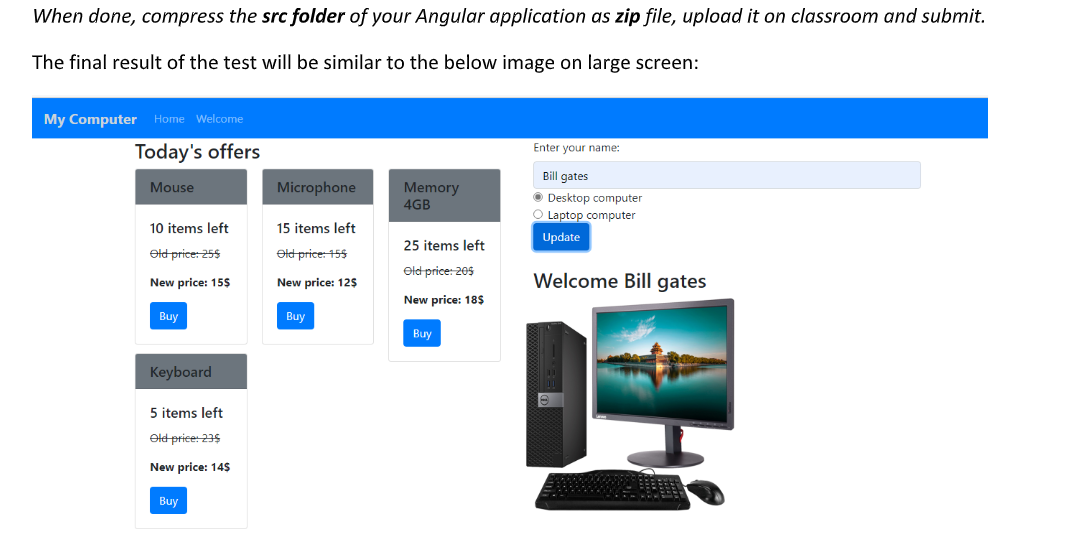
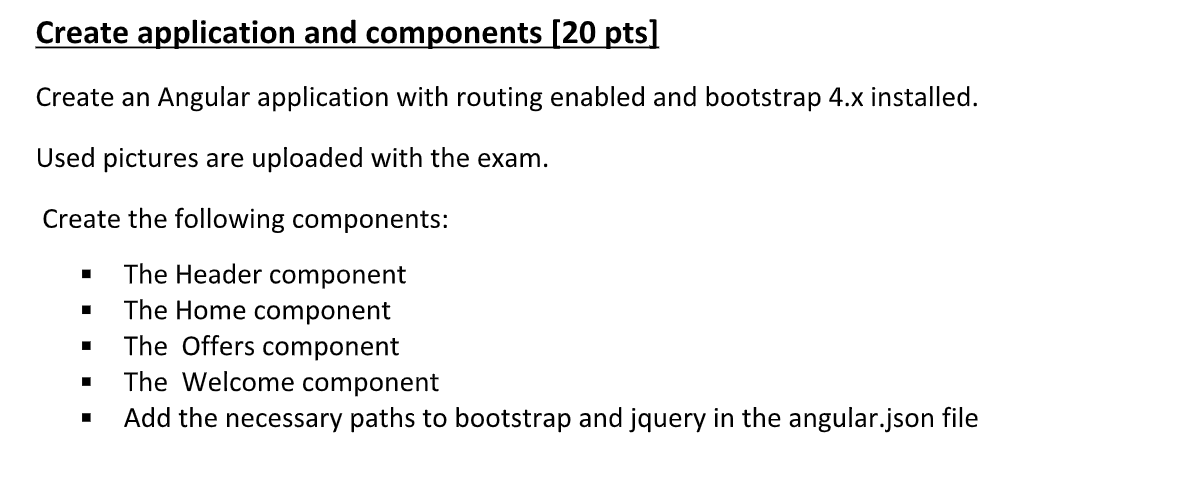
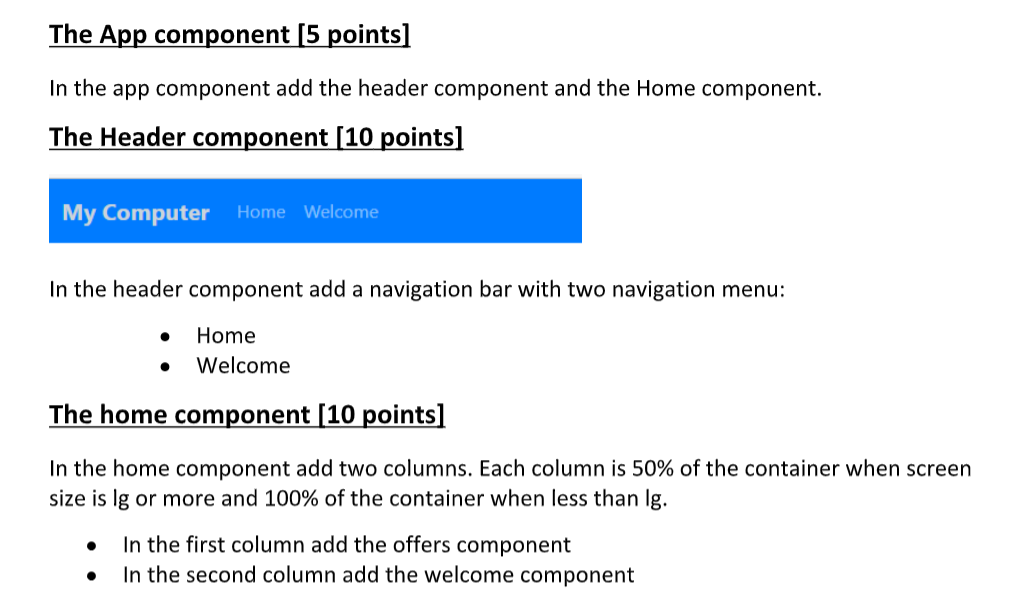
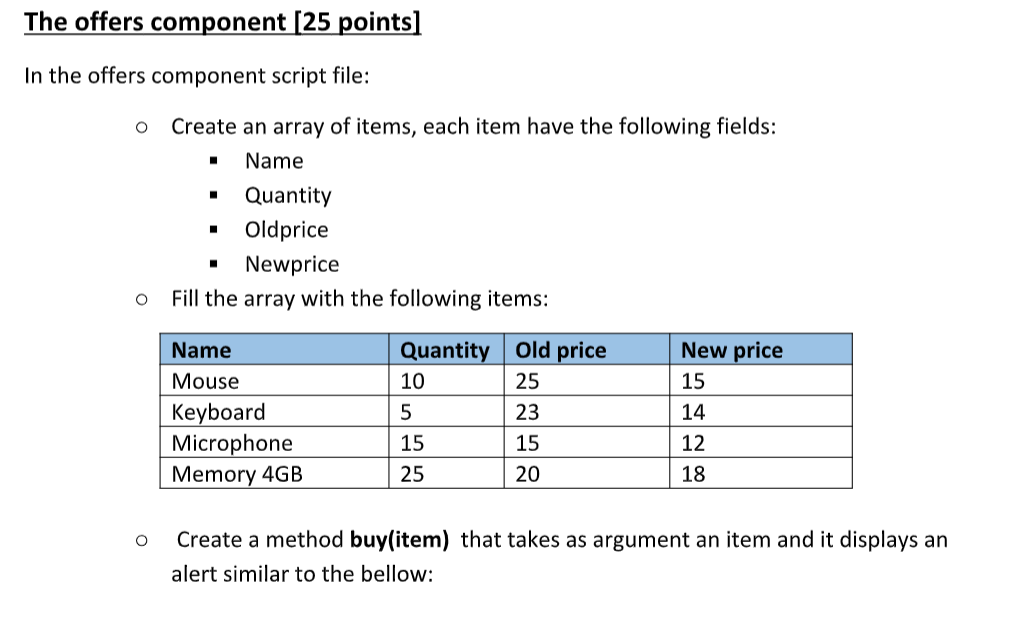
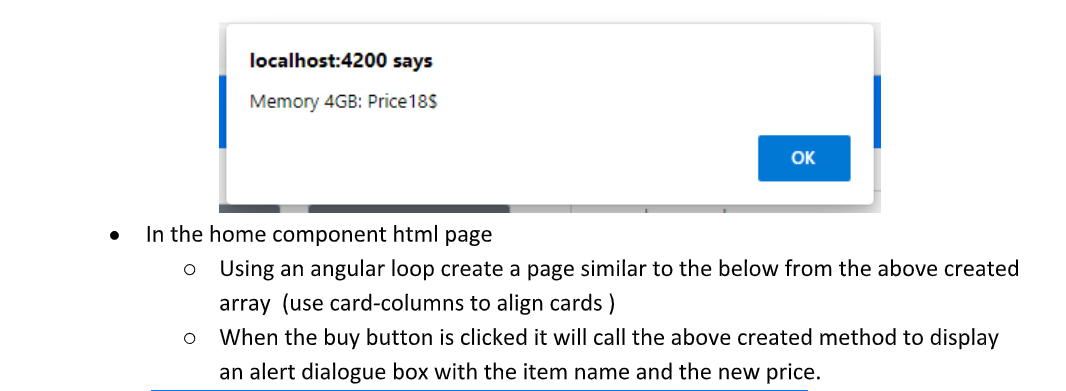
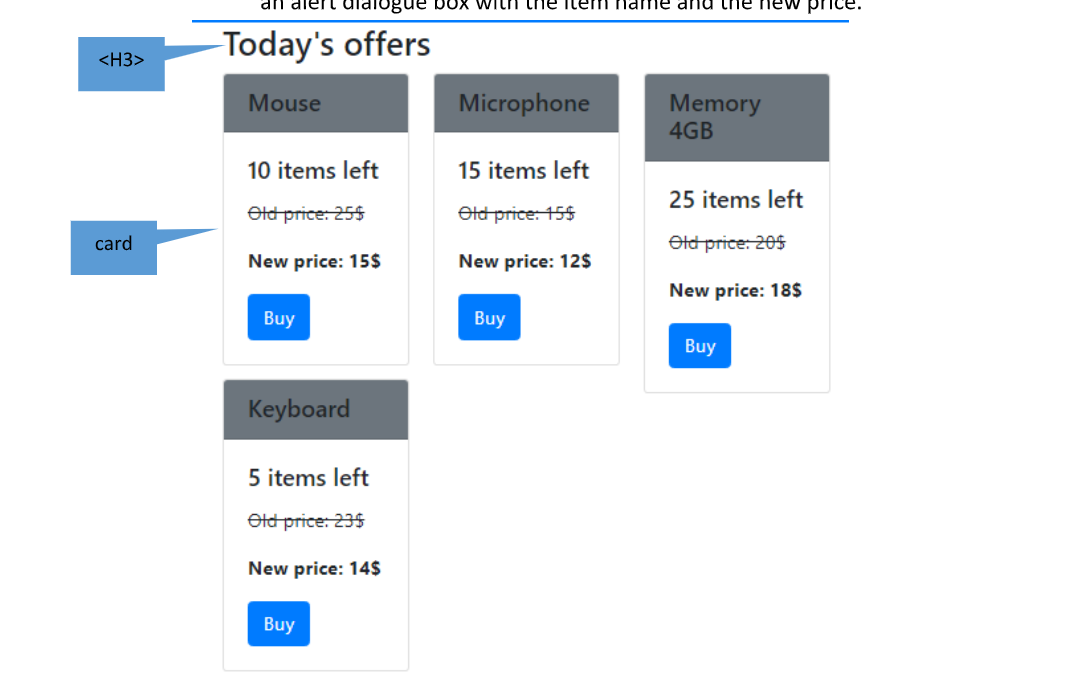
When done, compress the src folder of your Angular application as zip file, upload it on classroom and submit. The final result of the test will be similar to the below image on large screen: My Computer Home Welcome Today's offers Enter your name: Mouse Microphone Memory 4GB Bill gates Desktop computer Laptop computer Update 10 items left 15 items left 25 items left Old price: 25$ Old price: 155 Old price: 205 New price: 15$ New price: 129 Welcome Bill gates New price: 18$ Buy Buy Buy Keyboard 5 items left Old price: 235 New price: 145 Buy Create application and components (20 pts] Create an Angular application with routing enabled and bootstrap 4.x installed. Used pictures are uploaded with the exam. Create the following components: 1 The Header component The Home component The Offers component The Welcome component Add the necessary paths to bootstrap and jquery in the angular.json file The App component [5 points] In the app component add the header component and the Home component. The Header component [10 points] My Computer Home Welcome In the header component add a navigation bar with two navigation menu: Home Welcome The home component [10 points] In the home component add two columns. Each column is 50% of the container when screen size is lg or more and 100% of the container when less than Ig. . In the first column add the offers component In the second column add the welcome component The offers component [25 points] In the offers component script file: o Create an array of items, each item have the following fields: Name Quantity Oldprice Newprice Fill the array with the following items: O New price 15 Name Mouse Keyboard Microphone Memory 4GB Quantity Old price 10 25 5 23 15 15 25 20 14 12 1 18 O Create a method buy(item) that takes as argument an item and it displays an alert similar to the bellow: localhost:4200 says Memory 4GB: Price 185 OK . O In the home component html page Using an angular loop create a page similar to the below from the above created array (use card-columns to align cards ) When the buy button is clicked it will call the above created method to display an alert dialogue box with the item name and the new price. O an diert dialogue box with the item name and the new Today's offers
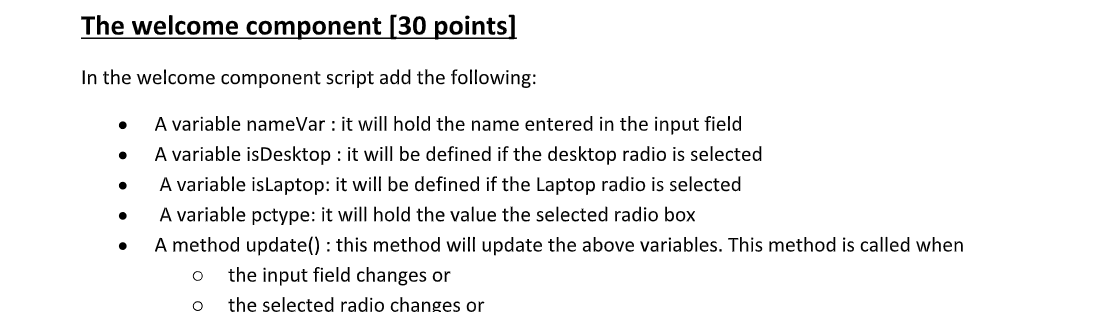
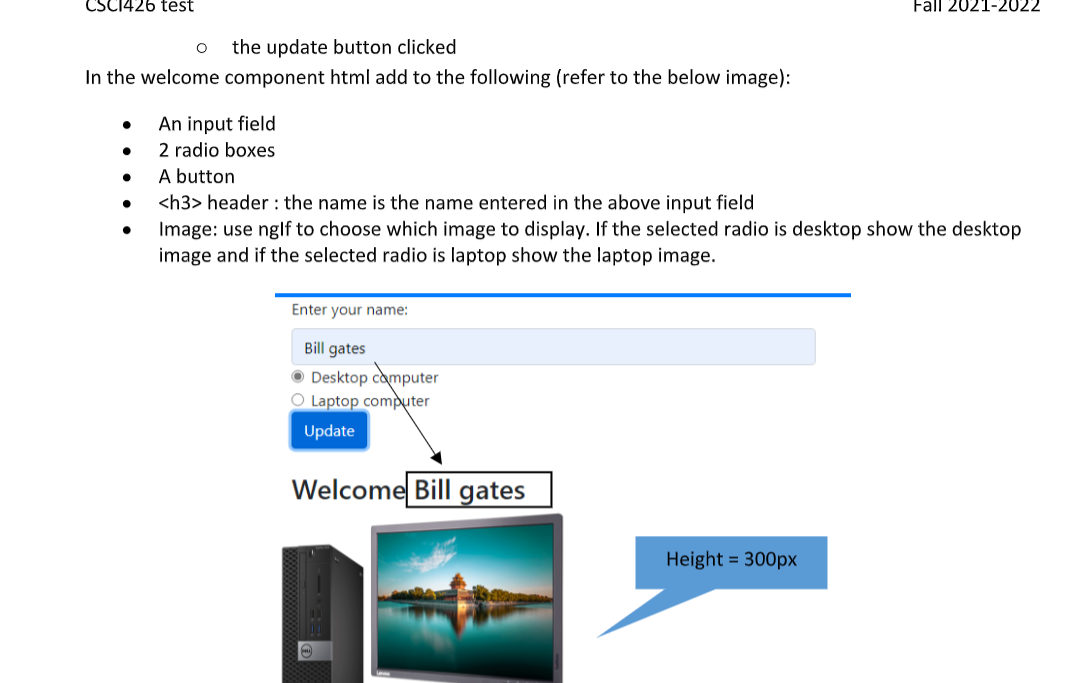
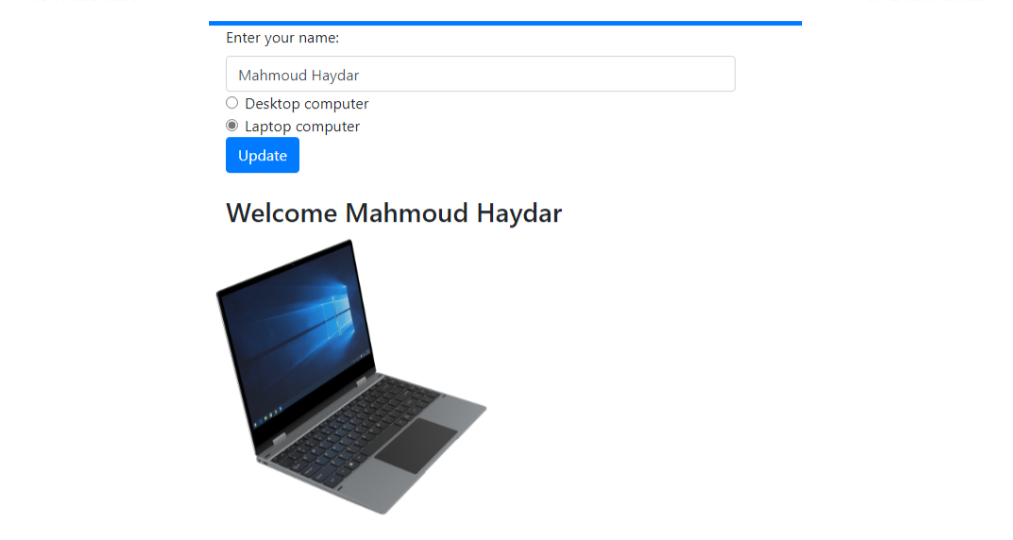
Mouse Microphone Memory 4GB 10 items left 15 items left Old price: 15$ 25 items left Old price: 25$ card Old price: 20$ New price: 15$ New price: 12$ New price: 18$ Buy Buy Buy Keyboard 5 items left Old price: 239 New price: 14$ Buy The welcome component (30 points] In the welcome component script add the following: . . . A variable nameVar : it will hold the name entered in the input field A variable isDesktop: it will be defined if the desktop radio is selected A variable isLaptop: it will be defined if the Laptop radio is selected A variable pctype: it will hold the value the selected radio box A method update(): this method will update the above variables. This method is called when the input field changes or the selected radio changes or . o o CSC1426 test Fall 2021-2022 O the update button clicked In the welcome component html add to the following (refer to the below image): . . An input field 2 radio boxes A button header : the name is the name entered in the above input field Image: use nglf to choose which image to display. If the selected radio is desktop show the desktop image and if the selected radio is laptop show the laptop image. . Enter your name: Bill gates Desktop computer O Laptop computer Update Welcome Bill gates Height = 300px Enter your name: Mahmoud Haydar O Desktop computer Laptop computer Update Welcome Mahmoud Haydar
Step by Step Solution
There are 3 Steps involved in it

Get step-by-step solutions from verified subject matter experts
 Study Help