







Question: help Create an application based on OOP for the Store with class defined below: Product Attributes productName Cash Register Create list of products called p1,p2.p3
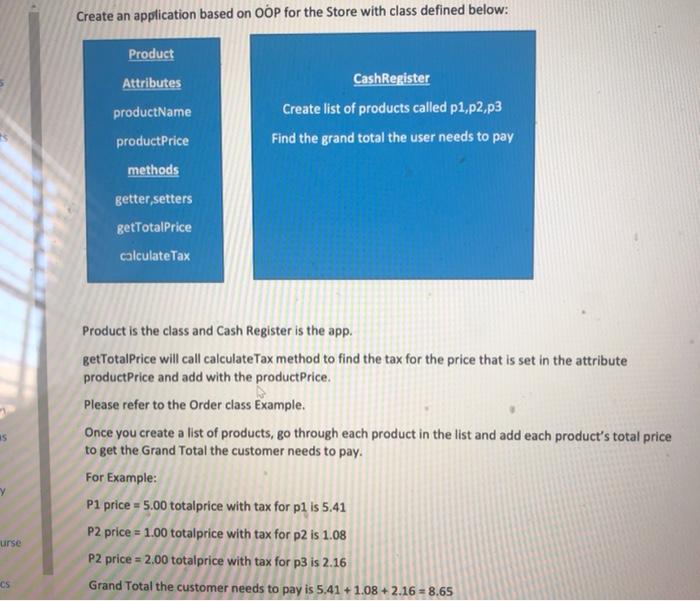
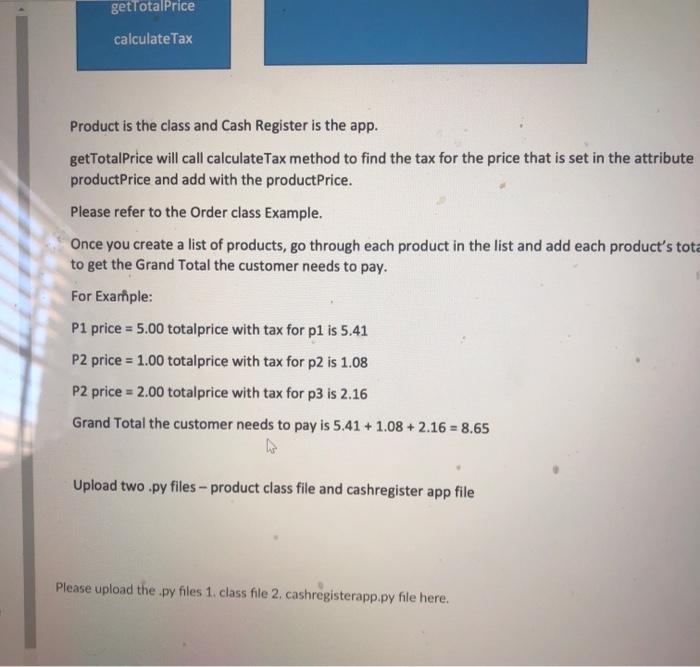
Create an application based on OOP for the Store with class defined below: Product Attributes productName Cash Register Create list of products called p1,p2.p3 Find the grand total the user needs to pay product Price methods getter,setters getTotalPrice calculate Tax IS Product is the class and Cash Register is the app. getTotalPrice will call calculateTax method to find the tax for the price that is set in the attribute productPrice and add with the productPrice. Please refer to the Order class Example. Once you create a list of products, go through each product in the list and add each product's total price to get the Grand Total the customer needs to pay. For example: P1 price = 5.00 totalprice with tax for pl is 5.41 P2 price = 1.00 totalprice with tax for p2 is 1.08 P2 price = 2.00 totalprice with tax for p3 is 2.16 Grand Total the customer needs to pay is 5.41 +1.08 +2.16 = 8.65 urse CS getTotalPrice calculate Tax Product is the class and Cash Register is the app. getTotalPrice will call calculate Tax method to find the tax for the price that is set in the attribute productPrice and add with the productPrice. Please refer to the Order class Example. Once you create a list of products, go through each product in the list and add each product's tota to get the Grand Total the customer needs to pay. For Example: P1 price = 5.00 totalprice with tax for p1 is 5.41 P2 price = 1.00 totalprice with tax for p2 is 1.08 P2 price = 2.00 totalprice with tax for p3 is 2.16 Grand Total the customer needs to pay is 5.41 +1.08 + 2.16 = 8.65 Upload two .py files - product class file and cashregister app file Please upload the.py files 1. class file 2. cashregisterapp.py file here
Step by Step Solution
There are 3 Steps involved in it

Get step-by-step solutions from verified subject matter experts
 Study Help