







Question: help Grade 11 Performance Task - The first step in developing a visual basic application is to build a graphical user interface. - You will
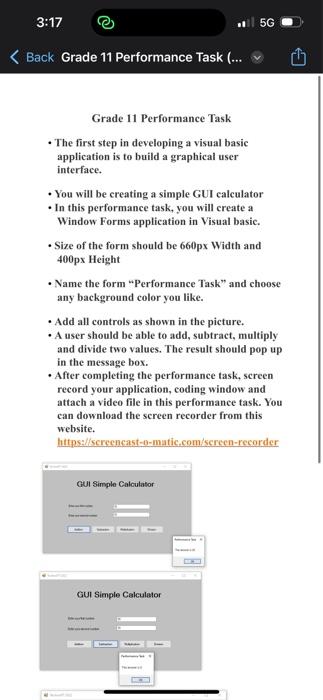
Grade 11 Performance Task - The first step in developing a visual basic application is to build a graphical user interface. - You will be creating a simple GUI calculator - In this performance task, you will create a Window Forms application in Visual basic. - Size of the form should be 660px Width and 400px Height - Name the form "Performance Task" and choose any background color you like. - Add all controls as shown in the picture. - A user should be able to add, subtract, multiply and divide two values. The result should pop up in the message box. - After completing the performance task, screen record your application, coding window and attach a video file in this performance task. You can download the screen recorder from this website. hittps://screcneast-0-matic.eom/screcn-recorder
Step by Step Solution
There are 3 Steps involved in it

Get step-by-step solutions from verified subject matter experts
 Study Help