







Question: Help needed in Python Tkinter ! Question 3 (a)Design and develop a simple graphical user interface (GUI) to allow two players to play a guessing
Help needed in Python Tkinter !
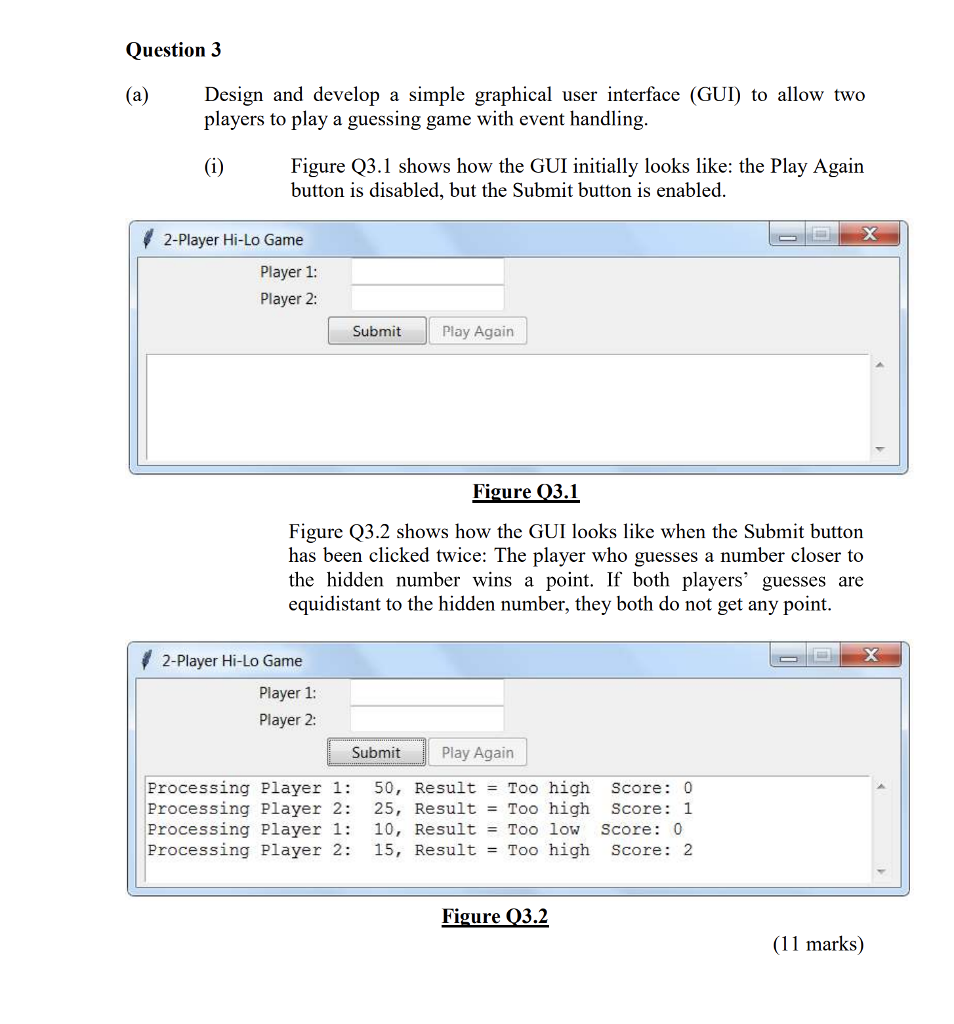
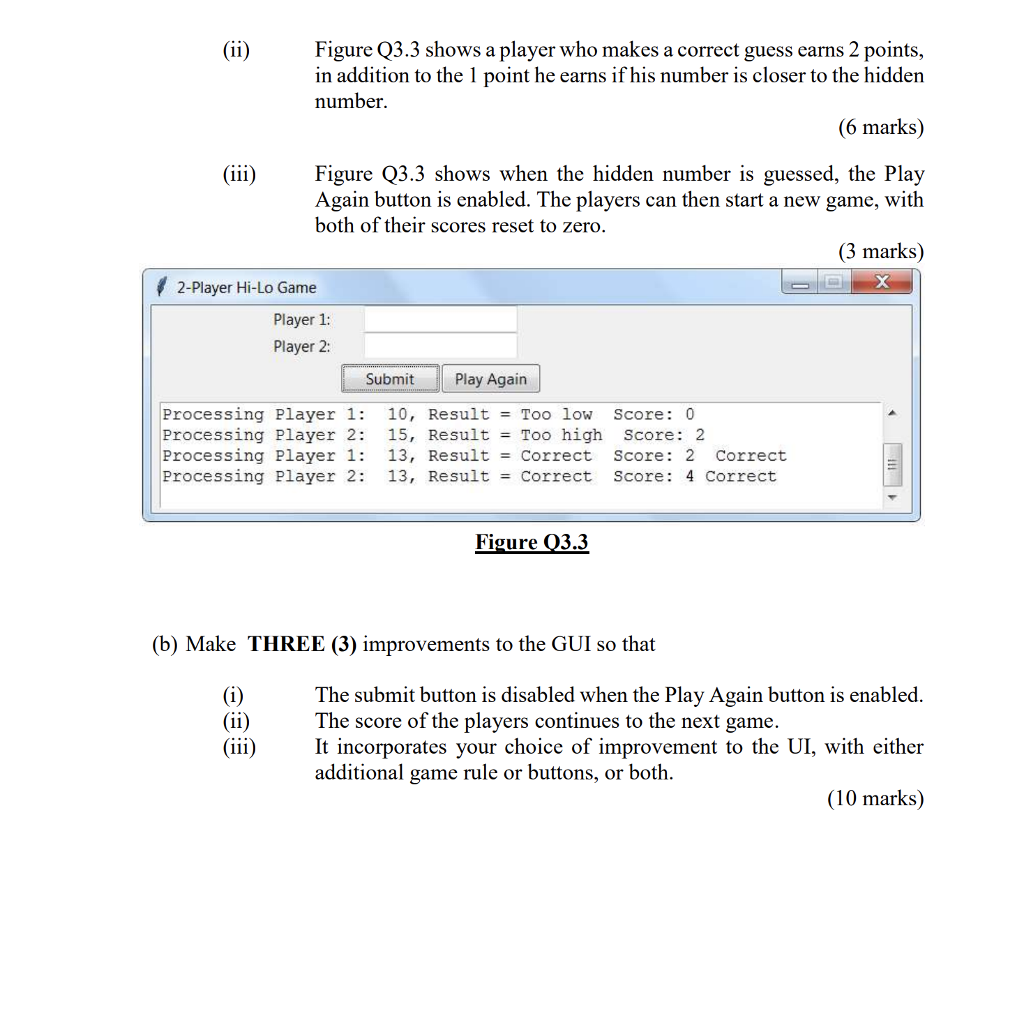
Question 3 (a)Design and develop a simple graphical user interface (GUI) to allow two players to play a guessing game with event handling Figure 3.1 shows how the GUI initially looks like the Play Again button is disabled, but the Submit button is enabled 2-Player Hi-Lo Game Player 1 Player 2: Submit Play Again Figure O3.1 Figure Q3.2 shows how the GUI looks like when the Submit button has been clicked twice: The player who guesses a number closer to the hidden number wins a point. If both players' guesses are equidistant to the hidden number, they both do not get any point 2-Player Hi-Lo Game Player 1: Player 2: SubmitPlay Again Processing Player 1: 50, Result = Too high score: 0 Processing Player 2: 25, Result = Too high Score: 1 Processing Player 1: 10, Result = Too low score: 0 Processing Player 2: 15, Result = Too high Score: 2 Figure (11 marks) Question 3 (a)Design and develop a simple graphical user interface (GUI) to allow two players to play a guessing game with event handling Figure 3.1 shows how the GUI initially looks like the Play Again button is disabled, but the Submit button is enabled 2-Player Hi-Lo Game Player 1 Player 2: Submit Play Again Figure O3.1 Figure Q3.2 shows how the GUI looks like when the Submit button has been clicked twice: The player who guesses a number closer to the hidden number wins a point. If both players' guesses are equidistant to the hidden number, they both do not get any point 2-Player Hi-Lo Game Player 1: Player 2: SubmitPlay Again Processing Player 1: 50, Result = Too high score: 0 Processing Player 2: 25, Result = Too high Score: 1 Processing Player 1: 10, Result = Too low score: 0 Processing Player 2: 15, Result = Too high Score: 2 Figure (11 marks)
Step by Step Solution
There are 3 Steps involved in it

Get step-by-step solutions from verified subject matter experts
 Study Help