







Question: Help writting a code in Python 3.6 Using PyQt5, create a GUI for an enhanced image search engine. The user should be able to enter
Help writting a code in Python 3.6
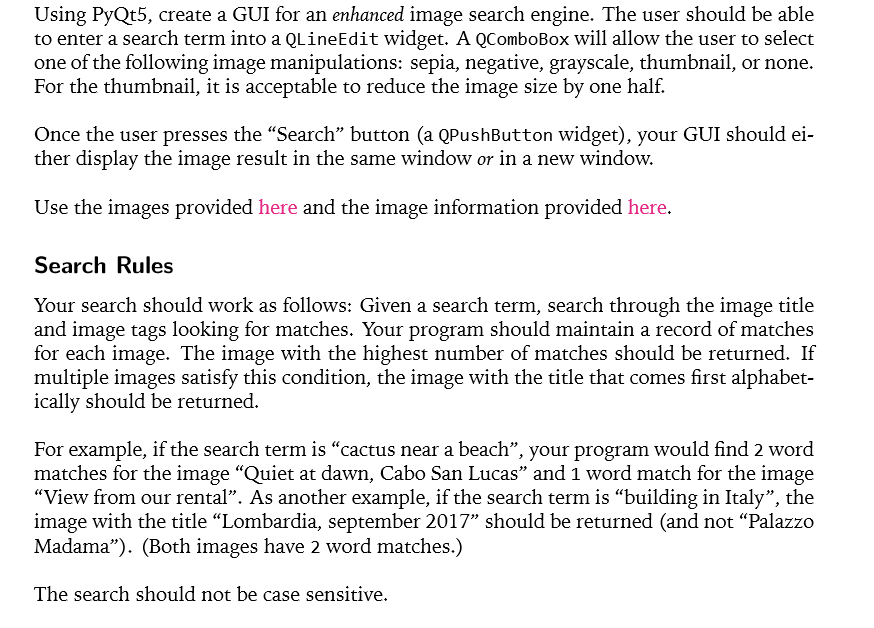
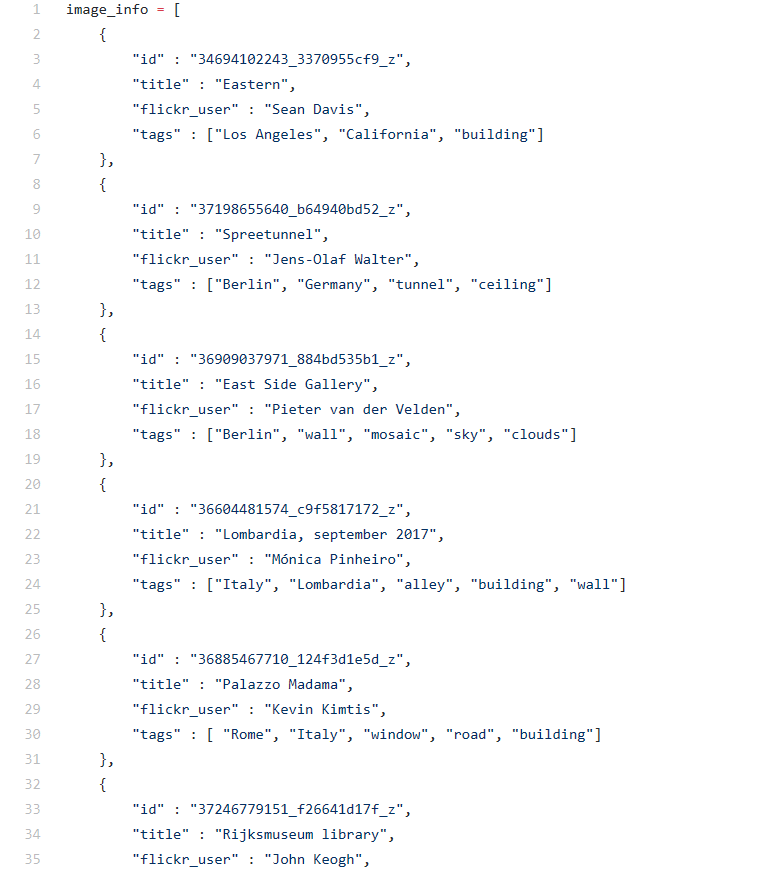
Using PyQt5, create a GUI for an enhanced image search engine. The user should be able to enter a search term into a olineEdit widget. A QComboBox will allow the user to select one of the following image manipulations: sepia, negative, grayscale, thumbnail, or none. For the thumbnail, it is acceptable to reduce the image size by one half. Once the user presses the "Search" button (a QPushButton widget), your GUI shoulde ther display the image result in the same window or in a new window. Use the images provided here and the image information provided here. Search Rules Your search should work as follows: Given a search term, search through the image title and image tags looking for matches. Your program should maintain a record of matches for each image. The image with the highest number of matches should be returned. If multiple images satisfy this condition, the image with the title that comes first alphabet- ically should be returned. For example, if the search term is "cactus near a beach", your program would find 2 word matches for the image "Quiet at dawn, Cabo San Lucas" and 1 word match for the image "View from our rental". As another example, if the search term is "building in Italy", the image with the title "Lombardia, september 2017" should be returned (and not "Palazzo Madama"). (Both images have 2 word matches.) The search should not be case sensitive. Using PyQt5, create a GUI for an enhanced image search engine. The user should be able to enter a search term into a olineEdit widget. A QComboBox will allow the user to select one of the following image manipulations: sepia, negative, grayscale, thumbnail, or none. For the thumbnail, it is acceptable to reduce the image size by one half. Once the user presses the "Search" button (a QPushButton widget), your GUI shoulde ther display the image result in the same window or in a new window. Use the images provided here and the image information provided here. Search Rules Your search should work as follows: Given a search term, search through the image title and image tags looking for matches. Your program should maintain a record of matches for each image. The image with the highest number of matches should be returned. If multiple images satisfy this condition, the image with the title that comes first alphabet- ically should be returned. For example, if the search term is "cactus near a beach", your program would find 2 word matches for the image "Quiet at dawn, Cabo San Lucas" and 1 word match for the image "View from our rental". As another example, if the search term is "building in Italy", the image with the title "Lombardia, september 2017" should be returned (and not "Palazzo Madama"). (Both images have 2 word matches.) The search should not be case sensitive
Step by Step Solution
There are 3 Steps involved in it

Get step-by-step solutions from verified subject matter experts
 Study Help