







Question: Here are the instructions, my apologies Chapter 2: Applying Excel: Exercise 1. Change the total fixed manufacturing overhead cost for the Milling Department in Data
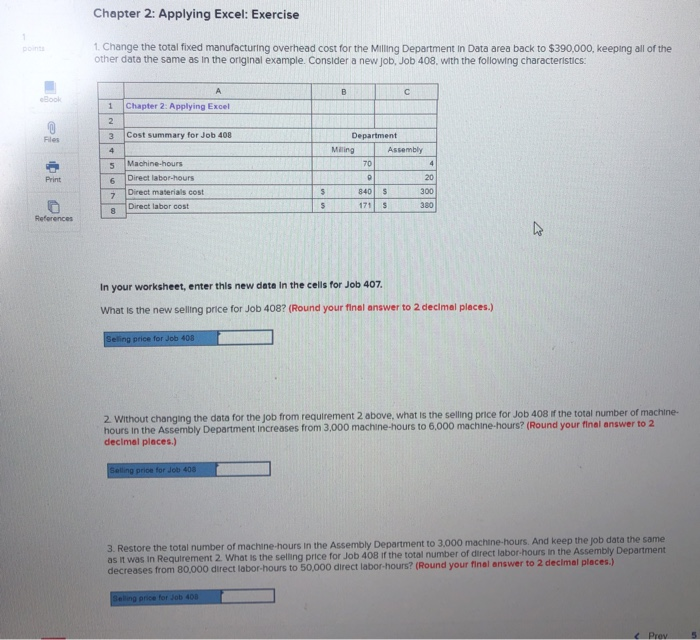
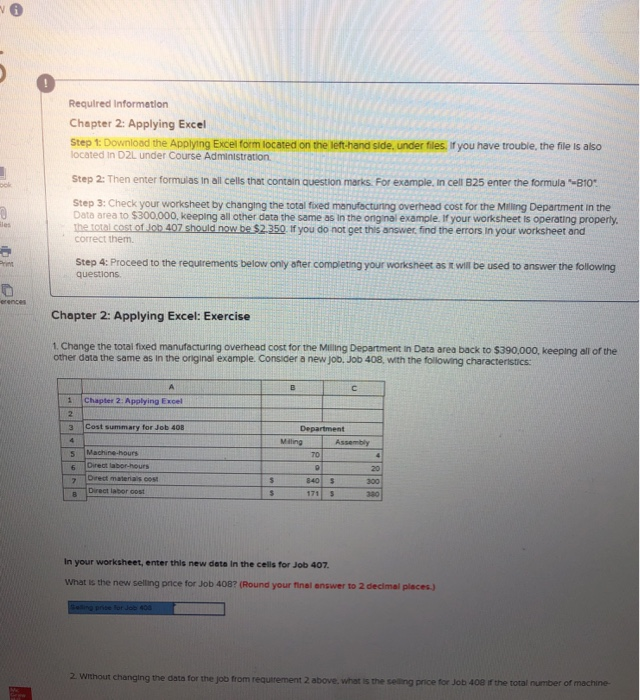
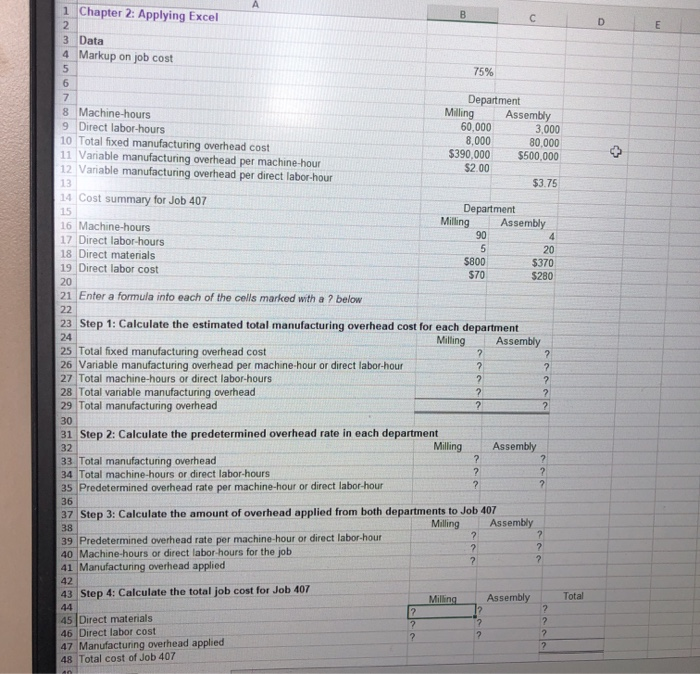
Chapter 2: Applying Excel: Exercise 1. Change the total fixed manufacturing overhead cost for the Milling Department in Data area back to $390,000, keeping all of the other data the same as in the original example. Consider a new job, Job 408, with the following characteristics: B Book 1 Chapter 2: Applying Excel 2 Files 3 Cost summary for Job 408 4 5 Department Muling Assembly 70 4 0 20 840 $ 300 171 380 Print Machine-hours Direct labor-hours Direct materials cost Direct labor cost 6 7 $ $ References In your worksheet, enter this new data in the cells for Job 407. What is the new selling price for Job 408? (Round your final answer to 2 decimal places.) Selling price for Job 408 2 Without changing the data for the job from requirement 2 above, what is the selling price for Job 408 if the total number of machine. hours in the Assembly Department increases from 3,000 machine-hours to 6.000 machine-hours? (Round your final answer to 2 decimal places.) Selling price for Job 408 3. Restore the total number of machine-hours in the Assembly Department to 3.000 machine-hours. And keep the job data the same as it was in Requirement 2. What is the selling price for Job 408 if the total number of direct labor hours in the Assembly Department decreases from 80,000 direct labor-hours to 50,000 direct labor-hours? (Round your final answer to 2 decimal places.) Selling price for Job 400
Step by Step Solution
There are 3 Steps involved in it

Get step-by-step solutions from verified subject matter experts
 Study Help