







Question: Here is a Matlab code. This code reads a bunch of image files (frames from a video), and it finds the background from those and
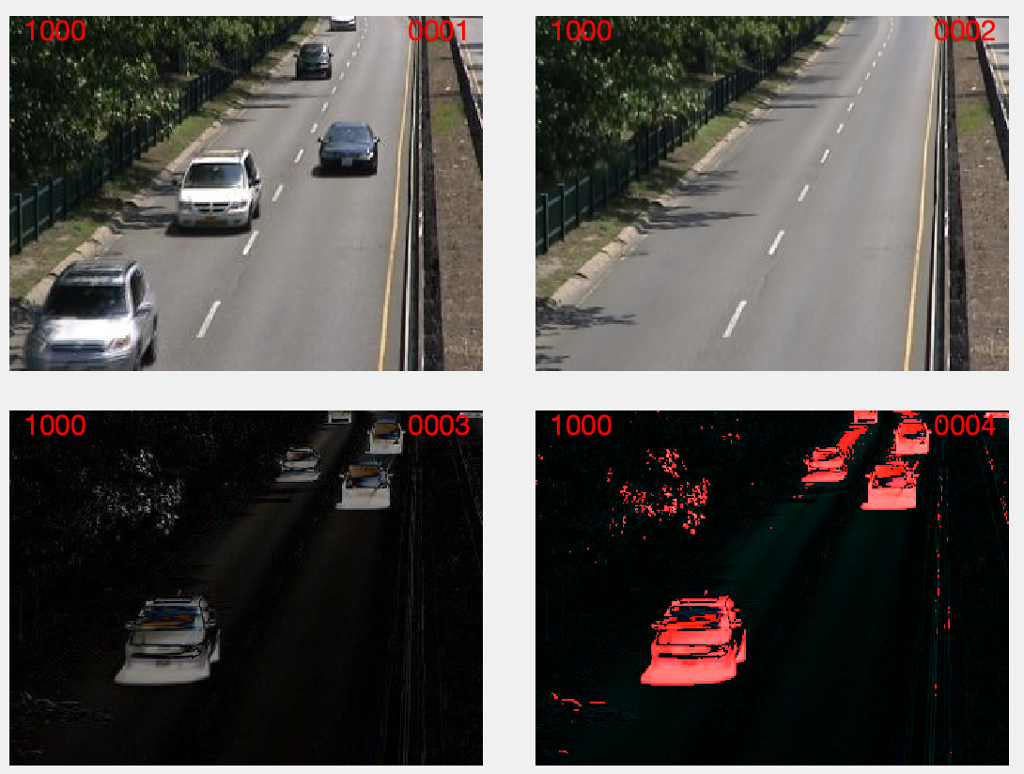
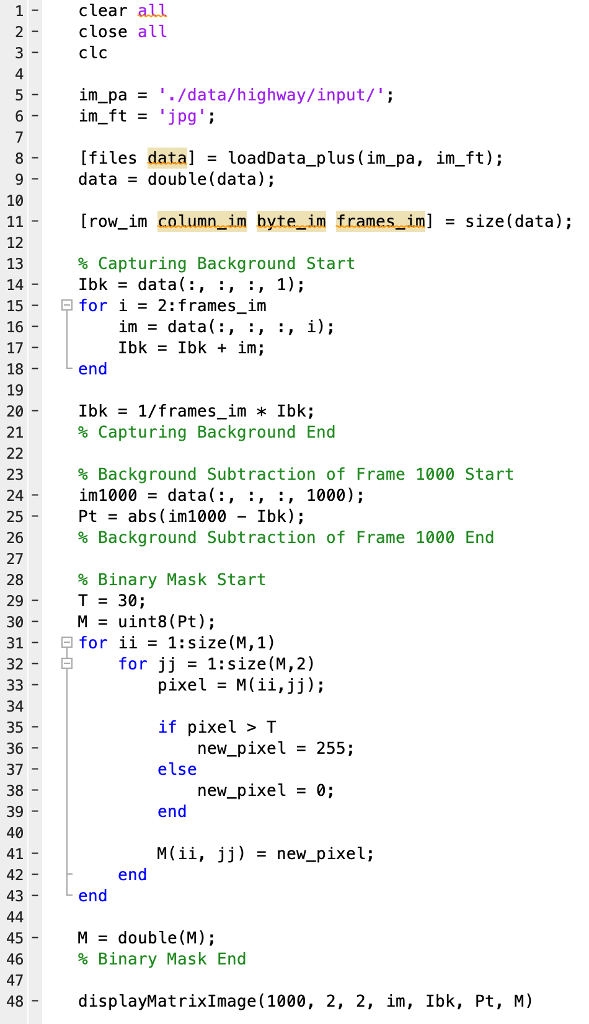
Here is a Matlab code. This code reads a bunch of image files (frames from a video), and it finds the background from those and displays them, alongside two other images (0003 and 0004) which are the background subtracted and the threshold of that.
My question is why is my threshold image (0004) red? The way the code is written (line 28-46), shouldn't it be displayed as white? That's the only help I need. Thanks!
0001 1000 0002 1000 1000 0004 1000 clear all close all clc 4 im pa"./data/highway/input/' im ft - 'jpg [files data]-loadData_plus (im_pa, im_ft); data - double(data); 10 [row_im columnim byte im framesim] - size(data); 12 13 14 15 16 17 18 19 20 21 % Capturing Background Start Ibk- data, , :, 1); for i 2:frames im in = data(:, :, :, i); end Ibk = 1/frames_im * Ibk; % Capturing Background End % Background Subtraction of Frame 1000 Start in1000 data( : , : , : , 1000) ; Pt - abs (im1000 - Ibk); % Backg round Subtraction of Frame 1000 End 23 24 - 25 - 26 27 28 29 30 31 32 % Binary Mask Start T30; Muint8 (Pt); for ii - 1:size(M,1) for jj 1:size(M,2) pixel -M(ii,jj); if pixel > T else 34 35 36 37 38- 39 40 41 42 43 new_pixel- 255; new_pixel - 0; M(ii, jj) -new-pixel; end end M = double(M); % Binary Mask End 45 46 47 48 displayMatrix!mage ( 1000, 2, 2, in, Ibk, Pt, M)
Step by Step Solution
There are 3 Steps involved in it

Get step-by-step solutions from verified subject matter experts
 Study Help