







Question: Hide Instru Part 1 : Linux Command - Line The goal of this part is to have you learn and practice various Linux commands. Note
Hide Instru
Part : Linux CommandLine
The goal of this part is to have you learn and practice various Linux commands. Note that you may use these commands at differ points in each term. Specifically, after this assignment you will be able to use the following commands:
man
echo
pwd
cat
cd
Is
touch
mkdir
ps aux
mv
sudo
chmod
chown
An easy way to determine what a command does is to type man and then the name of the command you are trying to learn about. For instance, man in the command line interface CLI will bring up a page about the cp command. Simply press to leave that screen.
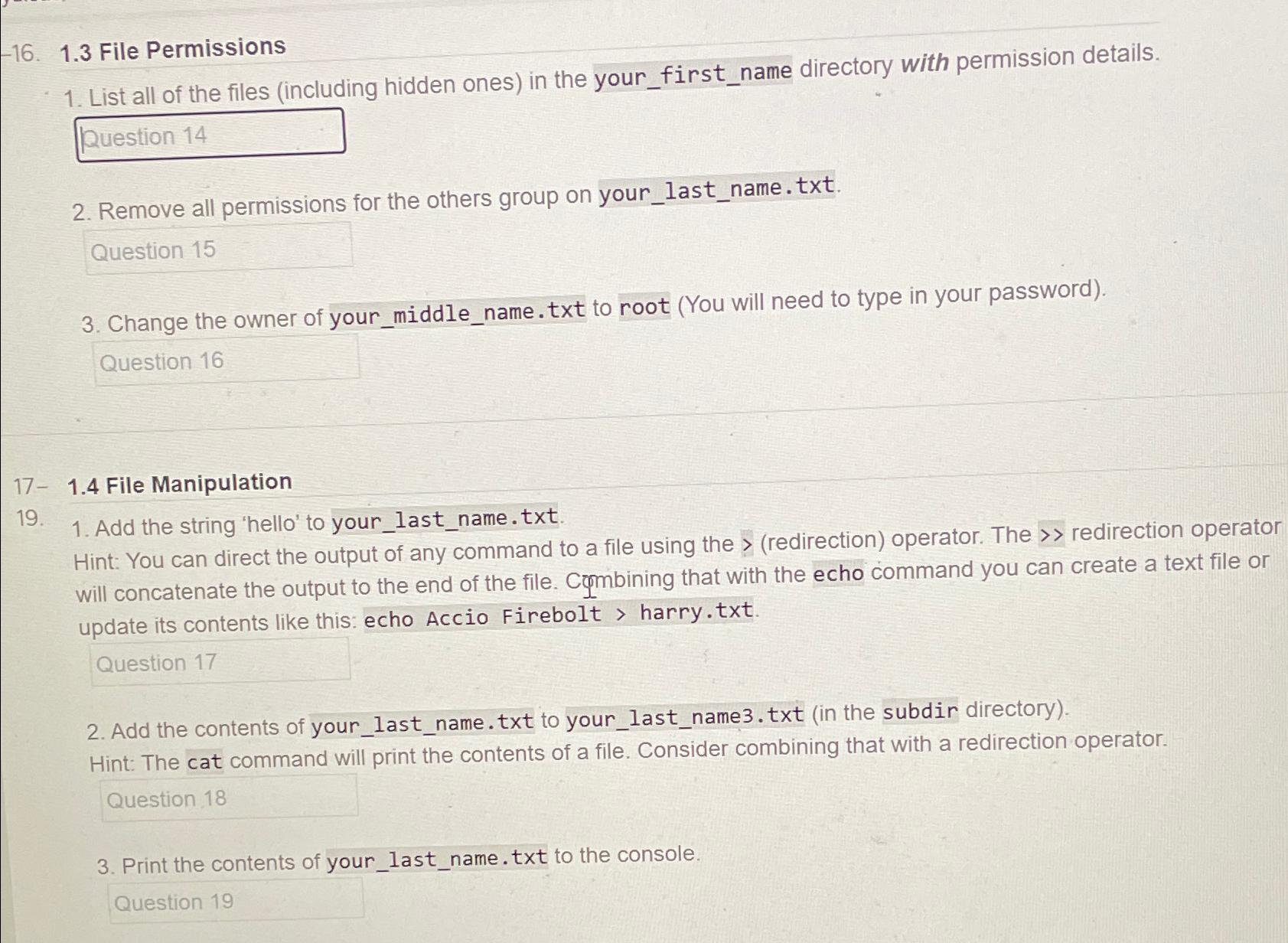
File Permissions
List all of the files including hidden ones in the yourfirstname directory with permission details.
Remove all permissions for the others group on yourlastname.txt
Change the owner of yourmiddlename.txt to root You will need to type in your password
File Manipulation
Add the string 'hello' to yourlastname.txt
Hint: You can direct the output of any command to a file using the redirection operator. The redirection operator will concatenate the output to the end of the file. Combining that with the echo command you can create a text file or update its contents like this: echo Accio Firebolt harry.txt
Add the contents of yourlastname.txt to yourlastnametxt in the subdir directory Hint: The cat command will print the contents of a file. Consider combining that with a redirection operator.
Print the contents of yourlastname.txt to the console.
Step by Step Solution
There are 3 Steps involved in it
1 Expert Approved Answer
Step: 1 Unlock

Question Has Been Solved by an Expert!
Get step-by-step solutions from verified subject matter experts
Step: 2 Unlock
Step: 3 Unlock
 Study Help