







Question: Hint: you will need to check if the array is an empty array, if so , simply add a paragraph: there is no student to
Hint: you will need to check if the array is an empty array, if so simply add a paragraph: "there is no student to
display"; otherwise, you will need to loop through the elements in the array, and display each student's profile
picture and name. You may use regular for loop or the forEach method of the array object. In the stylesheet,
you may use flexbox to layout the students in a row.
Test your application to make sure that the students view are rendered properly, and all of the students are
displayed as expected, and the page are updated whenever a new student is added without having to update or
change any code in the view template.
When everything works, delete the nodemodules folder from your directory With the package.json file in
your directory, we will be able to install the dependencies and run your app on our end. Then, zip your project
to a zip file and upload it Canvas.Make sure that you have followed along the last demo video and everything works as expected. Next,
In the views directory, create a new file named students.ejs. In the file, create an html template, and link to
the external sheet. Inside the body element, add an h element with text 'Students'.
Update your route for GET at students so that it renders the students view template and passes the
students array to the template. Test to make sure that the app renders the view template as expected.
Add logic to the view template.
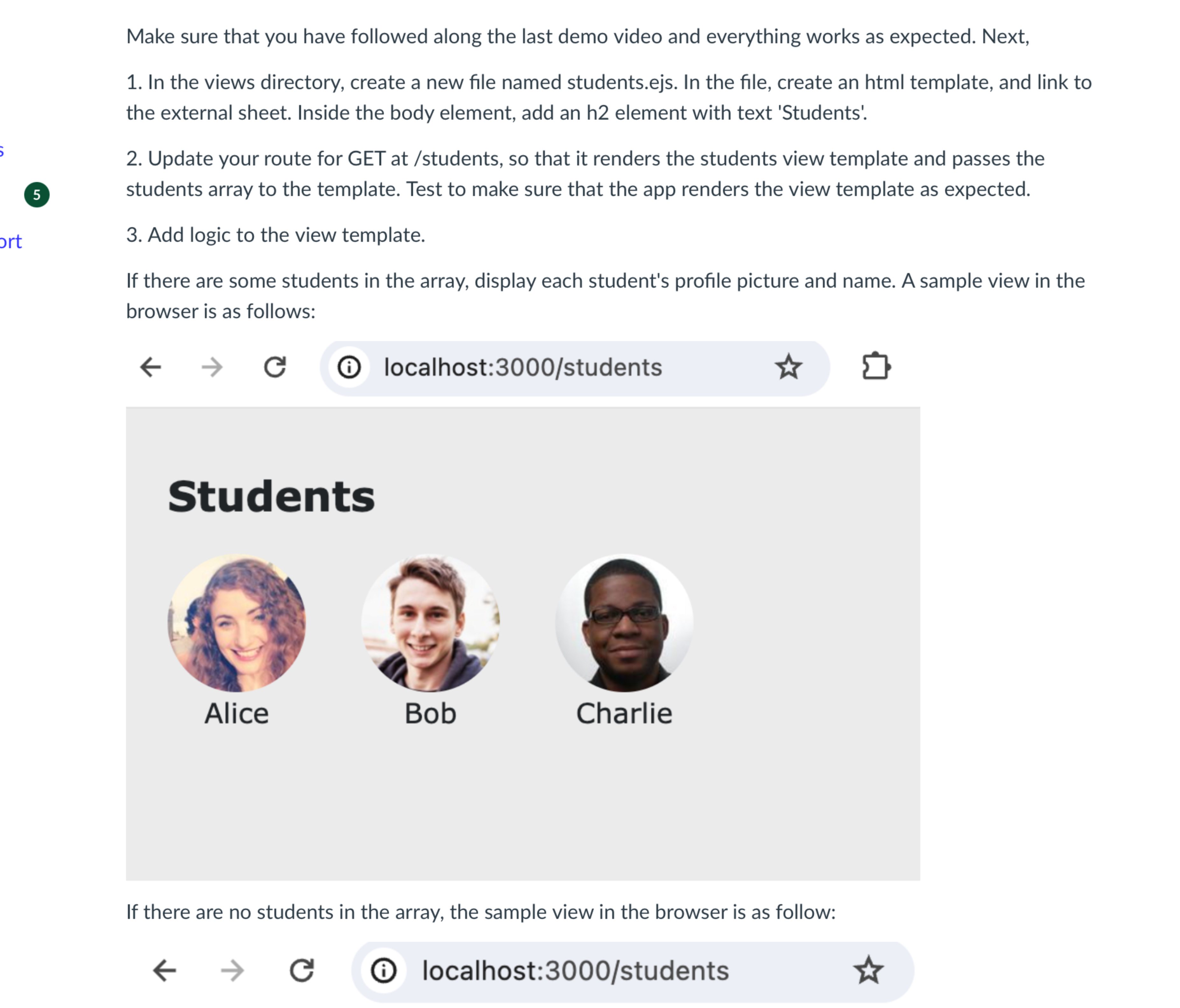
If there are some students in the array, display each student's profile picture and name. A sample view in the
browser is as follows:
i localhost:students
If there are no students in the array, the sample view in the browser is as follow:
Step by Step Solution
There are 3 Steps involved in it
1 Expert Approved Answer
Step: 1 Unlock

Question Has Been Solved by an Expert!
Get step-by-step solutions from verified subject matter experts
Step: 2 Unlock
Step: 3 Unlock
 Study Help