







Question: Homework 2: Line and Circle Drawing Algorithms Instructions: For all the questions, use the graph that I have provided separately. Use the Windows Paint program
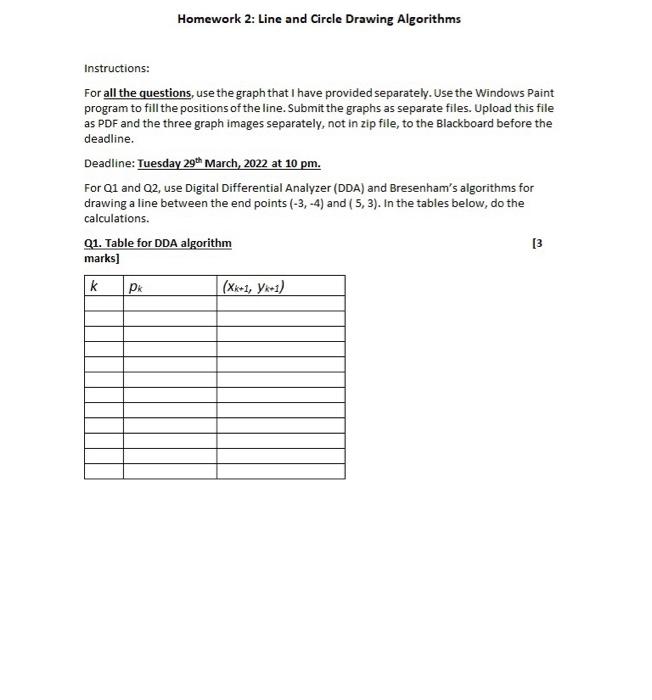
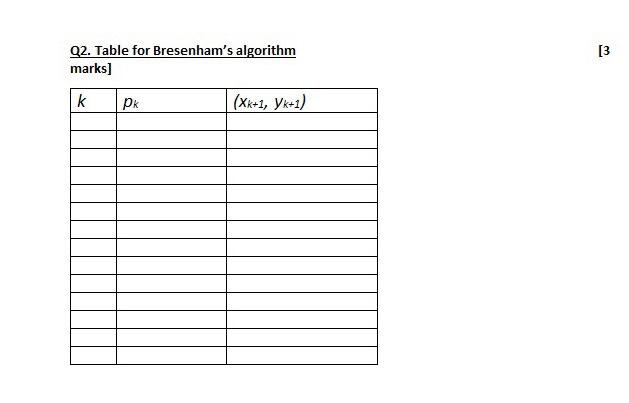
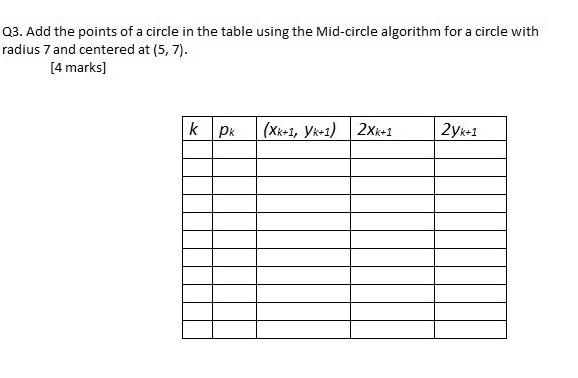
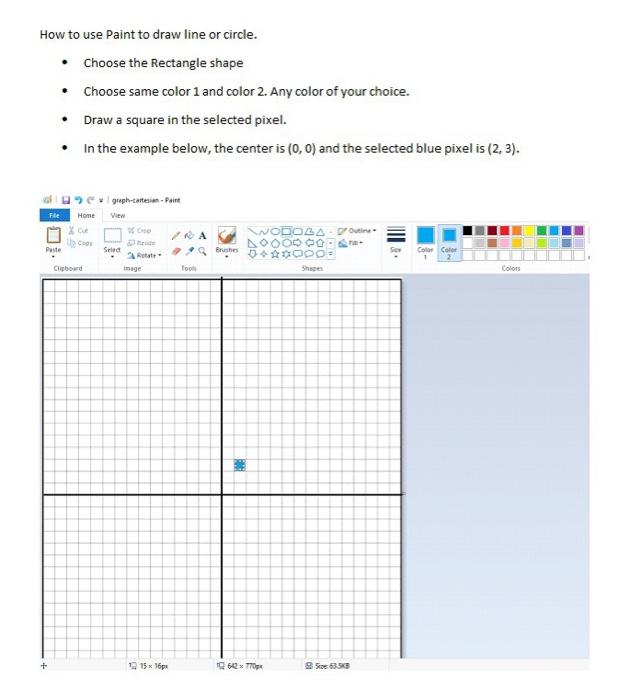
Homework 2: Line and Circle Drawing Algorithms Instructions: For all the questions, use the graph that I have provided separately. Use the Windows Paint program to fill the positions of the line. Submit the graphs as separate files. Upload this file as PDF and the three graph images separately, not in zip file, to the Blackboard before the deadline. Deadline: Tuesday 29th March, 2022 at 10 pm. For Q1 and Q2, use Digital Differential Analyzer (DDA) and Bresenham's algorithms for drawing a line between the end points (-3,-4) and ( 5,3). In the tables below, do the calculations. 21. Table for DDA algorithm 13 marks] k pk [3 Q2. Table for Bresenham's algorithm marks) k PK (2k+1, yk+1) Q3. Add the points of a circle in the table using the Mid-circle algorithm for a circle with radius 7 and centered at (5,7). [4 marks] k | pk (Xk+1, yk+1) | 2Xk+1 2yk+1 How to use Paint to draw line or circle. Choose the Rectangle shape Choose same color 1 and color 2. Any color of your choice. Draw a square in the selected pixel. In the example below, the center is (0,0) and the selected blue pixel is (2.3). guh-cafe-Paint View File Home X Coor NODOLA - Outline N00000 **OPO Puste Select Brushes . Colo Color 2 Rotate age Clipboard Tools Colors + 19 15 16 1642770 5 5353
Step by Step Solution
There are 3 Steps involved in it

Get step-by-step solutions from verified subject matter experts
 Study Help