







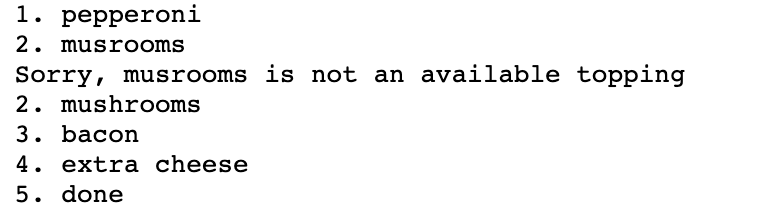
Question: (How can I print the user input, where it prints 1. 2. 3. respectively of the input it's at like shown in the last image.
(How can I print the user input, where it prints 1. 2. 3. respectively of the input it's at like shown in the last image. (without counting invalid inputs))
print("Type any of the following and hit enter: ") print("pepperoni, mushrooms, onions, peppers, olives, bacon, sausage, pineapple, extra cheese") print("Type 'done' to stop") print("")
incorrect = 0
alltoppings = ""
total = 0
while True: toppings = input("") toppings = toppings.lower() total = total + 1 total = int(total) if (toppings != "pepperoni") and (toppings != "mushrooms") and (toppings != "onions") and (toppings != "peppers") and (toppings != "olives") and (toppings != "bacon") and (toppings != "sausage") and (toppings != "pineapple") and (toppings != "extra cheese") and (toppings != "done"): incorrect = incorrect + 1 print(f"Sorry, {toppings} is not availible topping at Pippers pizza") elif toppings == "done": incorrect = incorrect +1 break else: alltoppings += toppings+" " total = total - incorrect
print("") print("Your order: ") print(f"Toppings: {alltoppings}")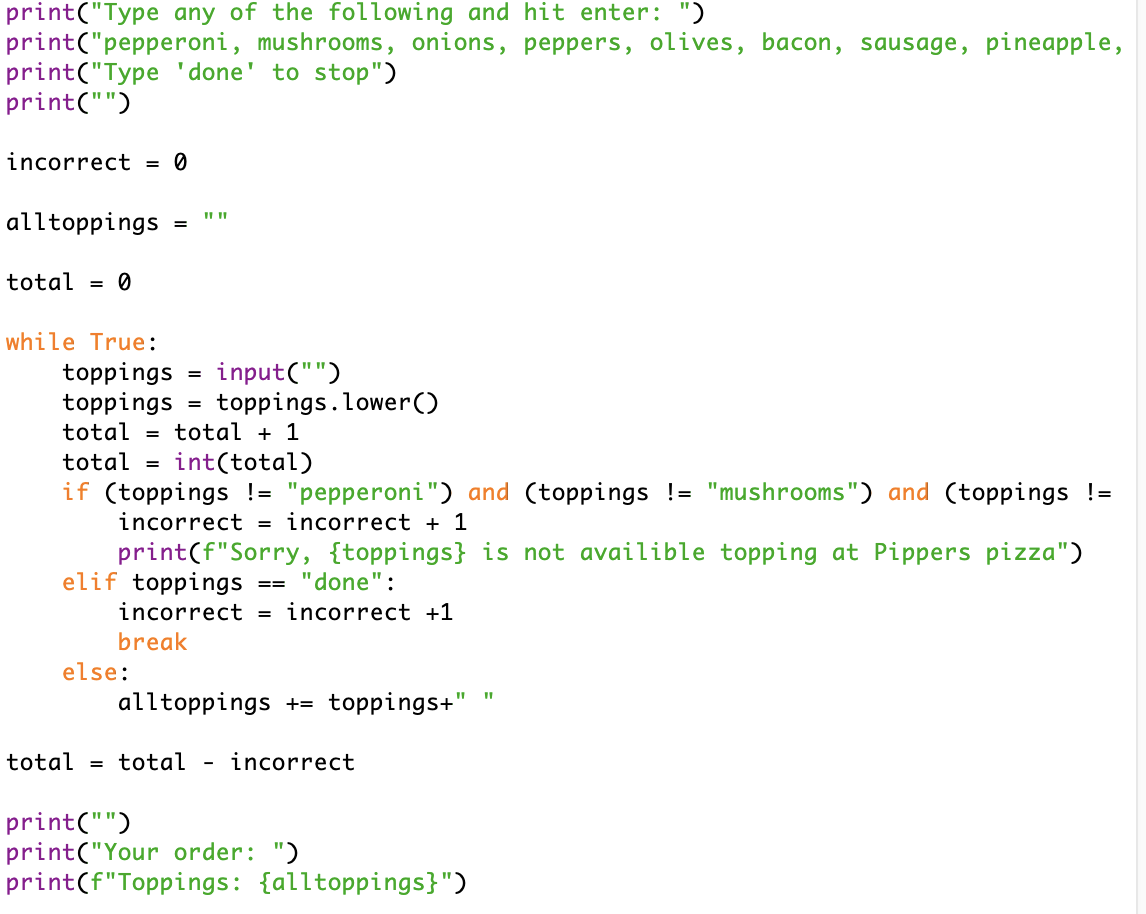
print("Type any of the following and hit enter: ") print("pepperoni, mushrooms, onions, peppers, olives, bacon, sausage, pineapple, print("Type 'done' to stop") print("") incorrect = 0 alltoppings = " total = 0 while True: toppings = input("") toppings = toppings. lower() total = total + 1 total = int(total) if (toppings != "pepperoni") and (toppings != "mushrooms") and (toppings != incorrect = incorrect + 1 print(f"Sorry, {toppings} is not availible topping at Pippers pizza") elif toppings == "done": incorrect = incorrect +1 break else: alltoppings += toppings+"" total = total - incorrect print("") print("Your order: ") print(f"Toppings: {alltoppings}") 1. pepperoni 2. musrooms Sorry, musrooms is not an available topping 2. mushrooms 3. bacon 4. extra cheese 5. done
Step by Step Solution
There are 3 Steps involved in it

Get step-by-step solutions from verified subject matter experts
 Study Help