







Question: how do I enter the formula using ROUND() for profit margin / asset turnover ratio / roi fx = C15/E15 * 100 B . D
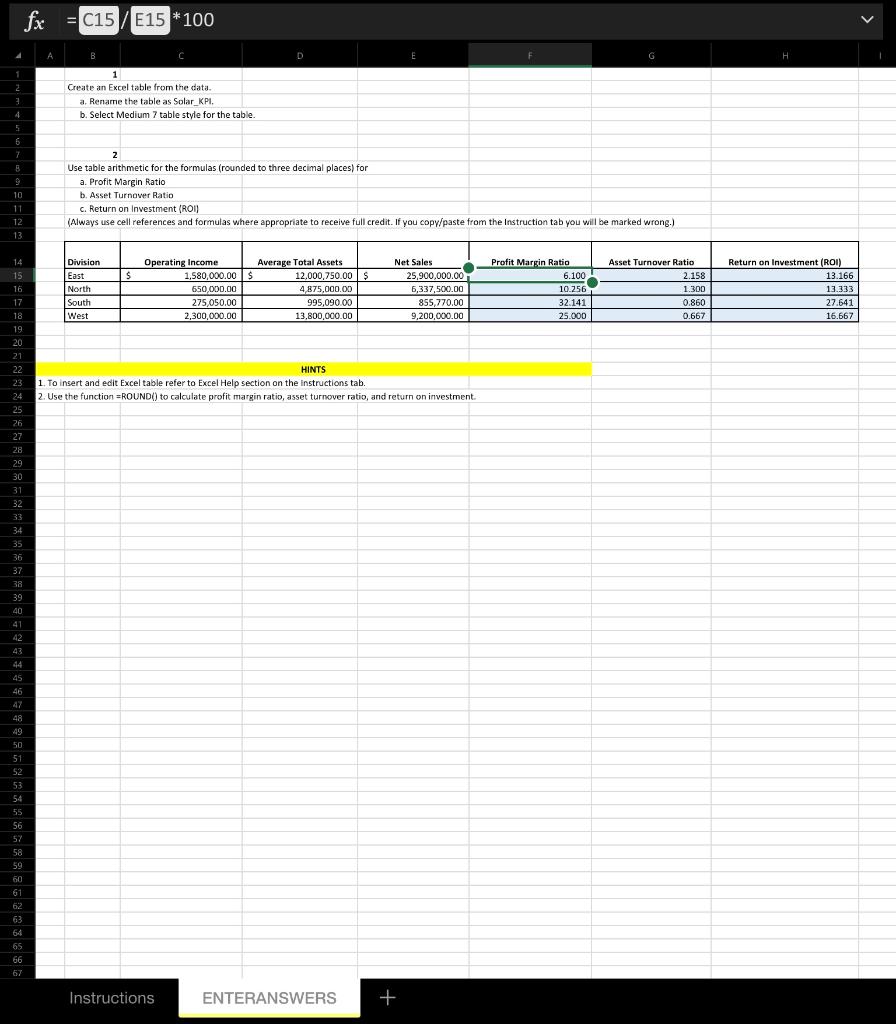 how do I enter the formula using ROUND() for profit margin / asset turnover ratio / roi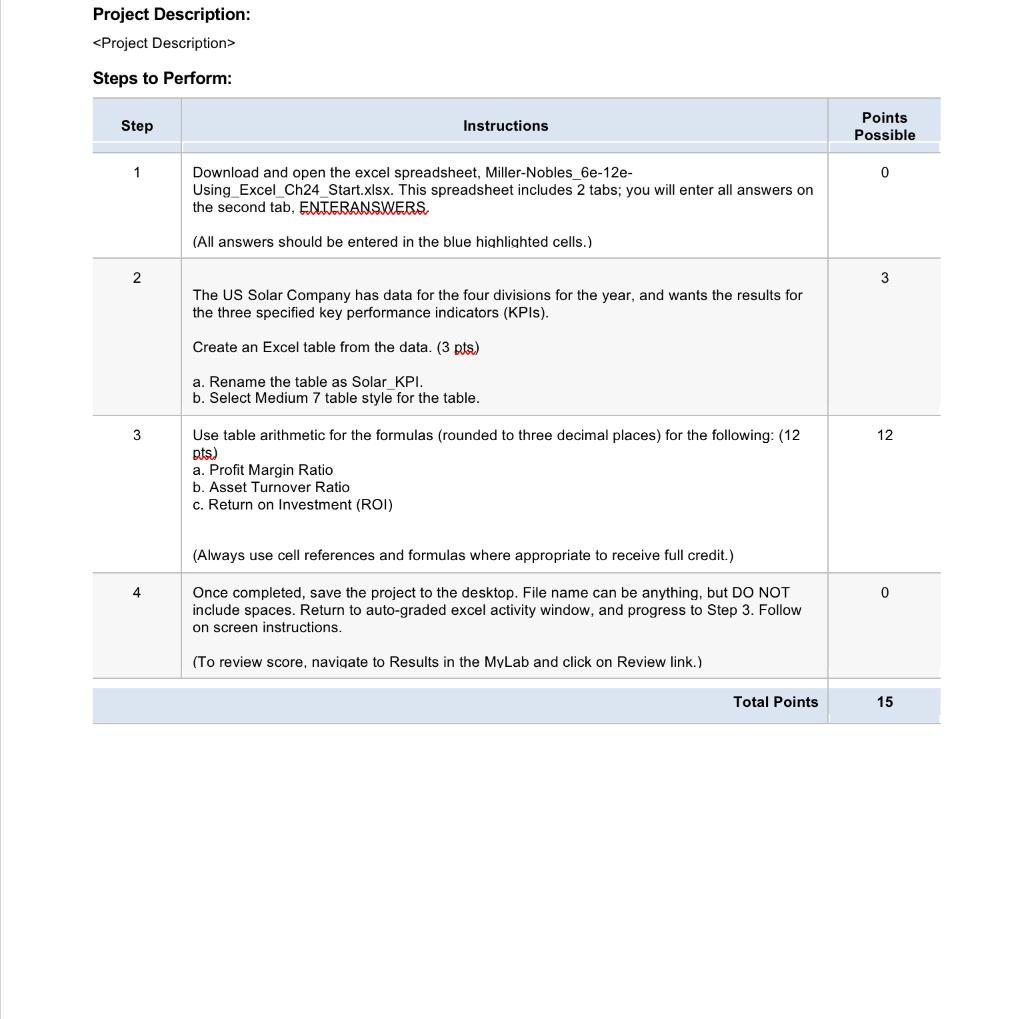
fx = C15/E15 * 100 B . D E H 1 Create an Excel table from the data a. Rename the table as Solar_KPI. b7 4 b. Select Medium 7 table style for the table. 5 6 7 10 11 12 13 2 Use table arithmetic for the formulas (rounded to three decimal places) for a. Profit Margin Ratio b. Asset Turnover Ratio c. Return on Investment (ROI) (Always use cell references and formulas where appropriate to receive full credit. If you copy/paste from the Instruction tab you will be marked wrong.) $ Division East North South West Operating Income 1,580,000.00 $ 650,000.00 275,050.00 2,300,000.00 Average Total Assets 12,000,750.00 $ 4,875,000.00 995,090.00 13,800,000.00 Net Sales 25,900,000.00 5,337,500.00 855,770.00 9,200,000.00 Profit Margin Ratio 6.100 10.256 32.141 25.000 Asset Turnover Ratio 2.158 1.300 0.860 0.667 Return on Investment (ROI) 13.166 13.333 27.641 16.667 HINTS 1. To insert and edit Excel table refer to Excel Help section on the instructions tab 2. Use the function =ROUND() to calculate profit margin ratio, asset turnover ratio, and return on investment 14 15 16. 17 18 19 20 21 22 23 24 25 26 27 28 29 30 31 32 33 34 35 36 37 38 39 40 41 42 43 44 45 46 47 48 49 50 51 52 53 54 55 56 57 58 59 60 61 62 63 64 65 66 67 Instructions ENTERANSWERS + Project Description:
Step by Step Solution
There are 3 Steps involved in it

Get step-by-step solutions from verified subject matter experts
 Study Help