







Question: How do i fix my network on virtual machine ,the network operation manager shows no active network. 2. Why is the vbox logs showing ?
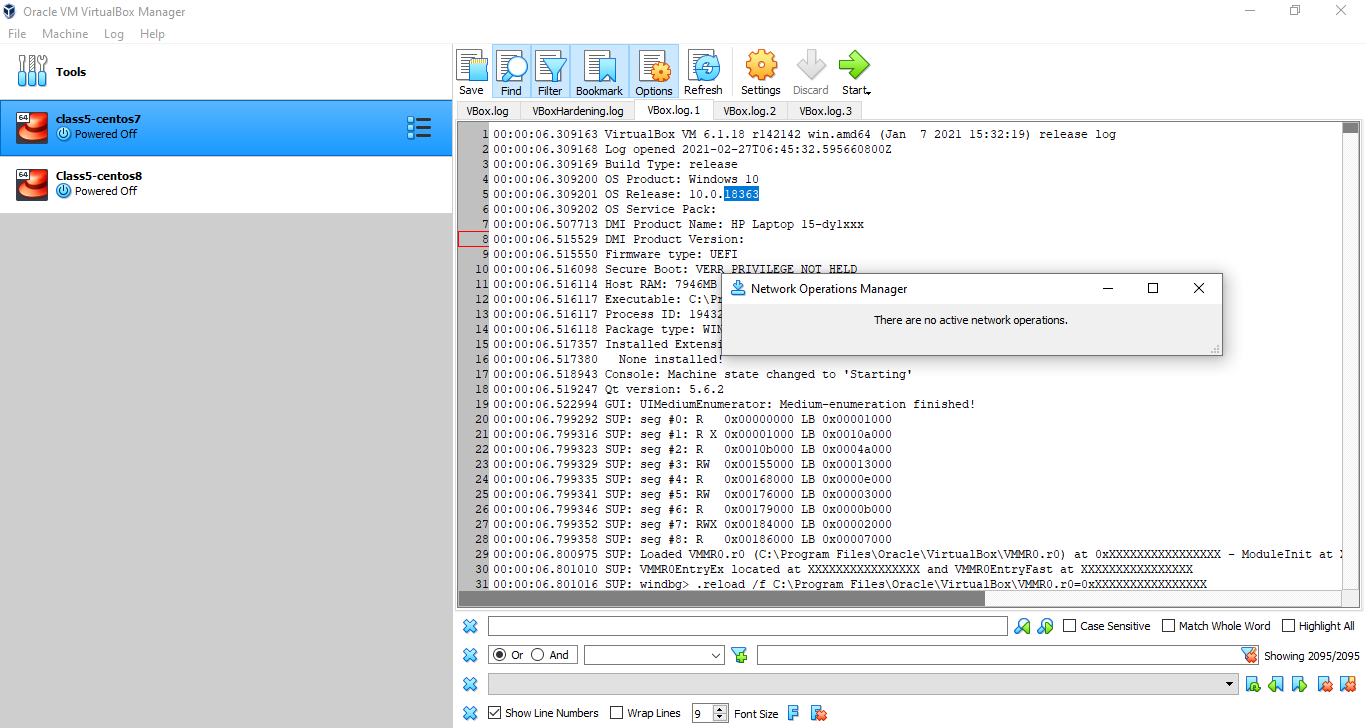 How do i fix my network on virtual machine ,the network operation manager shows no active network.
2. Why is the vbox logs showing ?
Oracle VM VirtualBox Manager File Machine Log Help 808 Tools GDE DB class5-centos7 Powered Off 64 Class5-centos8 Powered Off Save Find Filter Bookmark Options Refresh Settings Discard Start VBox.log VBoxHardening.log VBox.log. 1 VBox.log. 2 VBox.log.3 00:00:06.309163 VirtualBox VM 6.1.18 r142142 win.amd64 (Jan 7 2021 15:32:19) release log 2 00:00:06.309168 Log opened 2021-02-27T06:45:32.595660800Z 3 00:00:06.309169 Build Type: release 4 00:00:06.309200 OS Product: Windows 10 5 00:00:06.309201 Os Release: 10.0.18363 6 00:00:06.309202 Os Service Pack: 00:00:06.507713 DMI Product Name: HP Laptop 15-dylxxx 00:00:06.515529 DMI Product Version: 00:00:06.515550 Firmware type: UEFI 10 00:00:06.516098 Secure Boot: VERR PRIVILEGE NOT HELD 11 00:00:06.516114 Host RAM: 7946MB Network Operations Manager 12 00:00:06.516117 Executable: C:\PI 13 00:00:06.516117 Process ID: 1943 There are no active network operations. 14 00:00:06.516118 Package type: WIN 15 00:00:06.517357 Installed Extensi 16 00:00:06.517380 None installed! 17 00:00:06.518943 Console: Machine state changed to 'Starting' 18 00:00:06.519247 Qt version: 5.6.2 19 00:00:06.522994 GUI: UIMediumEnumerator: Medium-enumeration finished! 20 00:00:06.799292 SUP: seg #0: R 0x00000000 LB 0x00001000 21 00:00:06.799316 SUP: seg #1: RX 0x00001000 LB 0x0010000 22 00:00:06.799323 SUP: seg #2: R 0x00105000 LB 0x0004a000 23 00:00:06.799329 SUP: seg #3: RW Ox00155000 LB 0x00013000 24 00:00:06.799335 SUP: seg #4: R 0x00168000 LB 0x0000000 25 00:00:06.799341 SUP: seg #5: RW 0x00176000 LB 0x00003000 26 00:00:06.799346 SUP: seg #6: R Ox00179000 LB 0x00000000 27 00:00:06.799352 SUP: seg #7: RWX 0x00184000 LB 0x00002000 28 00:00:06.799358 SUP: seg #8: R 0x00186000 LB 0x00007000 29 00:00:06.800975 SUP: Loaded VMMRO.ro (C:\Program Files\Oracle\VirtualBox\VMMRO.ro) at OxXXXXXXXXXXXXXXXX - ModuleInit at 30 00:00:06.801010 SUP: VMMROEntryEx located at XXXXXXXXXXXXXXXX and VMMROEntryFast at XXXXXXXXXXXXXXXX 31 00:00:06.801016 SUP: windbg> reload /f C:\Program Files\Oracle\VirtualBox\VMRO.r0=0xXXXXXXXXXXXXXXXX X 83 O O O And A Case Sensitive Match Whole Word Highlight All Showing 2095/2095 hahah X Show Line Numbers Wrap Lines 9 Font Size F F3
Step by Step Solution
There are 3 Steps involved in it

Get step-by-step solutions from verified subject matter experts
 Study Help