







Question: How do I make a Magic8Ball game on Java that does the following: 1. When your program runs, it should prompt the user to ask
How do I make a Magic8Ball game on Java that does the following:
1. When your program runs, it should prompt the user to ask a question, e.g.:
"What would you like to ask the Magic 8 Ball?"
2. Your program should validate that the user entered something. It should then repeat the question and then randomly choose from a set of preset answers. You can look up the standard Magic 8 Ball answers, or supply your own.
3. Your program should then ask the user if they want to ask another question. "Ask another question? 1 for yes, 2 for no."
4. The program should validate that the user entered either 1 or 2, and then either repeat the initial prompt or exit.
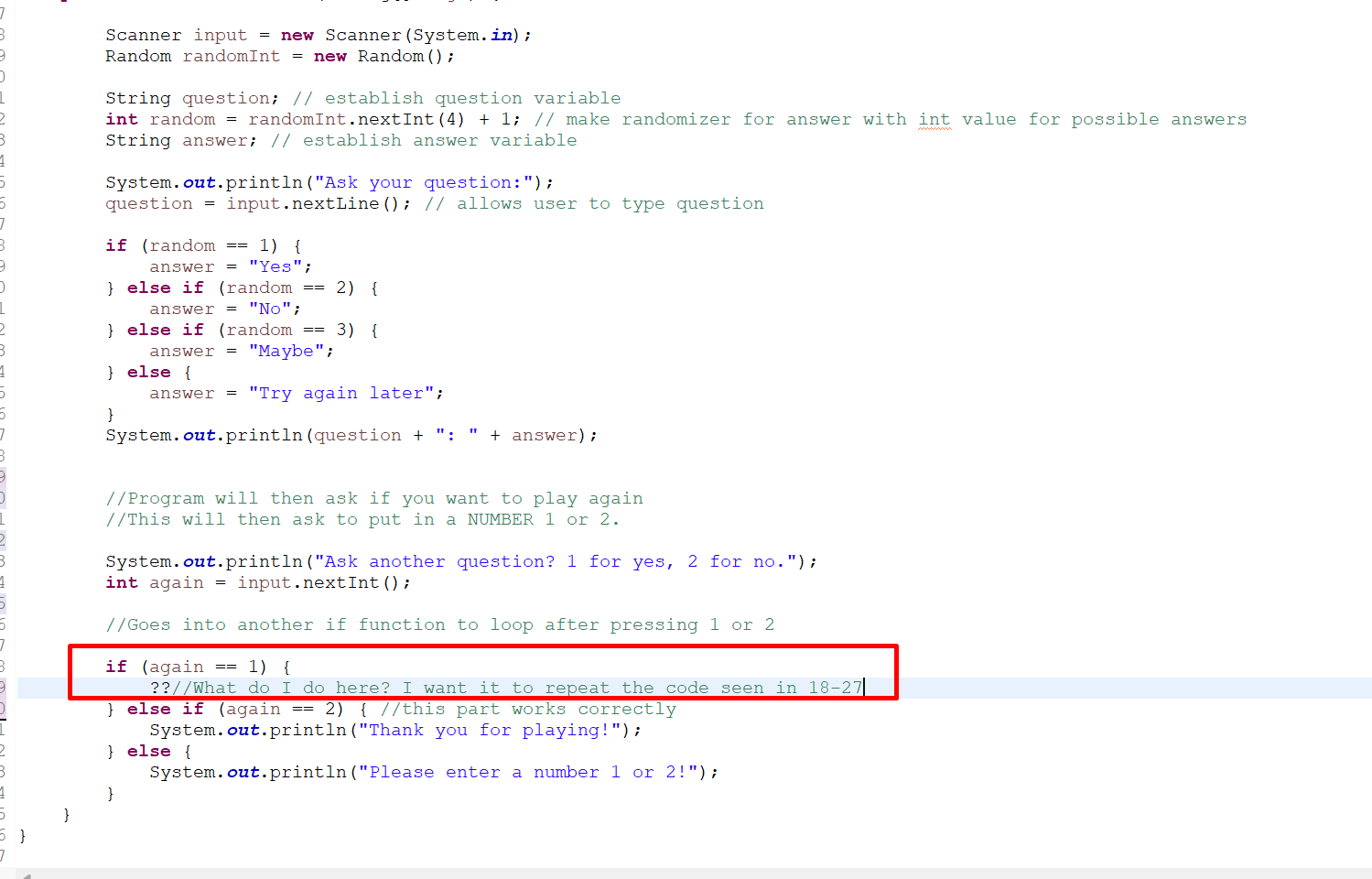
B B Scanner input = new Scanner(System.in); Random randomInt = new Random(); String question; // establish question variable int random = randomInt.nextInt(4) + 1; // make randomizer for answer with int value for possible answers String answer; // establish answer variable System.out.println("Ask your question:"); question = input.nextLine(); // allows user to type question if (random == 1) { answer = "Yes"; } else if (random == 2) { answer = "No"; } else if (random == 3) { answer = "Maybe"; } else { } answer = "Try again later"; " System.out.println (question + ": + answer); B //Program will then ask if you want to play again //This will then ask to put in a NUMBER 1 or 2. System.out.println("Ask another question? 1 for yes, 2 for no."); int again = input.nextInt(); //Goes into another if function to loop after pressing 1 or 2 if (again == 1) { ??//What do I do here? I want it to repeat the code seen in 18-27| 2) { //this part works correctly } else if (again == System.out.println("Thank you for playing!"); } else { System.out.println("Please enter a number 1 or 2!"); 5
Step by Step Solution
There are 3 Steps involved in it

Get step-by-step solutions from verified subject matter experts
 Study Help